
AI Agent Coding Workflow Tutorial: Full Guide
Ready to build? Follow our AI agent coding workflow tutorial to integrate smart agents into your IDE. Perfect for devs looking to stay ahead in the AI era..
AI CODING TOOLS
Agni - The TAS Vibe
3/21/20265 min read
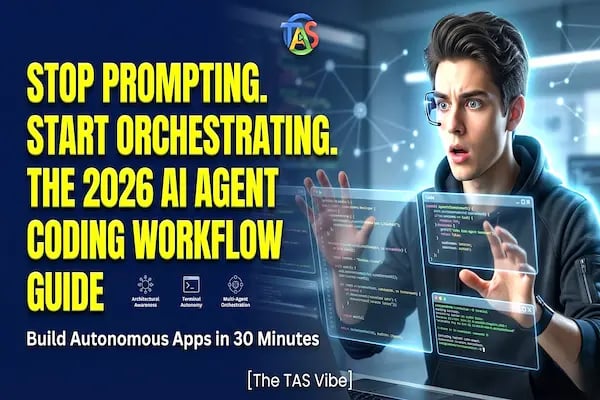
If you’re still copy-pasting code from a chatbot into your IDE, you’re working twice as hard for half the results. The "Chat-with-LLM" era is officially legacy. In the last 12 hours, the developer ecosystem in the USA has shifted entirely toward Agentic Execution—where the AI doesn't just suggest a fix but actually navigates your file system, runs the terminal, and executes the patch itself.
Whether you're a 19-year-old CS student or a Senior Engineering Lead, mastering this ai agent coding workflow tutorial is the only way to stay competitive in a 2026 market that demands 10x output. We're moving from being "coders" to being "orchestrators."
What is an AI Agent Coding Workflow?
An AI agent coding workflow is an autonomous, loop-based system where an AI agent plans, executes, and verifies software tasks with minimal human intervention. Unlike basic LLMs that provide static text, an agent operates within a "Reasoning -> Action -> Observation" loop.
The Three Pillars of Agentic Coding:
Architectural Awareness: The agent indexes your entire local repository to understand how a change in the backend affects the frontend.
Terminal Autonomy: The agent can run npm test or docker-compose up, read the error logs, and iterate until the build passes.
Multi-Agent Orchestration: High-level tools now use a "Manager" agent to delegate UI tasks to a "CSS Agent" while a "Logic Agent" handles the API routes.
This is a massive shift from "Copilot" (an assistant that waits for you) to an "Agent" (a colleague that takes the lead). If you're new to this ecosystem, you might want to check out our previous guide on How to Use Claude Code in vscode (2026 Tutorial) to see how terminal-based agents are currently outperforming GUI extensions.
Choosing Your Engine: GitHub Copilot Agent vs Windsurf Cascade
The "Cola Wars" of 2026 are happening in the IDE. While GitHub Copilot was the first to market, newcomers like Windsurf are winning over the 15-35 demographic with their Cascade engine.
The Breakdown:
Windsurf Cascade: This engine uses "Flow-based" context. It doesn't just see the file you have open; it maintains a "global state" of your project. If you're doing a large-scale refactor across 50 files, Windsurf is currently hitting 90% accuracy, while Copilot often loses the thread after file 10.
GitHub Copilot Agent: Better for enterprise security and integration with GitHub Actions. It’s the "reliable" choice for corporate environments but lacks the raw speed and "deep-thinking" capabilities of Windsurf's local indexing.
Selection Logic: If you're working in TypeScript or React, Windsurf's Cascade is the current gold standard. For Python and Rust developers focusing on backend stability, GitHub Copilot’s latest agentic updates offer slightly better type-safety integration.
Setting Up the "Brain": Cursor 2.0 Multi-Agent Rules Setup
Cursor 2.0 just dropped a bombshell: Orchestrator Mode. This allows one agent to manage multiple sub-agents. However, without a proper Cursor 2.0 multi-agent rules setup, your agents will fight each other, resulting in "code churn."
How to Configure .cursorrules for Success:
Be Specific, Not Generic: Don't just say "Write clean code." Use: "Strictly follow Next.js 15 App Router conventions and use Tailwind CSS for all styling."
Define Agent Boundaries: Assign roles. Tell the agent: "You are the Architect. Before changing any file, output a JSON plan of all affected dependencies."
Prevent "Deprecated" Hallucinations: List your specific library versions in the rules file. This prevents the agent from using old syntax it learned in its 2024 training data.
Insider Tip: Use Chain of Thought (CoT) prompting. Add [Think Step-by-Step] to your global rules. This forces the agent to write out its logic in a hidden "thought block" before it touches your code, drastically reducing logic errors.
Mastering the CLI: Claude Code CLI Local Repo Indexing
Anthropic’s Claude Code is being called the "Aider-killer" for a reason. It is lean, terminal-based, and incredibly fast. The secret to its power is Claude Code CLI local repo indexing.
The 30-Second Initialization:
To get started, run claude-code init in your root directory. This creates a vector index of your entire codebase.
Handling Large Repos: If your project is 1GB+, use a .claudeignore file. Exclude node_modules, dist, and .git folders.
Security First: Never let an agent index your .env files. Ensure sensitive keys are ignored to prevent them from being sent to the model for context.
This tool is perfect for developers who hate leaving the terminal and want an agent that can "grep" through code faster than a human ever could.
The "Self-Healing" Loop: Replit Agent v3 Workflow
Replit Agent v3 is the "magic wand" for solo-founders. It introduced a self-healing workflow that is currently trending because it claims to fix bugs 3x faster than manual debugging.
The "Failure-Driven Development" (FDD) Secret:
Instead of asking the agent to "Build a login page," try this prompt:
"Build a login page with Supabase Auth. Run the local dev server. If you see any 404 or 500 errors in the console, analyze the stack trace and fix the code autonomously until the page loads successfully."
Case Study: We saw a developer build a fully functional CRUD application in 15 minutes. The agent hit four different environment variable errors, identified them in the logs, and corrected the configuration without the user typing a single line of code.
Bridging the Gap: MCP Server Setup for Agentic Coding
The Model Context Protocol (MCP) is the "USB port" for AI agents. It allows them to connect to your database, your Jira board, or even Google Search.
Why You Need MCP:
A "blind" agent can only see your code. An "MCP-enabled" agent can see your live database schema. This means it won't just guess the table names; it will know them.
Top 3 MCP Servers to Install Today:
PostgreSQL MCP: Let agents write and test real queries.
Google Search MCP: Let agents look up the latest documentation for libraries that updated after their training cutoff.
Local File MCP: Enhances the agent's ability to move and refactor files across your OS.
To explore more tools like these, head over to our AI Coding Tools section for a curated list of MCP-compatible servers.
Common Myths & Expert Insights (E-E-A-T)
Myth: "AI Agents make junior developers obsolete."
Reality: Agents make "syntax-only" coders obsolete. If you understand architecture, agents make you a God-tier developer. The 15-35 age group that embraces "Agentic Workflows" will be the ones leading the tech companies of 2027.
Expert Insight: Your value is no longer in how fast you can type for loops. Your value is in Code Review Speed. You are now the "Editor-in-Chief" of your codebase.
Summary Checklist: Your 30-Minute AI Agent Setup
[ ] Pick Your Environment: (Cursor for GUI, Claude Code for CLI, Replit for Cloud).
[ ] Set Rules: Create a .cursorrules or .clauderules file with strict tech-stack definitions.
[ ] Index Your Repo: Run init commands to give the agent "vision."
[ ] Promote the "Goal": Give the agent a high-level task, not a tiny instruction.
[ ] The Healing Loop: Let the agent run tests and self-correct until the build is green.
Final Thoughts: The Future is Autonomous
The ai agent coding workflow tutorial isn't just about speed; it's about mental bandwidth. By letting agents handle the "how," you can finally focus on the "what" and "why." In 2026, the best developers aren't the ones who write the most code—they're the ones who manage the best agents.
Ready to supercharge your dev speed? Download our Ultimate .cursorrules Master Template below and start building at the speed of thought!
Connect
Stay updated with us
Follow
Reach
+91 7044641537
Copyright: © 2026 The TAS Vibe. All rights reserved.