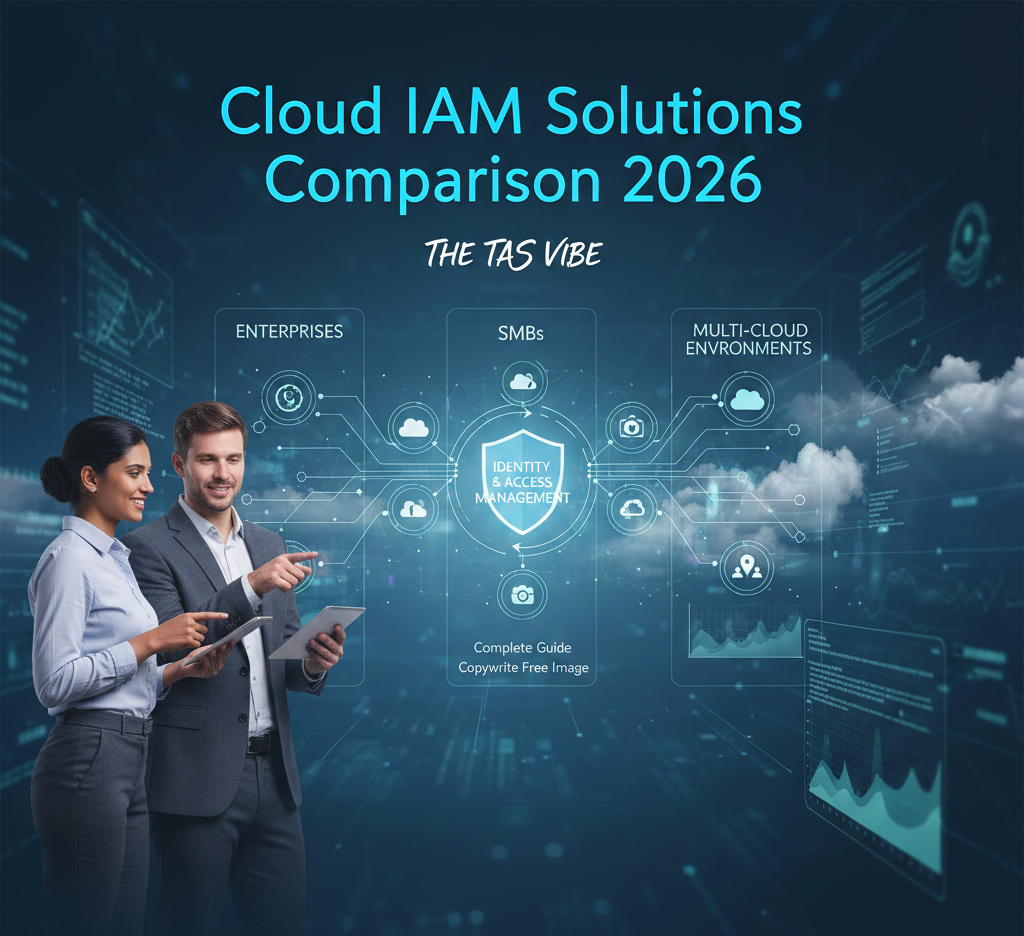
Cloud IAM Solutions Comparison for Enterprises 2026
Explore cloud IAM solutions comparison for enterprises in 2026. The TAS Vibe breaks down security, pricing, and multi-cloud IAM to choose smarter, for CIOs.
TECHNOLOGY
The TAS Vibe
1/7/202640 min read
My post content
Cloud IAM Solutions Comparison 2026: Complete Guide for Enterprises, SMBs & Multi-Cloud Environments
SECTION 1: Introduction – Choosing the Right Cloud IAM Solution in 2026
The Identity Challenge of the Cloud-First Era
Modern organizations are facing an identity challenge unlike anything seen before. Business workloads are no longer confined to a single data center or cloud provider. Instead, they are distributed across AWS, Microsoft Azure, and Google Cloud Platform, while business-critical applications live in dozens of SaaS platforms such as Salesforce, Slack, GitHub, and ServiceNow.
At the same time, users are working from everywhere—home offices, branch locations, mobile devices, and partner networks. Employees, contractors, developers, and third-party vendors all require secure access to systems that were never designed to be this interconnected.
Traditional Identity & Access Management solutions, built for centralized and on-premises environments, struggle to manage this level of complexity. They lack the flexibility, visibility, and automation required for cloud-native and multi-cloud architectures.
For CISOs, IT directors, cloud architects, and security leaders, the conversation has changed. The question is no longer whether cloud IAM is necessary. The real challenge now is:
Which cloud IAM solution is the right fit for our organization?
The Real Problem Organizations Face in 2026
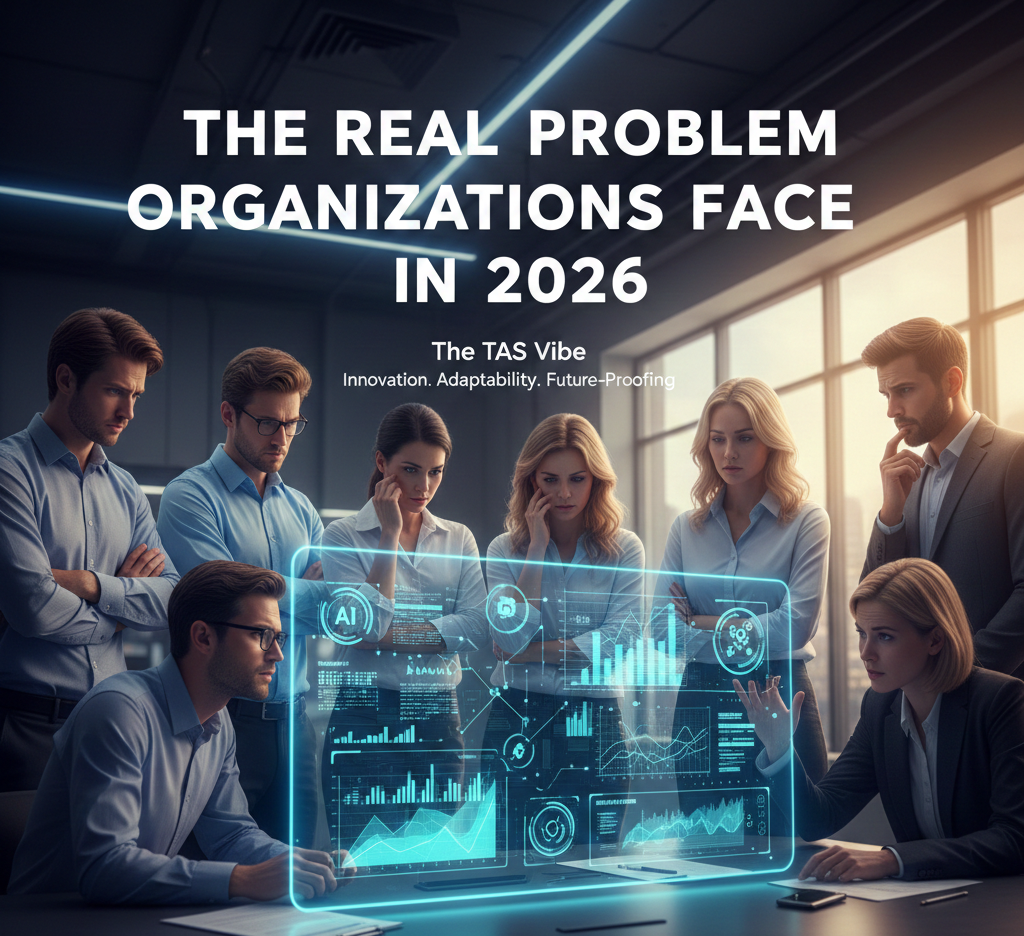
Evaluating cloud IAM solutions in 2026 is more complex than ever. Organizations are confronted with an overwhelming number of options, each claiming to be the most secure, scalable, and cost-effective.
Some of the biggest challenges include:
More than a dozen major IAM vendors competing aggressively for market share
Highly variable pricing models, ranging from free native tools to enterprise platforms costing $15 or more per user per month
Overlapping feature sets that make it difficult to understand why one solution costs significantly more than another
Regional differences where the best IAM solution in North America may not be the best choice in Europe or Asia due to compliance and data residency requirements
Hybrid and multi-cloud architectures that eliminate simple, one-size-fits-all identity solutions
Legacy system dependencies that restrict how quickly modern IAM platforms can be adopted
As a result, many enterprise IT leaders spend 200+ hours evaluating IAM platforms. They speak with multiple vendors, build complex comparison spreadsheets, and still feel uncertain about whether they are making the right long-term decision.
This uncertainty is costly. A poorly chosen IAM solution can lead to security gaps, user friction, failed compliance audits, and expensive re-implementations.
Why This Cloud IAM Comparison Guide Matters
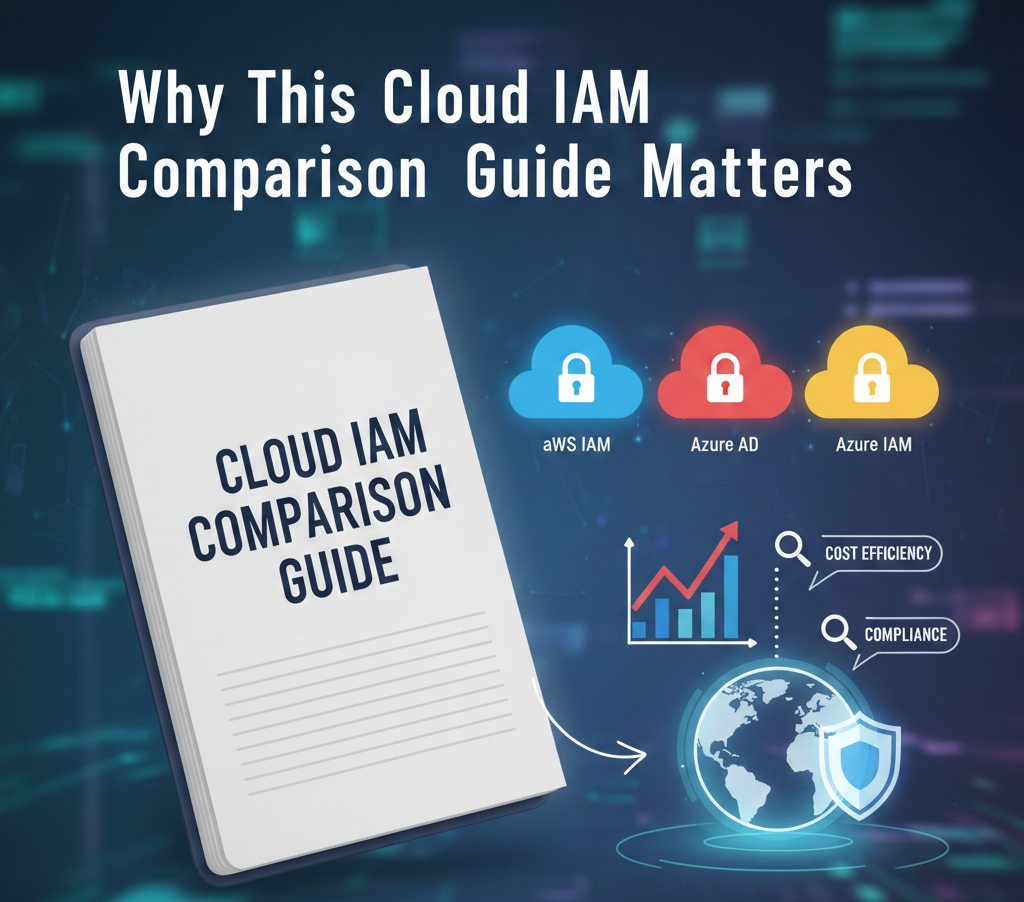
This guide exists to remove confusion and provide clarity.
Rather than repeating vendor marketing claims, this comparison delivers a practical, data-driven analysis of the leading cloud IAM solutions available today. It is designed to help organizations of all sizes—from startups to global enterprises—make informed, confident decisions.
By the end of this guide, you will clearly understand:
Which cloud IAM solution best aligns with your organization’s size, budget, and technical complexity
How AWS IAM, Azure Active Directory (Microsoft Entra), and Google Cloud IAM compare in real-world multi-cloud deployments
What vendors actually charge, including hidden costs related to features, integrations, and support
Which IAM platforms meet key compliance requirements such as GDPR, HIPAA, SOX, DORA, and NIS2
How IAM solutions differ across North America, Europe, and Asia, including regulatory and market considerations
The true total cost of ownership (TCO), factoring in licensing, implementation, administration, and ongoing support
Which vendors are positioned as market leaders in 2026, and which may struggle to keep pace with evolving identity threats
This approach ensures the guide remains valuable not only for purchasing decisions today, but also for long-term IAM strategy planning.
How This Guide Is Structured
To help readers quickly find relevant insights, this guide breaks down cloud IAM comparison into clearly defined sections:
Cloud-native IAM solutions from AWS, Microsoft Azure, and Google Cloud, including built-in capabilities and costs
Enterprise IAM platforms such as Okta, Ping Identity, and SailPoint, offering advanced features and vendor independence
SMB-focused IAM solutions like JumpCloud and Auth0, designed for affordability and ease of deployment
Specialized IAM tools including Delinea, Saviynt, and ConductorOne, each addressing specific identity challenges
Regional analysis covering the USA, Europe, and Asia, with a focus on compliance, pricing, and adoption trends
Multi-cloud and hybrid IAM strategies for managing identities across diverse environments
Pricing and total cost of ownership comparisons, revealing what organizations truly spend
A practical decision framework to help you choose the right IAM solution with confidence
SECTION 2: Cloud Provider Native IAM Solutions – AWS vs Azure vs GCP
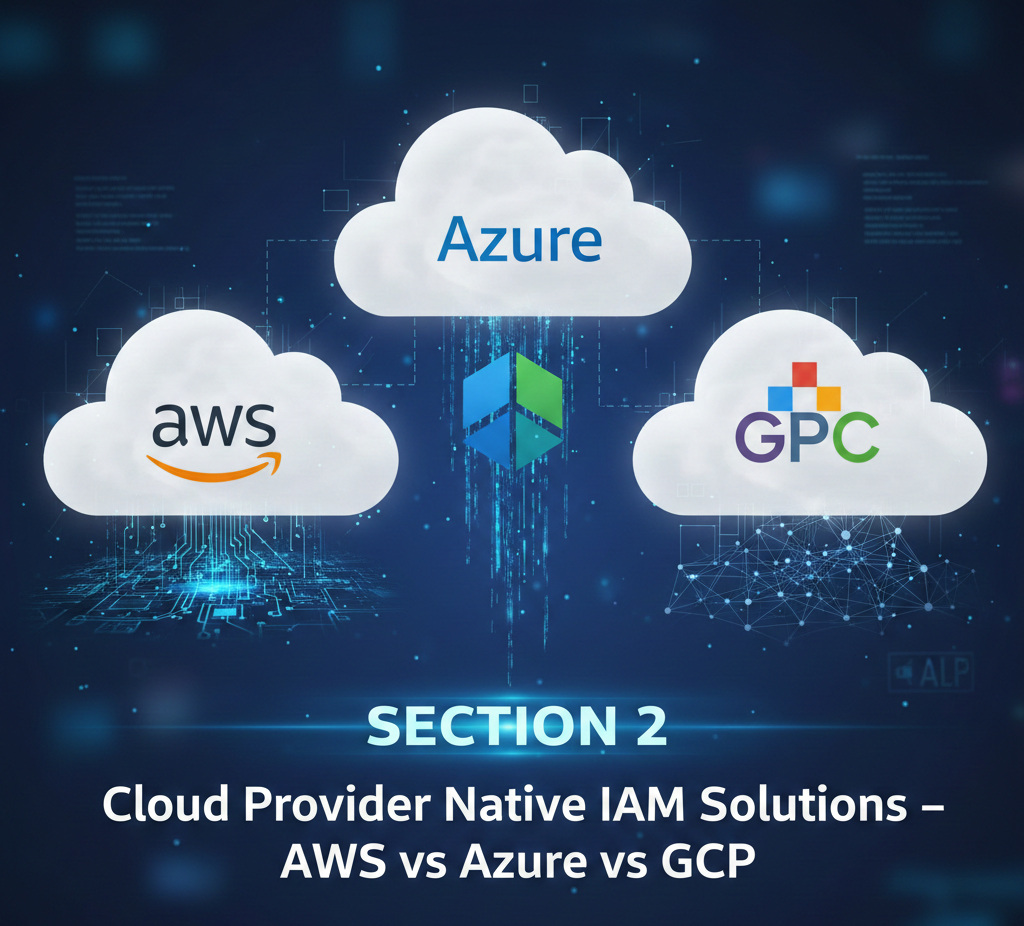
2.1 Overview: When to Use Native Cloud IAM
Every major cloud provider—Amazon Web Services (AWS), Microsoft Azure, and Google Cloud Platform (GCP)—includes built-in Identity and Access Management (IAM) capabilities at no additional per-user licensing cost. For many organizations, this raises a critical question: Are native cloud IAM tools enough, or do you need a third-party IAM solution?
The short answer is: it depends on your architecture, scale, and long-term strategy.
Native cloud IAM works exceptionally well when workloads are confined to a single cloud platform. If your organization operates exclusively on AWS, Azure, or GCP, using the provider’s built-in IAM—combined with a centralized identity provider such as Okta, Ping Identity, or Microsoft Entra—often delivers the best total cost of ownership (TCO).
However, challenges emerge in multi-cloud and hybrid environments. Each cloud has its own IAM model, terminology, and management interface. Relying only on native IAM across multiple platforms creates operational silos, inconsistent governance, and higher administrative overhead.
In short:
Single-cloud organizations benefit greatly from native IAM
Multi-cloud or hybrid organizations require an additional identity abstraction layer to avoid fragmentation
2.2 AWS IAM: Maximum Control with Maximum Complexity
Architecture Overview
AWS IAM is built on a policy-based access control model. Permissions are defined using JSON policy documents that explicitly state which actions are allowed or denied on which AWS resources. These policies are attached to identities such as users, groups, or roles.
Unlike role inheritance models, AWS IAM follows a flat permission structure, meaning every permission must be explicitly defined.
Key Characteristics of AWS IAM
One of AWS IAM’s biggest strengths is its fine-grained control. Administrators can grant permissions down to the individual API call level. For example, a user can be allowed to upload objects to a specific S3 bucket prefix but denied permission to delete them.
AWS IAM has no per-user licensing cost, making it attractive for cost-conscious organizations. However, this advantage is offset by operational complexity. The JSON policy language is powerful but unforgiving—minor errors can lead to excessive privileges or broken workflows.
AWS IAM is also AWS-specific. While it integrates well with AWS-native services, access to third-party SaaS applications requires federation through an external identity provider.
Real-World Example: Enterprise AWS Deployment
Consider a fintech organization with 1,000 engineers using AWS as its primary cloud. The company defines multiple IAM roles:
Data Engineers access S3 data lakes, Redshift clusters, and Glue pipelines
Machine Learning Engineers access SageMaker, EC2 training instances, and model repositories
DevOps Engineers have full access in production accounts but limited access in development
Finance Teams can view billing and cost reports only
This approach provides extremely precise access control. However, as the number of services and policies grows, managing and auditing permissions becomes increasingly complex and error-prone.
AWS IAM Summary
Pricing: Included with AWS
Best for: AWS-exclusive environments with complex access needs
Strengths: Deep AWS integration, granular permissions, no licensing fees
Weaknesses: Steep learning curve, complex policy management, AWS-only scope
Typical TCO: $100K–$500K annually (primarily staffing and operations)
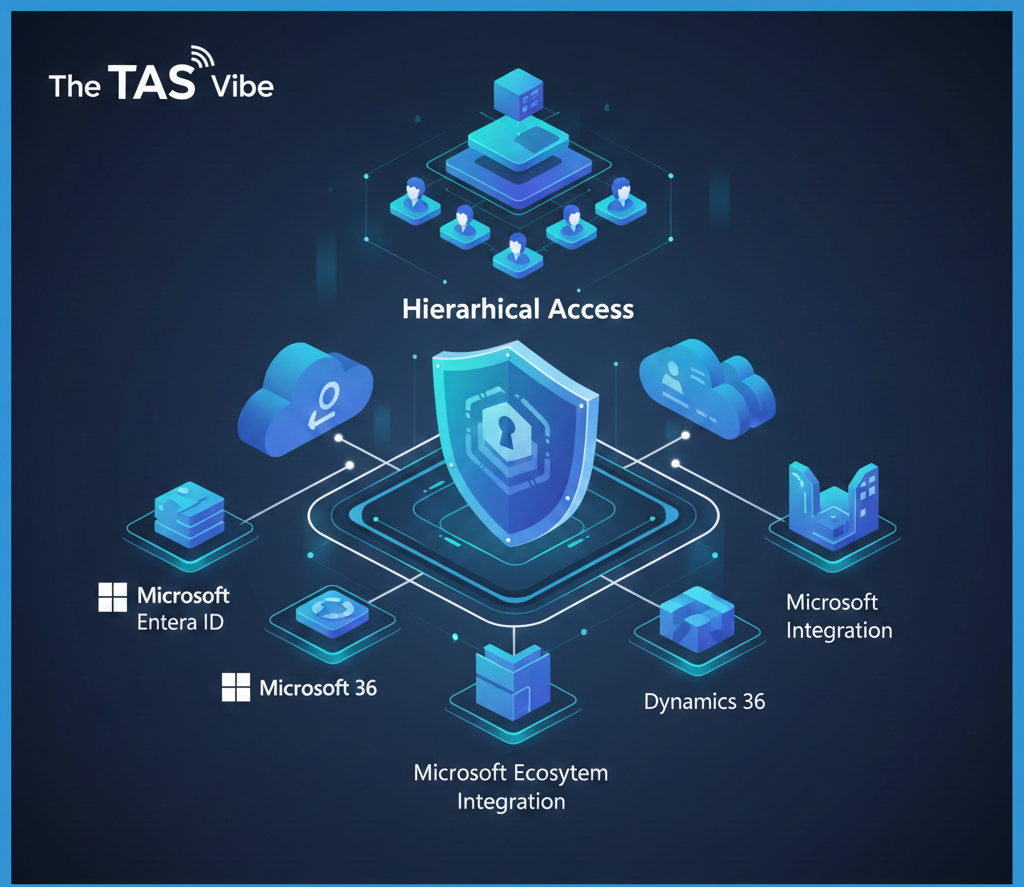
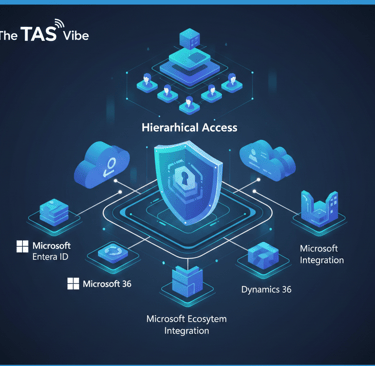
2.3 Azure RBAC: Hierarchical Access with Microsoft Ecosystem Integration
Architecture Overview
Azure uses a hierarchical role-based access control (RBAC) model. Resources are organized in a structured hierarchy:
Management Group → Subscription → Resource Group → Resource
Permissions assigned at a higher level automatically cascade down, making Azure RBAC easier to manage at scale.
Key Characteristics of Azure RBAC
Azure RBAC relies on predefined and custom roles rather than explicit policies. Roles such as Owner, Contributor, and Reader simplify permission assignment. For more advanced needs, organizations can create custom roles.
Azure’s biggest advantage is its native integration with the Microsoft ecosystem, including Microsoft 365, Teams, SharePoint, and Exchange. Hybrid organizations benefit from Azure AD Connect, which synchronizes on-premises Active Directory with the cloud.
Conditional Access adds adaptive security by evaluating risk signals such as user location, device health, and behavior before granting access.
Real-World Example: Hybrid Healthcare Organization
A healthcare provider with 2,000 employees operates a hybrid Microsoft environment. Its Azure RBAC structure includes:
Management Group: All healthcare subscriptions
Production Subscription: Live electronic health record systems
Resource Groups:
Patient databases (read-only access for data specialists)
Clinical applications (full access for clinicians)
Development Subscription: Less restrictive access for testing
Because permissions inherit downward, administrators can manage access efficiently without duplicating configurations.
Azure RBAC Summary
Pricing: Often bundled with Microsoft 365; standalone $2–6/user/month
Best for: Microsoft-centric and hybrid organizations
Strengths: Intuitive hierarchy, hybrid support, Conditional Access
Weaknesses: Limited outside Microsoft ecosystem, hybrid complexity
Typical TCO: $1–3/user/month (often effectively free with M365)
2.4 Google Cloud IAM: Simplicity for Cloud-Native Teams

Architecture Overview
Google Cloud IAM uses a clean, hierarchical structure:
Organization → Folder → Project → Resource
Permissions are granted through role bindings between principals (users or service accounts) and resources.
Key Characteristics of GCP IAM
GCP IAM is widely regarded as the simplest native IAM model. It offers predefined and custom roles, plus IAM Conditions that enable time-based, IP-based, or attribute-based access controls.
A standout feature is Policy Intelligence, which uses machine learning to identify over-privileged accounts and recommend least-privilege adjustments.
Unlike Azure, GCP does not require legacy Active Directory integration, making it ideal for cloud-first organizations.
Real-World Example: GCP Cloud-Native Startup
A data analytics startup operates entirely on GCP. Its structure includes:
Organization: Company-wide resources
Folders: Analytics and Applications
Projects: BigQuery, Vertex AI, Cloud Run
Roles:
ML Engineers manage models and pipelines
App Developers deploy and manage services
Policy Intelligence continuously flags excessive permissions, helping the team maintain a strong security posture with minimal effort.
GCP IAM Summary
Pricing: Included
Best for: GCP-exclusive, cloud-native startups
Strengths: Simple design, AI-driven insights, no licensing cost
Weaknesses: Limited outside GCP, smaller ecosystem
Typical TCO: $100K–$300K annually (staff-driven)
2.5 AWS vs Azure vs GCP IAM: Head-to-Head Comparison


At a high level:
AWS IAM offers the most granular control but requires deep expertise
Azure RBAC balances usability and power with strong Microsoft integration
GCP IAM prioritizes simplicity and cloud-native efficiency
Each platform excels in its own ecosystem, but none is designed to manage identities across multiple clouds without external federation.
Key Insights and Strategic Guidance
Cost-focused AWS environments benefit from AWS IAM’s no-license model, provided they invest in skilled administrators
Microsoft-centric organizations gain the most value from Azure’s hierarchical RBAC and Conditional Access
Cloud-native startups often prefer GCP IAM for its simplicity and AI-driven governance
Native cloud IAM is powerful—but it is not universal. The right choice depends on your cloud strategy, organizational maturity, and long-term security goals.
SECTION 3: Cloud IAM Solutions Comparison for Enterprises
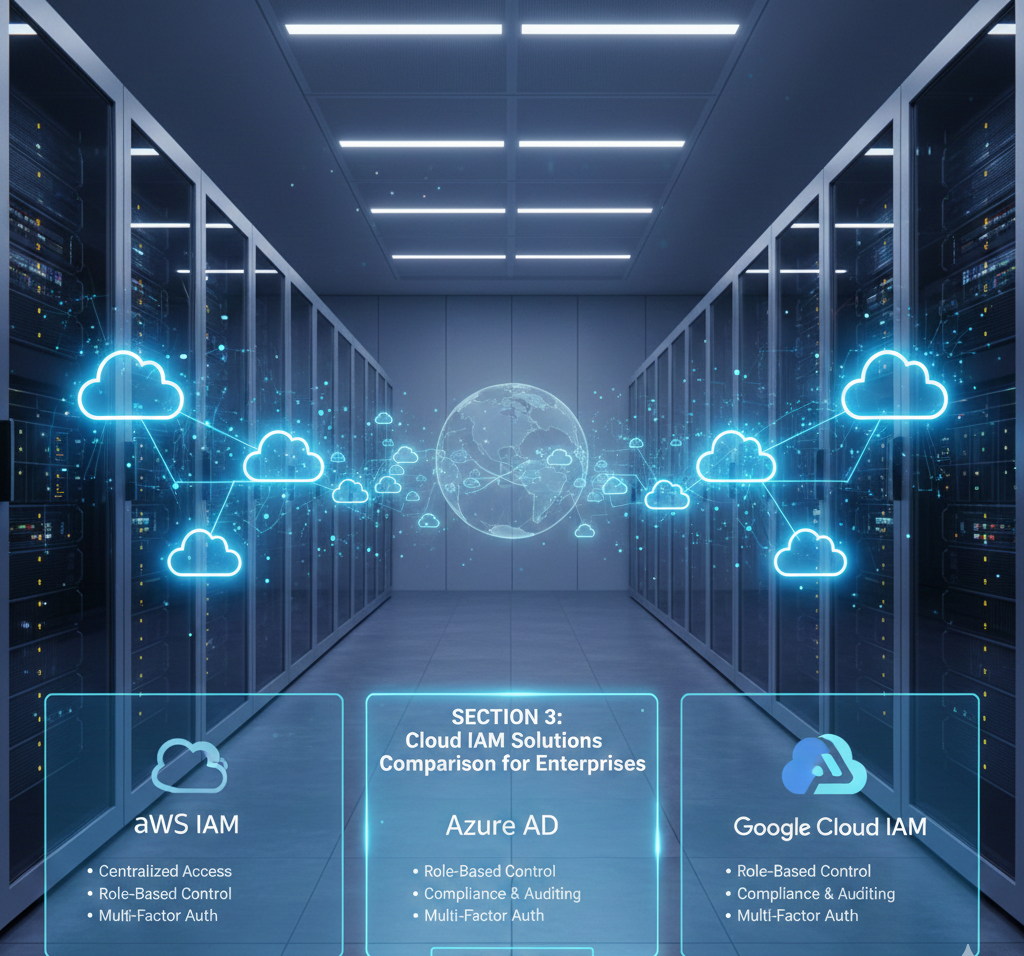

Independent IAM Platforms Explained in Depth
As enterprises move toward cloud, hybrid, and multi-cloud architectures, Identity & Access Management becomes the foundation of security, compliance, and operational efficiency. Choosing the right cloud IAM platform is not a technical preference—it is a strategic decision that affects user experience, audit readiness, and breach resilience for years.
This section provides a neutral, enterprise-focused comparison of leading independent IAM platforms, highlighting where each solution excels, where it falls short, and which type of organization benefits most.
3.1 Okta Workforce Identity Cloud – The Multi-Cloud IAM Leader
Market Position
Okta is widely recognized as the dominant independent IAM provider for large enterprises operating across multiple clouds and application ecosystems. Its strength lies in neutrality—Okta does not belong to any single cloud provider, making it attractive for organizations with diverse IT environments.
Architecture & Approach
Okta functions as a centralized identity control plane. Users authenticate once with Okta, and Okta manages access to thousands of applications—cloud-based, on-premises, and legacy systems.
It integrates seamlessly with AWS, Microsoft Azure, Google Cloud, SaaS platforms, and traditional enterprise applications. Okta does not replace Active Directory but sits above it, synchronizing identities and enforcing consistent access policies.
Key Strengths
Unmatched integration ecosystem with over 7,000 pre-built connectors
Adaptive authentication that adjusts MFA requirements in real time based on user behavior and risk
Universal Directory for centralized identity management across systems
Automated provisioning and deprovisioning, often driven by HR systems
Strong governance features, including access reviews and segregation-of-duties checks
Real-World Enterprise Use Case
Consider a Fortune 1000 financial services organization with 10,000 employees, hundreds of SaaS tools, multiple data centers, and legacy banking platforms. By deploying Okta as the central identity hub, the company enables single sign-on across its entire environment while enforcing consistent governance controls across cloud and on-premises systems.
The result is one identity, one login, and one governance model, even in a complex hybrid infrastructure.
Pricing & Total Cost of Ownership (TCO)
Okta is priced per user, typically ranging from $5 to $15 per month, depending on features. Enterprise implementations often require professional services, driving a three-year total cost of ownership into the multi-million-dollar range for large deployments.
Limitations
Complex implementation requiring skilled IAM resources
Dependency on existing directory services like Active Directory
Costs scale linearly with user count, making it expensive for SMBs
Best Fit
Okta is ideal for large, multi-cloud enterprises willing to invest in premium IAM capabilities and broad integration coverage.
3.2 Microsoft Entra ID (Azure AD) – The Microsoft Ecosystem Champion
Market Position
Microsoft Entra ID dominates organizations already invested in Microsoft technologies. For these companies, it often represents the most cost-effective IAM solution available.
Architecture & Approach
Entra ID is a cloud-native identity platform tightly integrated with Microsoft 365, Azure, and Windows environments. It extends on-premises Active Directory to the cloud using synchronization tools, enabling hybrid identity scenarios.
Key Strengths
Deep, native integration with Microsoft services
Conditional Access policies for adaptive authentication
Built-in Privileged Identity Management (PIM)
AI-driven identity protection and anomaly detection
Often included with Microsoft 365 licenses
Enterprise Example
A healthcare organization using Microsoft Teams, SharePoint, and Azure deploys Entra ID to unify access across on-premises systems and cloud collaboration tools. Conditional access policies enforce MFA for sensitive patient data, supporting compliance requirements without disrupting productivity.
Pricing & TCO
Entra ID is typically low-cost or bundled with Microsoft 365, making it highly attractive for budget-conscious enterprises. Implementation is simpler than many competitors due to native ecosystem integration.
Limitations
Less effective outside Microsoft-heavy environments
Requires ongoing management of on-premises Active Directory
Third-party SaaS integrations are not as seamless as Okta
Best Fit
Microsoft Entra ID is best suited for Microsoft-centric organizations seeking strong security with minimal additional licensing cost.
3.3 Ping Identity – The Flexible Multi-Cloud Specialist
Market Position
Ping Identity targets enterprises that value flexibility and architectural freedom over ecosystem lock-in. It is especially popular among global, multi-cloud organizations.
Architecture & Approach
Ping offers a modular IAM platform deployable in cloud, on-premises, or hybrid models. It supports both workforce and customer identity use cases within a single framework.
Key Strengths
True multi-cloud support across AWS, Azure, and GCP
Advanced authentication, including passwordless options
Developer-friendly APIs and SDKs
Identity orchestration for complex access workflows
Real-World Use Case
A global software company operating across multiple cloud providers uses Ping Identity to enforce consistent access policies worldwide. Ping evaluates risk in real time and dynamically grants or denies access across different cloud platforms.
Pricing & TCO
Ping is priced at a premium due to its flexibility. Implementations often involve customization, increasing overall cost.
Limitations
Higher learning curve than Azure AD
Support and licensing costs can be significant
Best Fit
Ping Identity is ideal for complex, multi-cloud enterprises needing both workforce and customer identity under one platform.
3.4 SailPoint IdentityIQ – Governance & Compliance Authority
Market Position
SailPoint is the leader in Identity Governance and Administration (IGA). Its primary focus is not login convenience but access visibility, control, and compliance automation.
Architecture & Approach
SailPoint governs identity lifecycles across systems by automating provisioning, conducting access reviews, enforcing segregation of duties, and generating audit-ready reports.
Key Strengths
AI-driven access risk analysis
Automated certification campaigns
Strong compliance reporting for global regulations
Cloud entitlement management
Robust segregation-of-duties enforcement
Compliance-Focused Use Case
A publicly traded financial organization uses SailPoint to conduct quarterly access certifications. Managers review user access, approve or revoke permissions, and SailPoint automatically enforces decisions while producing audit evidence.
Pricing & TCO
SailPoint is one of the most expensive IAM platforms, reflecting its governance depth. It requires significant customization and integration effort.
Limitations
Overkill for organizations without strict compliance needs
Complex to deploy and maintain
Best Fit
SailPoint is best for highly regulated industries where audit readiness and access governance are top priorities.
Final Perspective on Enterprise IAM Selection
There is no universal “best” IAM platform.
Okta excels in integration breadth and neutrality
Microsoft Entra ID dominates Microsoft-centric environments
Ping Identity offers unmatched multi-cloud flexibility
SailPoint leads in governance and compliance automation
The right choice depends on your cloud strategy, regulatory obligations, budget, and long-term IAM maturity goals.
SECTION 4: Cloud IAM Tools Comparison for Small Businesses
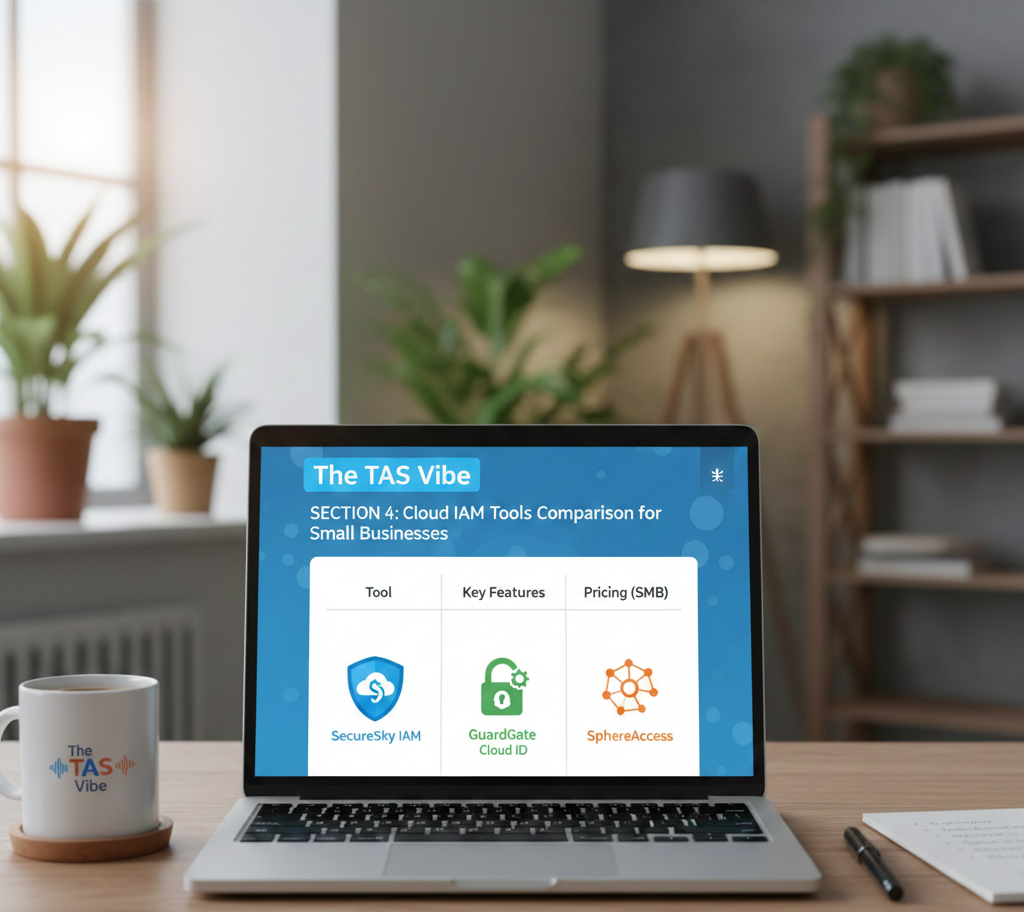
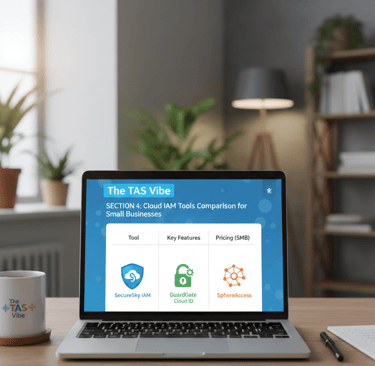
Choosing the right Cloud Identity & Access Management (IAM) solution is a critical decision for small businesses. Unlike large enterprises, SMBs operate with tighter budgets, smaller IT teams, and a strong preference for simplicity. At the same time, they face many of the same cybersecurity threats—phishing, credential theft, insider misuse, and compliance pressure.
This section compares SMB-friendly Cloud IAM tools, explains how they differ from enterprise platforms, and breaks down real-world total cost of ownership (TCO) to help small businesses make informed, cost-effective decisions.
4.1 SMB-Friendly IAM Solutions: Budget, Simplicity, and Speed
Why SMB IAM Needs Are Different
Small businesses approach IAM with very practical constraints:
Limited budgets – Most SMBs cannot justify enterprise tools costing $10–20 per user per month.
Small IT teams – Often one or two people manage infrastructure, security, and user support.
Cloud-first operations – Many SMBs rely entirely on SaaS tools and have little or no on-premises infrastructure.
Simplicity over customization – Tools must work out of the box with minimal configuration and training.
The best IAM tools for SMBs focus on ease of use, predictable pricing, and fast deployment.
JumpCloud: All-in-One IAM for Growing SMBs
Pricing: Approximately $4–10 per user per month
Best for: SMBs with mixed operating systems and limited IT staff
JumpCloud is one of the most popular IAM platforms for small and mid-sized businesses because it combines directory services, SSO, MFA, and endpoint management into a single cloud-based platform.
Key Strengths
Affordable pricing designed for SMB budgets
Supports Windows, macOS, and Linux equally well
Built-in device management and compliance checks
Clean, intuitive interface that reduces admin overhead
No need for separate directory, MDM, or identity tools
Real-World Example
A 30-person marketing agency uses a mix of Windows laptops, Macs, and a few Linux servers. With JumpCloud:
Employees authenticate through a single cloud directory
Devices are automatically checked for security compliance
Staff access tools like Slack, Salesforce, and Google Workspace via SSO
One IT administrator manages everything from one dashboard
For SMBs that want maximum functionality with minimal complexity, JumpCloud is often the best value.
Auth0: Flexible Identity for Startups and B2C Apps
Pricing: Free tier, then roughly $0–5 per user plus usage
Best for: Startups, developers, and customer-facing applications
Auth0 is designed primarily for application identity, rather than workforce IAM. It is especially popular with startups building SaaS or mobile apps that require flexible login experiences.
Key Strengths
Generous free tier for early-stage startups
Excellent developer documentation, SDKs, and APIs
Supports social login, passwordless authentication, and custom flows
Scales easily as applications grow
Real-World Example
A 10-person SaaS startup building an HR platform uses Auth0’s free tier to authenticate customers. As their user base grows, they begin paying based on active users and authentication volume. This usage-based pricing allows them to scale without committing to high upfront costs.
Auth0 is ideal when customer identity is more important than internal workforce management.
Google Workspace + Cloud Identity: Simple IAM for Google-Centric SMBs
Pricing: $6–12 per user per month (bundled with Workspace)
Best for: SMBs already using Google Workspace
For businesses that rely heavily on Gmail, Google Drive, and Google Docs, Google Cloud Identity offers a simple and cost-effective IAM solution.
Key Strengths
Included or low-cost with Google Workspace
Familiar Google interface reduces training time
Supports SAML and OAuth for third-party apps
Strong mobile support for BYOD environments
Real-World Example
A 25-person consulting firm uses Google Workspace for email and collaboration. With Google Cloud Identity:
Employees log in once to access CRM and accounting tools
IT avoids managing an additional IAM platform
Mobile employees authenticate securely from phones and tablets
For Google-first SMBs, this approach minimizes cost and complexity.
4.2 SMB vs Enterprise IAM: Understanding the Differences
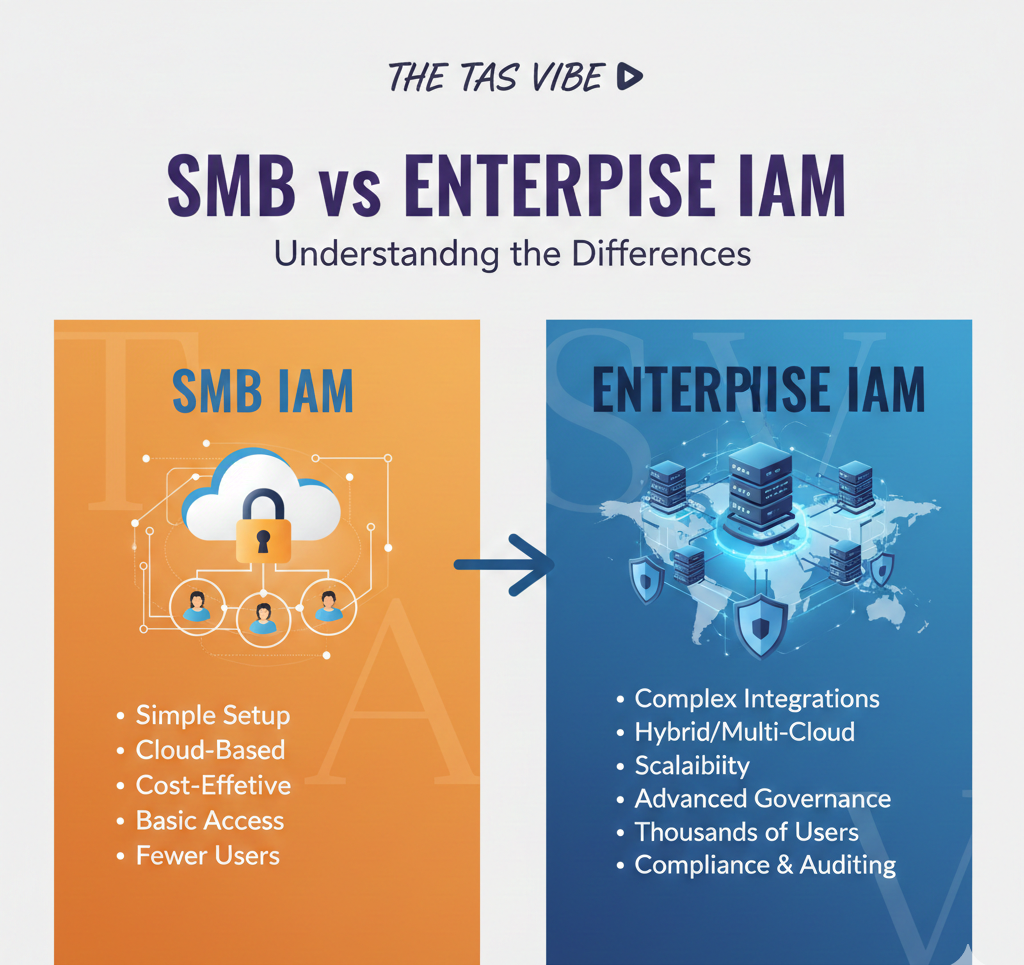
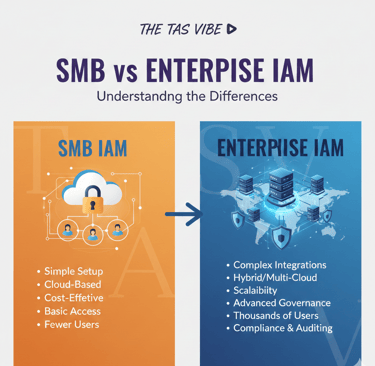
While SMB and enterprise IAM tools may appear similar on the surface, they are designed for very different use cases.
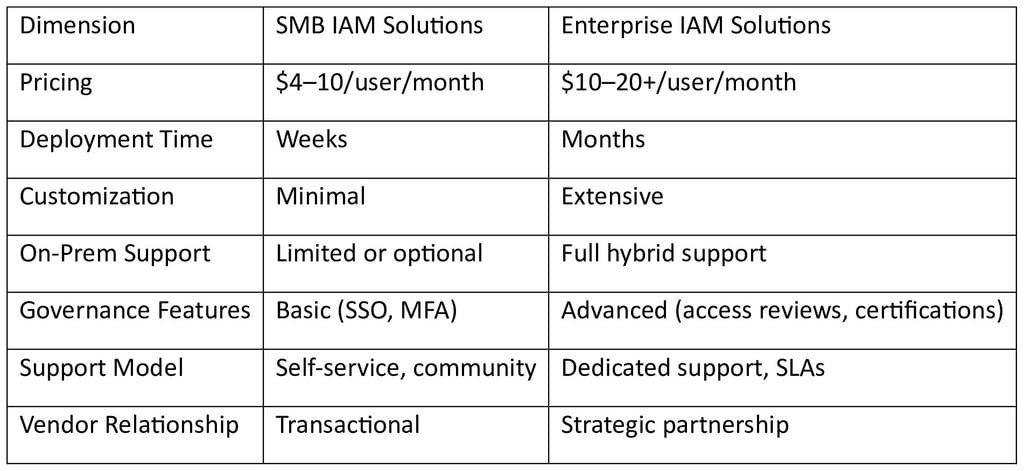
For most SMBs, enterprise-grade governance features add cost and complexity without proportional value.
4.3 Total Cost of Ownership (TCO): A Real-World SMB Comparison
Scenario: 50-Person Marketing Agency
Let’s compare two IAM options over time.
Option 1: JumpCloud
License: $7 × 50 users × 12 months = $42,000/year
One-time implementation: $5,000
Support: Included
Total Year 1 Cost: $47,000
Years 2–3: $42,000 per year
Option 2: Okta (Enterprise IAM)
License: $12 × 50 users × 12 months = $72,000/year
Implementation and integration: $100,000
Support: Included
Total Year 1 Cost: $172,000
Years 2–3: $72,000 per year
Cost Outcome
For this SMB:
Okta costs 3.7× more in the first year
Costs remain 1.7× higher in subsequent years
Unless the business has complex legacy systems, advanced compliance mandates, or large-scale hybrid environments, enterprise IAM tools deliver poor ROI for SMBs.
Final Insight for Small Businesses
Cloud IAM does not need to be expensive or complicated to be effective. The right SMB-focused IAM solution can:
Reduce breach risk
Improve employee productivity
Simplify compliance
Scale gradually with business growth
For most small businesses, simplicity, speed, and affordability outperform enterprise complexity.
Choosing the right IAM tool is not about buying the most powerful platform—it’s about selecting the solution that fits your size, risk profile, and growth stage.
SECTION 5: AWS vs Azure vs GCP IAM – Detailed Feature Comparison
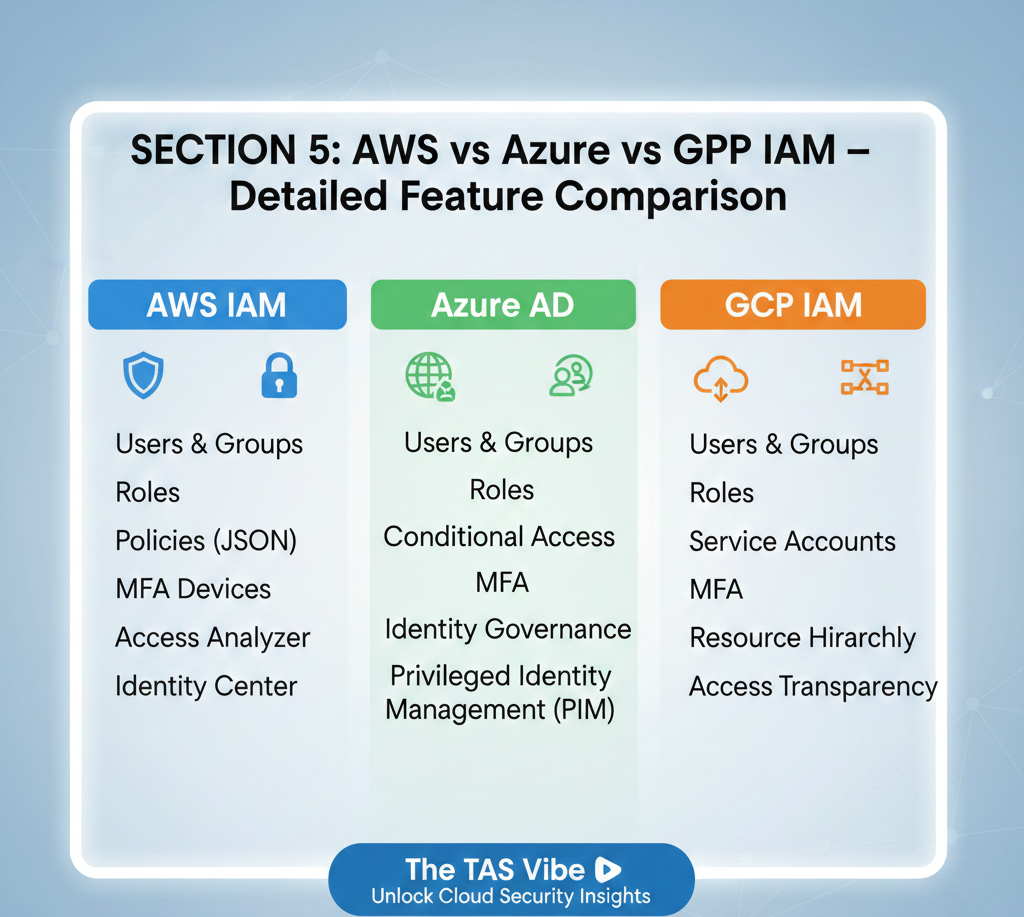
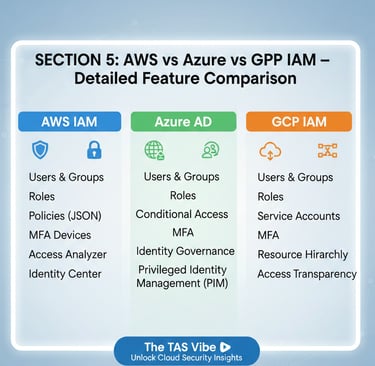
As organizations increasingly adopt multi-cloud strategies, Identity and Access Management (IAM) becomes one of the most critical—and complex—security layers. While AWS, Microsoft Azure, and Google Cloud Platform (GCP) all provide native IAM services, their capabilities, ease of use, and enterprise readiness differ significantly.
This section provides a feature-by-feature IAM comparison, followed by a real-world multi-cloud architecture scenario, helping security leaders, architects, and decision-makers choose the right IAM approach.
5.1 Feature-by-Feature IAM Breakdown
Single Sign-On (SSO)
Single Sign-On is essential for modern cloud environments. It improves security, reduces password fatigue, and increases productivity by allowing users to authenticate once and access multiple applications.
AWS IAM – Powerful but Complex
AWS IAM was designed primarily for infrastructure-level access, not workforce SSO. Native SSO for SaaS applications is limited and typically requires IAM roles, trust relationships, and JSON-based policies. While powerful, this approach can be difficult for non-specialists to manage.
Third-party SaaS access generally requires SAML federation with an external identity provider such as Okta or Azure AD.
Azure IAM – Best Native SSO Experience
Azure provides the strongest native SSO experience through Microsoft Entra ID (formerly Azure Active Directory). SSO is built in and works seamlessly with thousands of SaaS applications.
Role assignment is intuitive, policies are easy to manage, and integration with Microsoft services is nearly frictionless. For organizations already using Microsoft 365, Azure offers the lowest barrier to entry for SSO.
GCP IAM – Functional but Add-On Dependent
Google Cloud requires Cloud Identity for workforce SSO, which is a separate service from core GCP IAM. While it supports SAML and OIDC federation, configuration is less streamlined compared to Azure.
Real-World Insight
Azure clearly delivers the best out-of-the-box SSO. AWS and GCP typically rely on external identity providers for enterprise-grade SaaS access.
Multi-Factor Authentication (MFA)
MFA is a foundational Zero Trust control, protecting against phishing and credential theft.
AWS MFA – Basic but Manual
AWS supports MFA natively, but enforcement is generally per role or per resource. There is no built-in risk-based or conditional MFA. Security teams must manually define policies and monitor compliance.
Azure MFA – Intelligent and Adaptive
Azure leads the industry with Conditional Access policies. MFA can be triggered dynamically based on user risk, device health, location, or behavior. High-risk logins automatically require stronger authentication.
GCP MFA – Limited by Design
GCP offers basic MFA, but advanced controls require Cloud Identity Premium or third-party tools. Conditional logic exists but lacks Azure’s depth.
Real-World Insight
Azure provides the most advanced adaptive MFA. AWS and GCP require more manual configuration and external integrations.
Privileged Access Management (PAM)
Privileged accounts are the most targeted identities in cloud breaches. PAM controls who can access critical systems—and when.
AWS PAM – Flexible but DIY
AWS uses IAM roles and temporary credentials via STS, which technically enable just-in-time access. However, approval workflows and governance controls must be custom-built or handled by third-party tools.
Azure PAM – Industry-Leading
Azure’s Privileged Identity Management (PIM) is best-in-class. It offers:
Just-in-time privileged access
Approval workflows
Time-bound role activation
Full audit trails
All features are built into the platform.
GCP PAM – Minimal Native Support
GCP offers limited PAM functionality. Organizations must rely heavily on external PAM solutions to achieve enterprise-grade control.
Real-World Insight
Azure dominates PAM. AWS is powerful but requires engineering effort. GCP lags without third-party tools.
Audit Logging and Compliance
Auditability is essential for regulatory compliance and incident response.
AWS – Maximum Flexibility
AWS CloudTrail provides detailed logging with configurable retention. While extremely flexible, compliance reporting often requires third-party tools or custom analytics.
Azure – Compliance-Ready
Azure includes built-in compliance reports for SOX, HIPAA, PCI, and ISO standards. Logs are centralized and easy to export for auditors.
GCP – Simplified and Managed
Google Cloud Audit Logs are simple to use, with long default retention and minimal configuration. However, reporting customization is limited.
Real-World Insight
Azure is best for regulated industries. AWS is best for custom compliance models. GCP is best for simplicity.
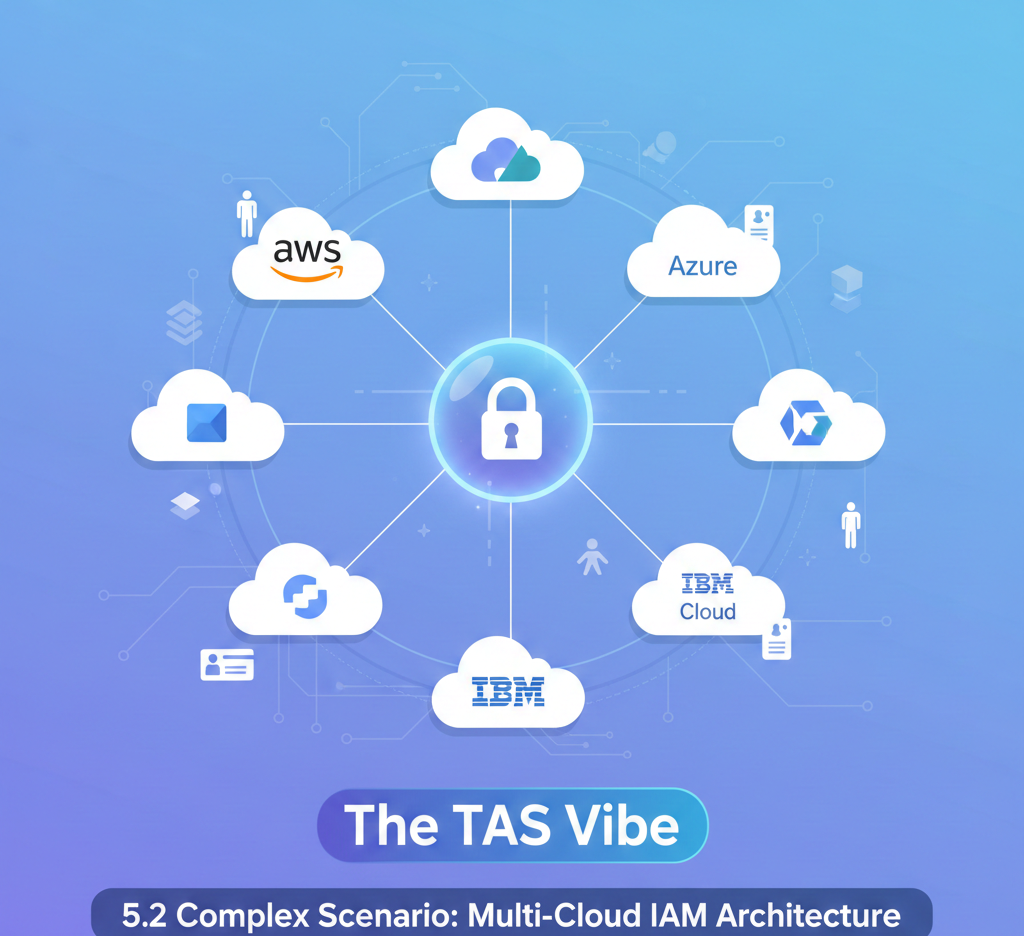
5.2 Complex Scenario: Multi-Cloud IAM Architecture
Scenario Overview
A fintech organization operates:
AWS for core applications
Azure for data warehousing
GCP for analytics
The company has 2,000 employees and must meet strict compliance requirements.
The Core Challenge
How can identity be managed consistently and securely across three cloud platforms without overwhelming IT teams or auditors?
Option 1: Separate IAM per Cloud
Each cloud manages its own IAM system:
AWS IAM for AWS
Azure RBAC for Azure
GCP IAM for GCP
Problems with This Approach
Users maintain multiple identities
Inconsistent security policies
Fragmented audit logs
Separate access review processes
High administrative overhead
This approach quickly becomes a governance nightmare.
Option 2: Unified Identity Provider (Best Practice)
A centralized identity provider such as Okta or Ping Identity acts as the single source of truth.
How It Works
Users authenticate once to the central IdP
The IdP federates access to AWS, Azure, and GCP
Policies are defined centrally and enforced everywhere
Audit logs are unified
Example Architecture
User → Central IdP (Okta / Ping)
↓
AWS IAM (SAML Federation)
Azure Entra ID (OIDC Federation)
GCP IAM (Service Account Federation)
Benefits of Unified IAM
Single login across all clouds
Consistent Zero Trust enforcement
Centralized audit and compliance reporting
Faster onboarding and offboarding
Reduced operational risk
Cost vs Payoff
Estimated Cost:
Okta licensing: $10/user/month × 2,000 users = $240,000/year
One-time implementation: ~$200,000
Return on Investment:
Eliminates multiple IAM tool sprawl
Reduces breach risk
Simplifies compliance audits
Saves hundreds of admin hours annually
For large organizations, the operational and security gains far outweigh the cost.
Final Takeaway
AWS, Azure, and GCP each offer strong IAM foundations—but they are not equal:
Azure leads in SSO, MFA, PAM, and compliance
AWS offers unmatched flexibility and infrastructure control
GCP emphasizes simplicity and managed services
In single-cloud environments, native IAM may be sufficient. In multi-cloud architectures, a centralized identity provider is essential for consistency, security, and scalability.
Identity is no longer just a technical control—it is the control plane of modern cloud security.
SECTION 6: Cloud IAM Multi-Cloud Security Comparison
As organizations accelerate cloud adoption, many no longer rely on a single cloud provider. Instead, they operate across AWS, Microsoft Azure, and Google Cloud Platform (GCP) simultaneously. While this multi-cloud strategy improves resilience and avoids vendor lock-in, it also introduces serious identity and access management (IAM) challenges.
Identity becomes the weakest link if it is not managed consistently across clouds. This section explains the core challenges of multi-cloud IAM and compares the most effective architectural approaches to securing identities at scale.
6.1 Multi-Cloud IAM Challenges
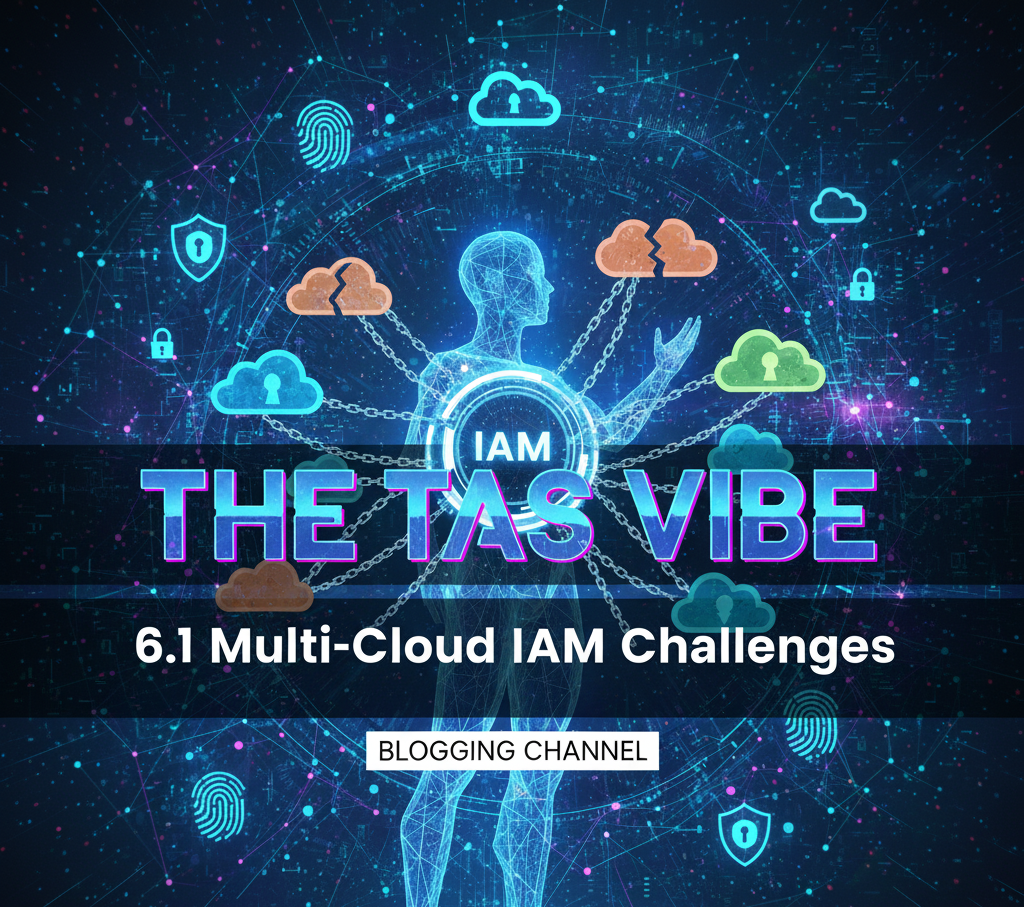

Challenge 1: Fragmented Identity Landscape
Each major cloud provider maintains its own IAM system:
AWS IAM uses its own users, roles, and policies
Azure Active Directory / Entra ID has a separate identity directory
Google Cloud IAM relies on its own principals and role bindings
In a multi-cloud environment, there is no single source of truth for identity. Security teams struggle to answer basic questions such as:
Who has access to production resources?
Which identities exist across multiple clouds?
Are former employees fully deprovisioned everywhere?
This fragmentation increases the risk of orphaned accounts, excessive privileges, and lateral movement during breaches.
Challenge 2: Inconsistent Policy Models
Each cloud implements authorization differently:
AWS uses JSON-based policies
Azure relies on role-based access control (RBAC)
GCP uses role bindings with conditional logic
Because policy models differ, security teams must learn and maintain three separate permission frameworks. A policy that is restrictive in one cloud may be overly permissive in another. This inconsistency leads to configuration drift, misconfigurations, and security gaps.
From an operational standpoint, enforcing least-privilege access becomes significantly harder when policies are defined and interpreted differently in every environment.
Challenge 3: Compliance and Audit Complexity
Regulated organizations must demonstrate who had access to what, when, and why. In a single-cloud environment, this is challenging enough. In a multi-cloud setup, it becomes an audit nightmare.
Logs and access data are stored separately in:
AWS CloudTrail
Azure Monitor
Google Cloud Audit Logs
Correlating identity events across these platforms is largely manual. This process is time-consuming, error-prone, and risky—especially during compliance audits or incident investigations.
Challenge 4: Governance at Scale
As organizations grow, governance requirements increase:
Quarterly access reviews
Segregation of duties (SoD)
Privileged access monitoring
Risk-based access decisions
In a multi-cloud environment, each governance control must be implemented individually per cloud, often using different tools and workflows. This fragmentation makes it difficult to scale IAM securely and consistently.
6.2 Multi-Cloud IAM Solution Approaches
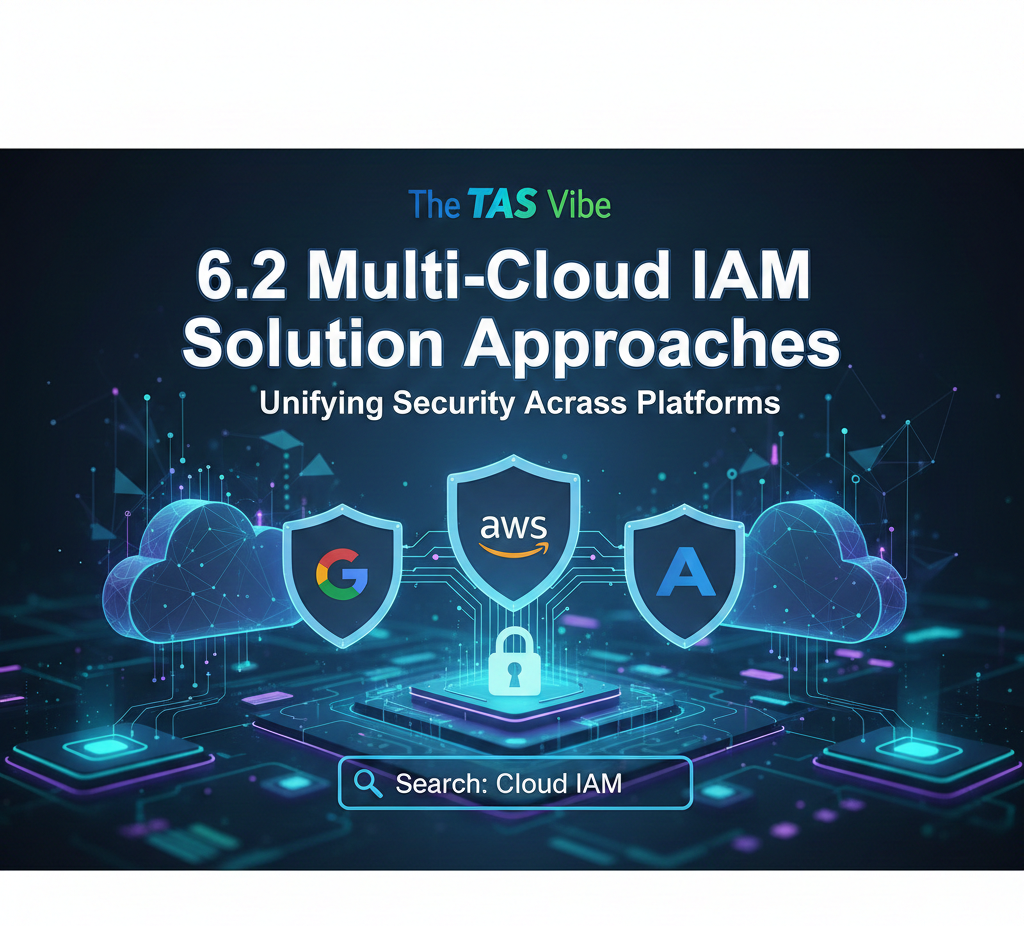
To overcome these challenges, organizations typically adopt one of three IAM architectures. Each approach offers distinct benefits and trade-offs.
Solution 1: Unified Identity Provider with Federation
This model uses a central identity provider (IdP) such as Okta or Ping Identity as the authoritative authentication source. All cloud platforms trust this IdP through SAML or OpenID Connect (OIDC) federation.
How It Works
A user authenticates to the central IdP
The IdP enforces MFA and adaptive security policies
The user requests access to AWS, Azure, or GCP
The IdP issues a trusted token
The cloud provider validates the token and grants access
The same identity and authentication flow applies across all clouds.
Benefits
Single login experience for users
Consistent authentication and security policies
Centralized audit logs and reporting
Reduced credential sprawl
Strong support for zero-trust architectures
Cost Overview
Identity provider: ~$10 per user per month
Cloud IAM services: Included with each cloud
Total: Approximately $10 per user per month
Challenges
The IdP becomes a critical dependency
Federation setup requires careful configuration
Outages at the IdP can block cloud access
This model works well for organizations prioritizing user experience and centralized authentication.
Solution 2: Native Cloud IAM with a Governance Layer
In this approach, organizations continue using native IAM services within AWS, Azure, and GCP but add a governance platform such as SailPoint or ConductorOne on top.
How It Works
Each cloud manages authentication and authorization locally
The governance platform connects to each cloud IAM system
Access requests, approvals, reviews, and certifications occur centrally
Approved changes are pushed back into native cloud IAM
Benefits
Preserves native cloud capabilities
Unified governance across all environments
Strong compliance and audit reporting
Vendor-agnostic and flexible
Cost Overview
Governance platform: ~$10–15 per user per month
Cloud IAM services: Included
Total: $10–15 per user per month, plus implementation costs
Challenges
Higher cost than basic federation
User experience remains fragmented
Integration effort across multiple clouds
This approach is ideal for organizations with strict compliance and governance requirements.
Solution 3: Hybrid Model – Central Authentication + Governance Layer
The hybrid approach combines the strengths of both models by using:
A central IdP for authentication
A governance platform for access lifecycle management
How It Works
Users authenticate through the central IdP
The IdP federates access to AWS, Azure, and GCP
A governance tool manages approvals, reviews, and certifications
Provisioning and deprovisioning are automated across clouds
Benefits
Unified login experience
Centralized governance and compliance
End-to-end visibility of access
Strong support for zero trust and least privilege
Cost Overview
Identity provider: ~$10 per user per month
Governance platform: ~$8 per user per month
Implementation: $200K–300K (one-time)
Total: ~$18 per user per month
Challenges
Highest cost and complexity
Requires mature IAM operations
Longer deployment timeline
This model delivers the most comprehensive multi-cloud IAM security and is typically adopted by large enterprises with complex regulatory and operational needs.
Final Perspective on Multi-Cloud IAM
Multi-cloud environments amplify identity risk if IAM is not architected deliberately. Fragmented identities, inconsistent policies, and manual governance processes create security blind spots that attackers actively exploit.
The right IAM strategy depends on:
Organization size
Regulatory requirements
Risk tolerance
Cloud maturity
For smaller teams, centralized federation may be sufficient. For regulated enterprises, governance layers or hybrid models offer stronger control. What matters most is consistency, visibility, and automation across all cloud platforms.
In modern cloud security, identity is the control plane. Organizations that invest in a scalable, well-architected multi-cloud IAM strategy gain stronger security, simpler compliance, and greater operational confidence.
SECTION 7: Top Cloud IAM Solutions for Hybrid Environments
As organizations move toward digital transformation, very few operate in a single environment. Most enterprises today run a hybrid cloud model, combining on-premises infrastructure with public cloud platforms. While this approach offers flexibility and control, it also introduces complexity—especially when it comes to Identity & Access Management (IAM).
In hybrid environments, identity becomes the only consistent security layer across systems. Applications, data, and workloads may live in different locations, but users still expect seamless and secure access. This makes choosing the right Cloud IAM solution for hybrid environments a strategic decision rather than a technical one.
Subsection 7.1: Understanding Hybrid Environment Characteristics
A hybrid cloud environment combines traditional on-premises systems with cloud services such as Azure, AWS, or Google Cloud. IAM in this setup must operate across both worlds without creating security gaps or operational friction.
Common Hybrid Cloud Scenarios
1. Legacy On-Premises with Cloud Migration
Many organizations still operate the majority of their workloads on-premises while gradually migrating to the cloud. A common split is 70% on-premises and 30% cloud, especially in large enterprises. IAM must support both environments during the transition, often for several years.
2. Data Sovereignty and Compliance Requirements
Industries such as healthcare, banking, and government must keep sensitive data on-premises to comply with regulations. At the same time, non-sensitive applications—such as collaboration tools or CRM—run in the cloud. IAM must enforce consistent access policies across both.
3. Gradual Modernization Strategy
Organizations frequently deploy new, cloud-native applications while continuing to rely on legacy ERP or mainframe systems. This mix of greenfield cloud apps and brownfield on-prem systems requires IAM solutions that can bridge modern and legacy technologies.
4. Disaster Recovery and Business Continuity
In some hybrid setups, on-premises infrastructure serves as the primary environment, while the cloud acts as a backup or disaster recovery site. IAM policies must remain consistent even when workloads fail over between environments.
Across all these scenarios, hybrid IAM must deliver unified identity, centralized policy enforcement, and secure authentication regardless of where resources are hosted.
Subsection 7.2: Top IAM Solutions for Hybrid Environments
1. Azure AD + Azure AD Connect: Microsoft-Centric Hybrid IAM
Best for: Organizations using on-premises Active Directory with Microsoft cloud services.
Azure Active Directory (now known as Microsoft Entra ID) combined with Azure AD Connect is the most natural hybrid IAM choice for Microsoft-centric organizations.
How It Works
Azure AD Connect synchronizes identities from on-premises Active Directory to Azure AD in the cloud. Users authenticate through Azure AD, while access policies apply uniformly to both cloud and on-prem resources.
Conditional Access ensures the same security rules—such as MFA, device compliance, or location-based access—are enforced everywhere.
Hybrid Architecture Flow
On-Premises Active Directory
↓
Azure AD Connect (Synchronization)
↓
Azure AD (Cloud Identity)
↓
On-Prem Resources (via proxy) + Cloud Resources (direct)
Strengths
Seamless integration for existing Microsoft environments
Built-in hybrid identity support
Unified Conditional Access policies
Cost-effective, often included with Microsoft 365 licenses
Real-World Example
A healthcare organization stores patient records on-premises to meet compliance requirements while using Microsoft Teams and Office 365 in the cloud. Azure AD Connect synchronizes staff identities, and Conditional Access enforces MFA when accessing sensitive data from non-corporate networks—both on-prem and cloud.
2. Okta + On-Premises App Gateway: Cloud-First Hybrid IAM
Best for: Organizations that want a cloud-first identity strategy but still rely on on-premises systems.
Okta positions the cloud as the central identity authority, with on-premises access handled through the Okta App Gateway.
How It Works
Users authenticate directly to Okta in the cloud. The Okta App Gateway, installed on-premises, securely connects legacy systems to Okta without exposing them to the internet.
Hybrid Architecture Flow
User → Okta (Cloud Identity)
↓
Okta App Gateway (On-Premises)
↓
On-Prem Applications (ERP, legacy systems)
↓
Cloud Applications (Salesforce, Slack, etc.)
Strengths
Centralized cloud identity management
Ideal for gradual migration from on-prem to cloud
Strong integration ecosystem
Allows eventual retirement of on-prem IAM components
Real-World Example
A manufacturing company is transitioning from an on-prem SAP system to a cloud ERP. Okta acts as the central identity provider, while Okta App Gateway secures access to SAP during the transition. Once SAP is retired, Okta continues managing cloud-only access without disruption.
3. Ping Identity: True Hybrid Flexibility
Best for: Organizations that require maximum flexibility and strict governance.
Ping Identity is built for complex hybrid environments, offering deployment options across on-premises, cloud, or both.
How It Works
Ping components can be deployed wherever needed. Identity flows remain consistent, regardless of whether authentication happens on-prem, in the cloud, or across both.
Strengths
Maximum architectural flexibility
Supports workforce and customer identity use cases
Modular, composable design
Well-suited for regulated industries
Real-World Example
A financial services organization deploys Ping on-premises for sensitive operations while using cloud-based Ping services for customer portals. Ping seamlessly bridges both environments while meeting strict data governance requirements.
Subsection 7.3: Decision Framework for Choosing a Hybrid IAM Solution
Selecting the right hybrid IAM solution depends on your existing investments, migration strategy, and security requirements.
Use This Decision Guide
Strong Microsoft ecosystem?
→ Choose Azure AD + Azure AD ConnectCloud-first strategy with gradual on-prem retirement?
→ Choose Okta + App GatewayNeed maximum flexibility and control?
→ Choose Ping IdentityPrioritize simplicity and cost efficiency?
→ Choose Azure AD (Microsoft environments) or JumpCloud (mixed environments)
Final Insight: Identity Is the Foundation of Hybrid Security
Hybrid cloud environments are not a temporary phase—they are the long-term operating model for most organizations. In this reality, identity becomes the foundation of security, compliance, and user experience.
The right Cloud IAM solution:
Eliminates identity silos
Reduces attack surfaces
Simplifies compliance management
Enables secure, phased cloud adoption
Rather than forcing organizations to choose between on-premises and cloud, modern IAM platforms ensure secure access everywhere, without compromise.
SECTION 8: Cloud IAM Pricing and Feature Comparison Guide
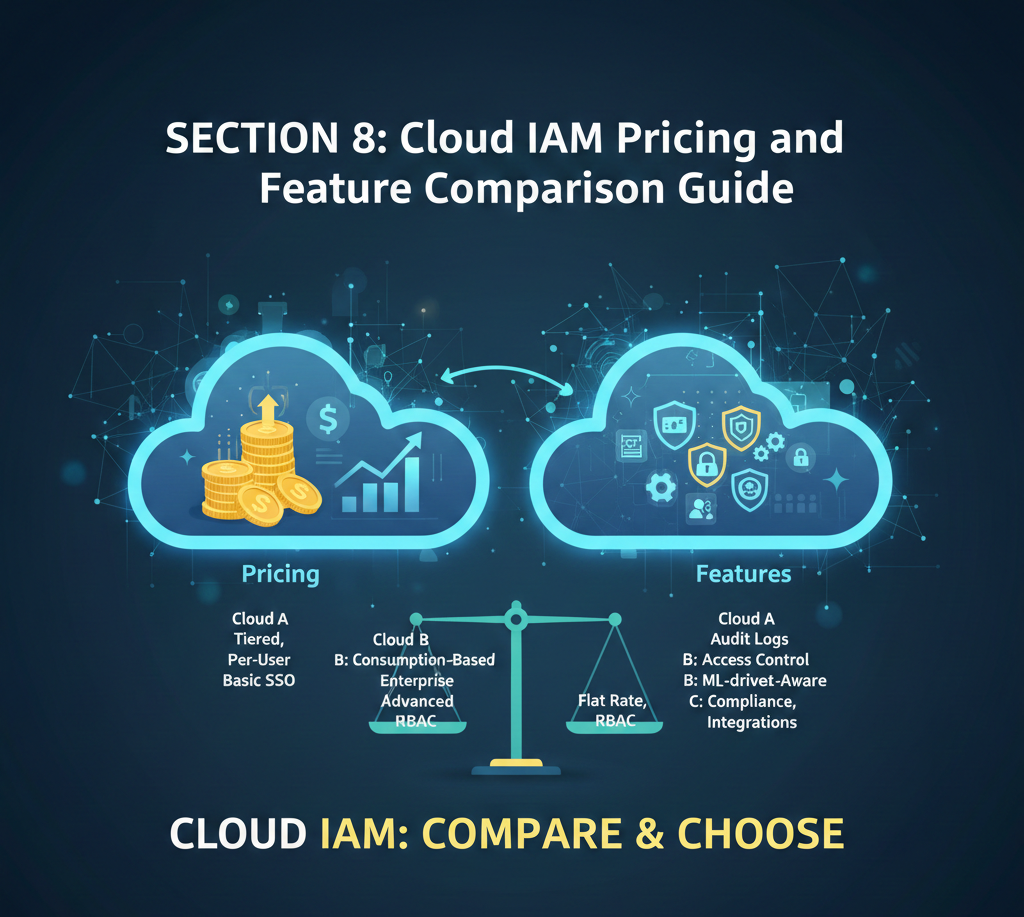
One of the biggest challenges organizations face when adopting Cloud Identity & Access Management (IAM) is understanding the true cost. IAM vendors often advertise simple pricing, but real-world expenses extend far beyond the license fee. To make the right decision, businesses must evaluate pricing models, total cost of ownership (TCO), and hidden operational costs.
This section breaks down how Cloud IAM pricing works, compares leading platforms, and explains what organizations should budget for beyond per-user subscriptions.
8.1 Understanding Cloud IAM Pricing Models
Cloud IAM vendors typically follow three major pricing approaches. Each model aligns with different business sizes, architectures, and growth patterns.
Model 1: Per-User Subscription Pricing
Examples:
Okta: approximately $5–15 per user per month
Azure AD (Microsoft Entra ID): approximately $2–6 per user per month
How This Model Works
With per-user pricing, organizations pay a recurring fee based on the number of active users. Pricing usually increases as more advanced features are enabled.
Core features typically included:
Single Sign-On (SSO)
Multi-Factor Authentication (MFA)
Basic user provisioning
Standard reporting
Advanced features—such as privileged access management, lifecycle automation, or advanced governance—are usually priced as add-ons.
Advantages
Easy to understand and forecast
Aligns cost directly with workforce size
Predictable monthly or annual billing
Disadvantages
Costs grow rapidly as organizations scale
Can become expensive for large enterprises
Does not always reflect actual usage intensity
For example, an organization with 1,000 users may pay between $5,000 and $15,000 per month, making long-term budgeting critical.
Model 2: Included IAM (No Per-User Cost)
Examples:
AWS IAM (included with AWS services)
Google Cloud IAM (included with GCP)
Azure Role-Based Access Control (RBAC)
How This Model Works
These IAM services are bundled into the cloud platform. There is no separate per-user license fee. Instead, organizations pay for underlying infrastructure such as compute, storage, logging, and network usage.
IAM usage itself is not billed per user, but identity operations often trigger other billable services.
Advantages
No direct licensing costs
Scales naturally with infrastructure usage
Ideal for cloud-native environments
Disadvantages
Pricing complexity can obscure real costs
Requires skilled cloud engineers to manage securely
Misconfigurations can lead to unexpected expenses
This model works best for cloud-native organizations operating primarily within a single cloud provider.
Model 3: Hybrid Pricing (Per-User + Usage-Based)
Examples:
Auth0: free tier, then $0–5 per user plus usage fees
How This Model Works
Hybrid pricing combines a base per-user fee with usage-based charges, such as:
Number of authentication requests
API calls
Active users per month
Costs increase as application usage grows, rather than strictly by workforce size.
Advantages
Extremely cost-effective for startups
Low entry barrier with free tiers
Flexible scaling aligned with real usage
Disadvantages
Monthly costs can fluctuate
Harder to predict expenses at scale
Requires monitoring usage closely
This model is particularly well-suited for SaaS startups and customer identity (CIAM) use cases.
8.2 Total Cost of Ownership (TCO) Comparison
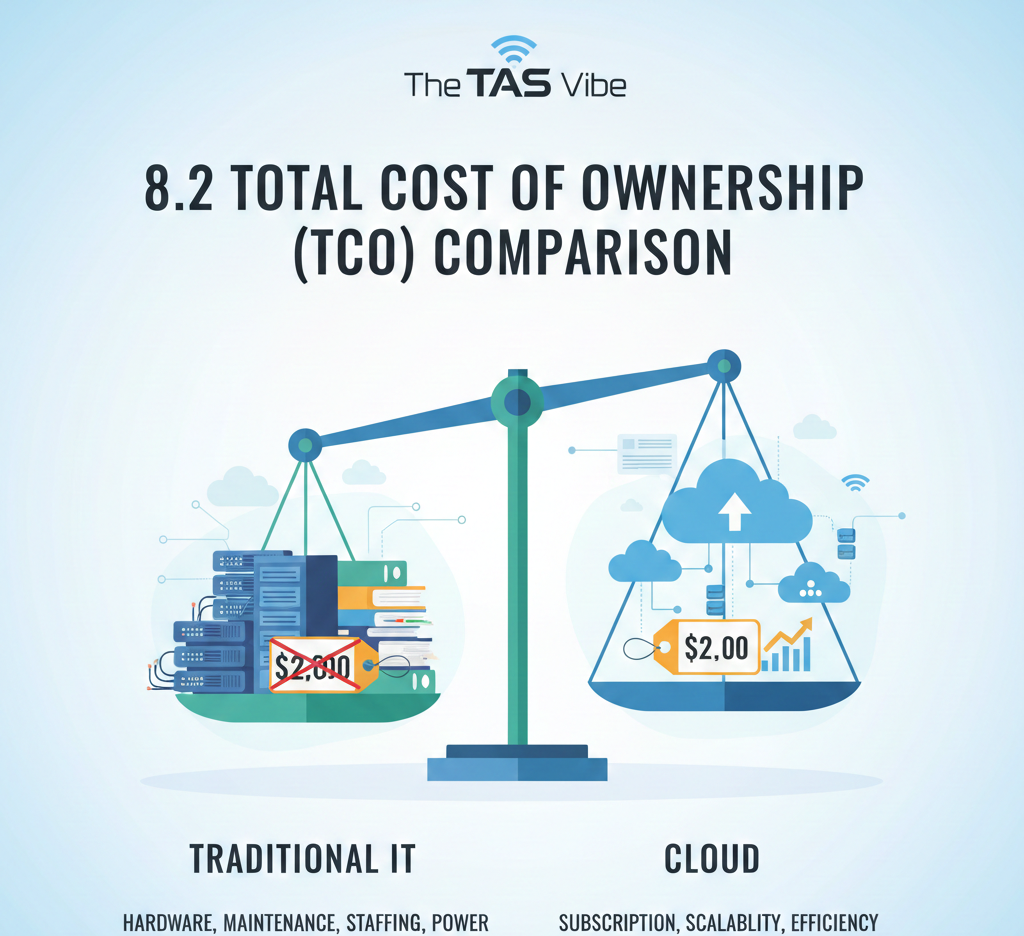
License fees alone do not reflect the full cost of an IAM deployment. Total Cost of Ownership (TCO) includes licensing, implementation, staffing, and ongoing operations.
Scenario: 1,000-Employee Enterprise (3-Year View)
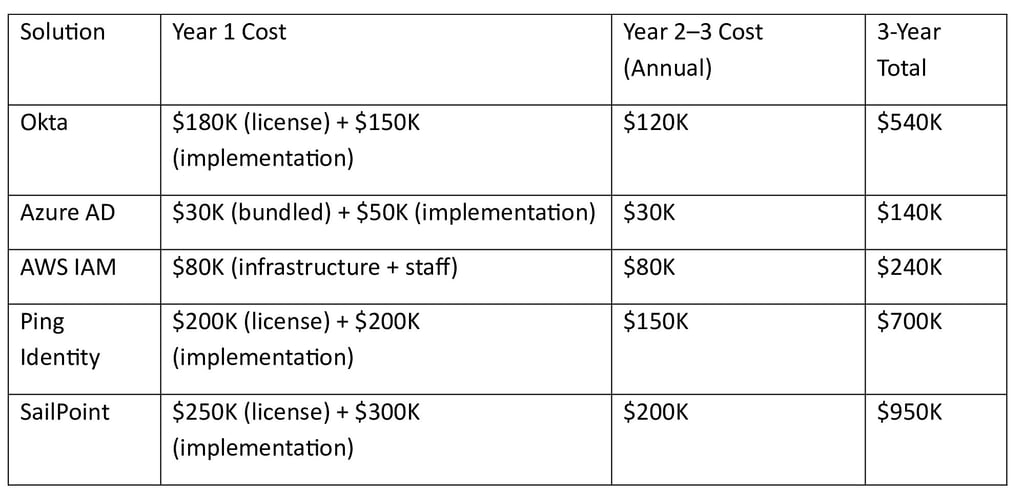
Key Insights from the Comparison
Azure AD is the most cost-effective option for organizations already invested in Microsoft 365
Okta offers strong value for multi-cloud environments but at a higher cost
AWS IAM is economical for AWS-only deployments but requires skilled internal teams
Ping Identity provides flexibility at a premium price
SailPoint is the most expensive due to advanced governance and compliance capabilities
8.3 Hidden Costs Not Included in Per-User Pricing
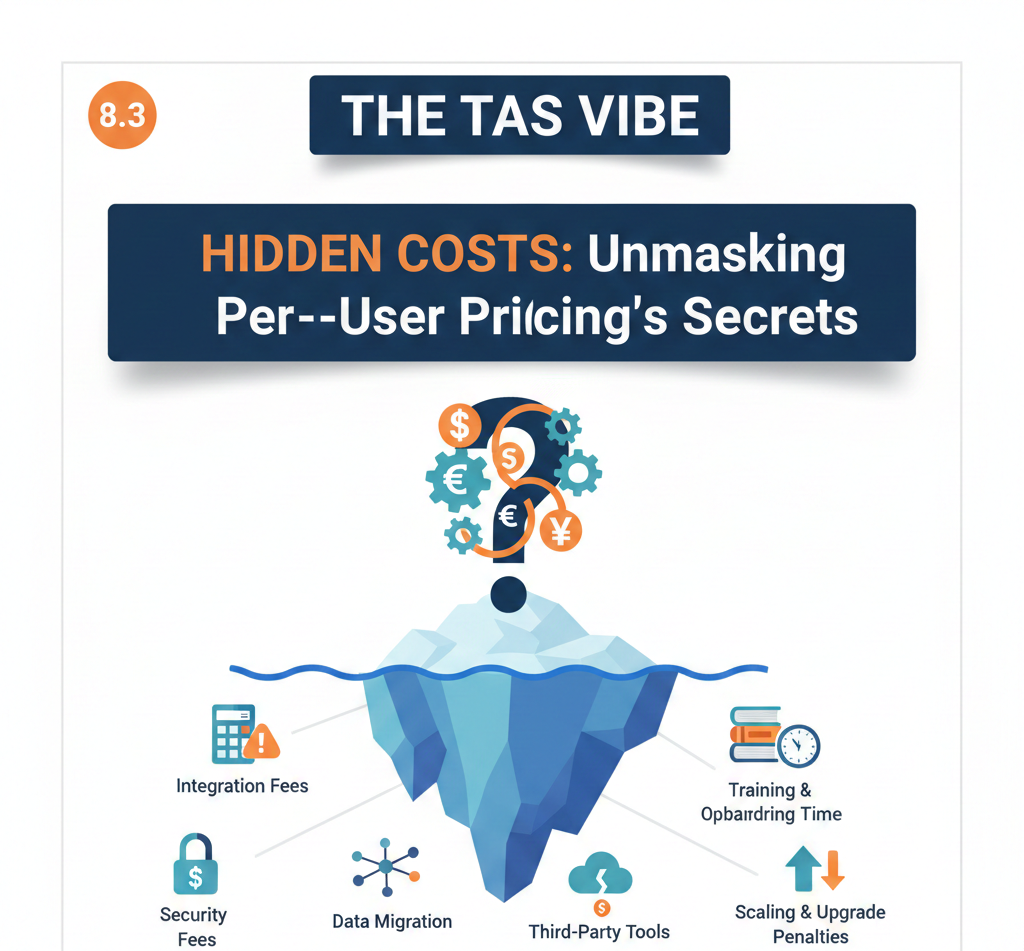
Many organizations underestimate IAM costs by focusing only on subscription fees. In reality, hidden costs often add 30–50% more to the total budget.
Hidden Cost 1: Implementation and Integration
Estimated Range: $50,000–$500,000 (one-time)
IAM platforms must be integrated with:
HR systems
Cloud applications
On-premises directories
Legacy applications
Complex environments increase implementation time and cost significantly.
Hidden Cost 2: Ongoing Support and Professional Services
Estimated Range: $30,000–$100,000 per year
Includes:
Vendor support contracts
Custom workflows
Security tuning
Compliance consulting
Hidden Cost 3: Training and Change Management
Estimated Range: $20,000–$100,000 (one-time)
IAM impacts every user. Training includes:
Administrator education
Help desk preparation
End-user communication
Documentation and onboarding guides
Hidden Cost 4: Compliance and Audit Activities
Estimated Range: $10,000–$50,000 per year
IAM plays a central role in:
SOC 2 audits
ISO 27001
HIPAA and GDPR compliance
Access review documentation
Hidden Cost 5: System Maintenance and Optimization
Estimated Range: $30,000–$80,000 per year
IAM systems require continuous improvement:
Policy tuning
Feature updates
Performance optimization
Security posture reviews
Real-World Cost Example
Scenario: Okta deployment for 1,000 users
License: $100 per user per year → $100,000/year
Implementation: $150,000
Support: $20,000/year
Training: $30,000
Maintenance: $40,000/year
Total Year 1 Cost: $340,000
Years 2–3: $160,000 per year
3-Year TCO: $660,000
If licensing alone were considered, the estimated cost would have been just $300,000—less than half of the true expense.
Final Takeaway: Pricing Clarity Drives Better IAM Decisions
Cloud IAM pricing is not just about monthly subscriptions. It is about long-term value, operational efficiency, and risk reduction.
To choose the right IAM solution:
Understand the pricing model that fits your growth stage
Calculate total cost of ownership over at least three years
Account for hidden implementation and operational expenses
Align IAM capabilities with business and compliance requirements
Organizations that plan IAM budgets realistically avoid cost overruns, deployment delays, and underutilized platforms.
The most affordable IAM solution is not always the cheapest—it is the one that delivers security, compliance, and scalability at the lowest long-term cost.
SECTION 9: Enterprise Cloud IAM Solutions for Compliance
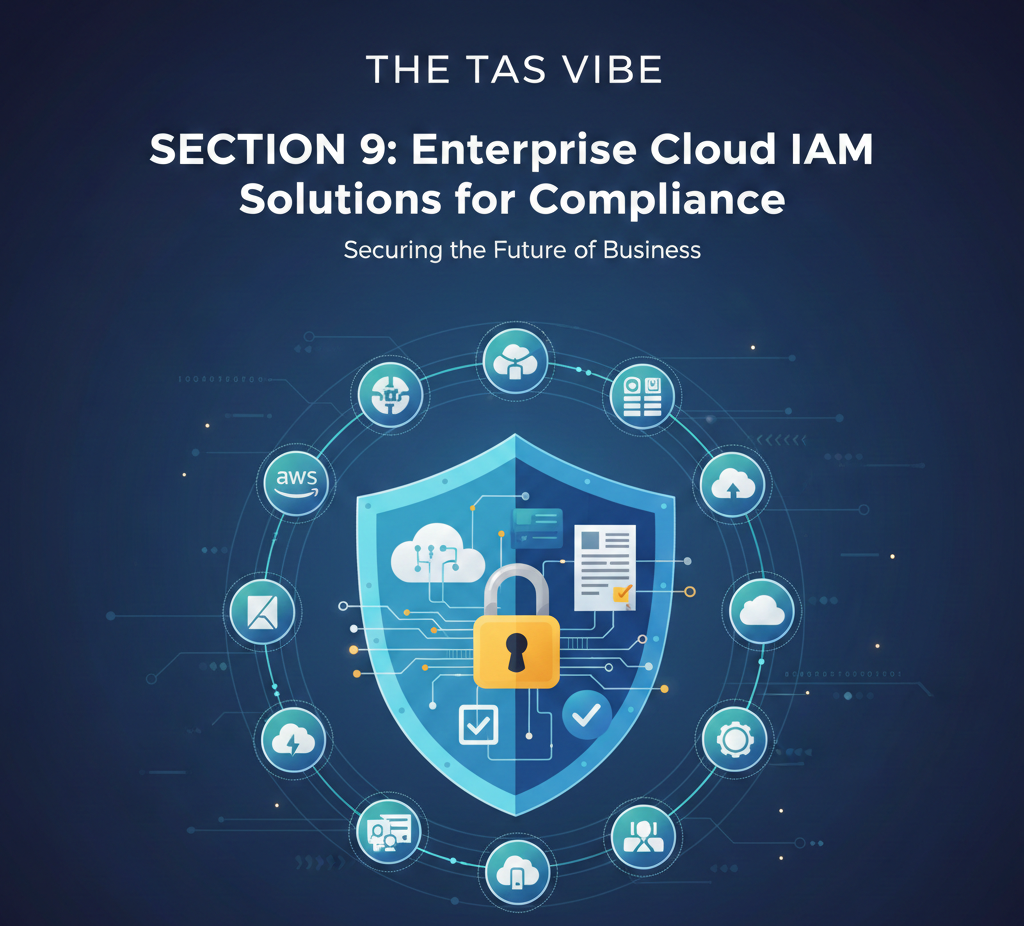
For large organizations, Identity & Access Management (IAM) is no longer just an IT security tool—it is a core compliance control. Regulatory bodies across the globe now expect enterprises to prove, not just claim, that access to sensitive data is tightly controlled, monitored, and reviewed.
Cloud IAM platforms play a critical role in meeting modern compliance requirements. They provide centralized visibility, enforce least-privilege access, generate audit evidence, and reduce human error. This section explains how leading enterprise Cloud IAM solutions align with major compliance frameworks and how organizations can select IAM platforms with a compliance-first strategy.
9.1 Compliance Frameworks and IAM Requirements
Different regulations focus on different risks, but all of them rely heavily on identity controls. Below is how major compliance frameworks translate into IAM requirements.
GDPR (General Data Protection Regulation – Europe)
Regulatory focus: Protection of personal data and privacy rights
GDPR requires organizations to demonstrate that only authorized individuals can access personal data—and only for legitimate purposes.
Key IAM requirements:
Detailed audit trails showing who accessed personal data, when, and from where
Least-privilege access to limit unnecessary exposure
Periodic access reviews to confirm permissions remain appropriate
IAM capabilities needed:
Centralized logging and reporting
Identity governance and access certification
Fine-grained access controls
Best-fit IAM solutions:
Okta, Azure AD, SailPoint
HIPAA (Healthcare – United States)
Regulatory focus: Protection of electronic protected health information (ePHI)
HIPAA places strict requirements on access to patient data and expects strong authentication and monitoring controls.
Key IAM requirements:
Strong authentication (MFA) for accessing ePHI
Role-based access controls
Continuous monitoring and audit logs
IAM capabilities needed:
Adaptive MFA and conditional access
Role-based access control (RBAC)
Detailed access reporting
Best-fit IAM solutions:
Azure AD, Okta, Delinea
SOX (Sarbanes-Oxley – Financial Reporting)
Regulatory focus: Preventing fraud and ensuring integrity of financial systems
SOX audits focus heavily on who can approve, modify, and execute financial transactions.
Key IAM requirements:
Segregation of duties (SoD)
Access approval workflows
Comprehensive audit trails
IAM capabilities needed:
Identity governance and administration (IGA)
Role modeling and SoD enforcement
Automated access certifications
Best-fit IAM solutions:
SailPoint, Saviynt, Ping Identity
PCI DSS (Payment Card Industry Data Security Standard)
Regulatory focus: Securing cardholder data
Any organization handling payment card information must enforce strict access controls.
Key IAM requirements:
Multi-factor authentication
Restricted access to cardholder data
Continuous monitoring and logging
IAM capabilities needed:
MFA across all sensitive systems
Privileged access management (PAM)
Real-time session monitoring
Best-fit IAM solutions:
Okta, Ping Identity, Delinea
DORA (Digital Operational Resilience Act – Europe)
Regulatory focus: Operational resilience and risk management in financial services
DORA extends beyond access control into identity governance and incident detection.
Key IAM requirements:
Strong identity governance
Continuous risk assessment
Incident detection and response integration
IAM capabilities needed:
Governance workflows
Integration with security operations
Centralized identity visibility
Best-fit IAM solutions:
Azure AD, Okta, SailPoint, Ping Identity
NIS2 (Network and Information Security Directive – Europe)
Regulatory focus: Cybersecurity risk management and incident response
NIS2 places accountability on leadership to ensure strong access controls.
Key IAM requirements:
Strong user identification and authentication
Access monitoring
Rapid incident response
IAM capabilities needed:
Strong authentication (MFA)
Centralized access logging
Integration with SOC tools
Best-fit IAM solutions:
Azure AD (especially for EU organizations), Okta, Ping Identity
9.2 Compliance-First IAM Selection Strategy
Selecting an IAM platform for compliance should begin with regulatory priorities, not vendor features.
GDPR-Regulated Organizations (Europe)
Top priorities:
Clear audit evidence of access to personal data
Data minimization through least-privilege access
Regular access reviews and certifications
Best approach:
SailPoint excels at compliance automation and access governance. For organizations focused on usability, Okta combined with a governance layer also works well.
HIPAA-Regulated Organizations (Healthcare)
Top priorities:
Strong MFA for patient data access
Comprehensive audit logs for ePHI
Role-based access aligned to clinical roles
Best approach:
Azure AD provides strong conditional access and MFA capabilities. Okta offers flexibility, while Delinea is ideal when privileged access needs tighter control.
SOX-Regulated Organizations (Finance)
Top priorities:
Enforcing segregation of duties
Detailed audit trails for approvals and changes
Evidence that inappropriate access is rare and corrected quickly
Best approach:
SailPoint and Saviynt are industry leaders in identity governance and SoD enforcement for financial systems.
9.3 Real-World Compliance Case Study
Organization Profile
A large healthcare system with 5,000 employees, operating under strict HIPAA regulations.
The Compliance Challenge
During quarterly audits, regulators repeatedly asked:
“How do you prove that clinicians only access records for patients under their care?”
The organization’s existing IAM setup granted broad access to anyone with a “clinician” role. There was no reliable evidence showing access was limited to assigned patients.
Risks included:
Audit failure
Regulatory fines exceeding $1 million
Severe reputational damage
The IAM Solution
The organization deployed Okta combined with a structured access review program.
Key actions taken:
Implemented granular, role-based access for clinicians
Required MFA for all access to ePHI
Introduced quarterly access reviews where managers confirmed access remained appropriate
Generated automated audit reports showing historical access compliance
Results and Business Impact
Passed HIPAA audits with clear, defensible evidence
Reduced breach risk by limiting unnecessary access
Improved trust with regulators and partners
Cost: Approximately $80,000 per year (licenses and implementation)
Return on Investment: Avoided a single regulatory fine exceeding $1 million
Final Insight: Compliance Starts with Identity
Enterprise compliance is no longer achievable through manual controls and spreadsheets. Regulators expect automated, auditable, and enforceable identity controls.
A well-designed Cloud IAM platform:
Transforms compliance from a burden into a repeatable process
Reduces audit preparation time
Lowers breach risk
Protects organizational reputation
Identity is the foundation of modern compliance. Organizations that invest in compliance-driven IAM not only pass audits—they build long-term security and operational resilience.
SECTION 10: Cloud IAM Comparison – 2026 Trends and Market Analysis
The Cloud Identity & Access Management (IAM) market is entering a defining phase. By 2026, identity is no longer just a security control—it has become the foundation of cloud security, zero-trust architecture, and digital business operations. As organizations expand across multi-cloud and hybrid environments, IAM platforms must evolve rapidly to stay relevant.
This section explores the most influential IAM trends shaping 2026, offers realistic market predictions for 2026–2027, and highlights which vendors are positioned to win—or lose—in the next phase of identity security.
10.1 Major Cloud IAM Trends Defining 2026
Trend 1: AI and Machine Learning–Powered Risk Assessment
One of the most transformative IAM trends in 2026 is the deep integration of AI and machine learning into identity decision-making.
Modern IAM platforms now analyze login behavior in real time, evaluating factors such as location, device posture, login timing, and historical access patterns. When anomalies appear—such as impossible travel or abnormal privilege usage—the system automatically increases authentication requirements or blocks access.
What this achieves:
Real-time threat detection
Reduced reliance on static rules
Faster response to insider and credential-based attacks
Market leaders: Okta, Microsoft Entra ID, SailPoint
Business impact: Organizations using AI-driven IAM significantly reduce insider threat and credential compromise risk, while minimizing false positives that frustrate users.
Trend 2: Passwordless Authentication Goes Mainstream
Passwords are increasingly recognized as a security liability rather than a safeguard. By 2026, passwordless authentication is no longer experimental—it is becoming standard practice.
Passwordless IAM replaces passwords with biometrics, device-based authentication, or hardware security keys using FIDO2 standards. Users authenticate using fingerprints, facial recognition, or physical tokens instead of memorized secrets.
Why this matters:
Passwords cannot be phished if they don’t exist
User experience improves dramatically
IT support costs related to password resets decline
Market leaders: Microsoft (Windows Hello, FIDO2), Okta, Ping Identity
Security impact: Passwordless approaches eliminate the vast majority of phishing-based attacks, making identity far more resilient.
Trend 3: Privilege-First IAM (PIAM)
By 2026, organizations are shifting focus from general access management to privilege-first IAM, recognizing that not all identities pose equal risk.
Administrative accounts, service accounts, and contractor access represent the most valuable targets for attackers. PIAM prioritizes securing these high-risk identities with stricter controls, continuous monitoring, and just-in-time access.
What PIAM emphasizes:
Privileged account protection
Least-privilege enforcement
Reduced lateral movement inside networks
Market leaders: Delinea, CyberArk, Saviynt
Risk reduction: Privilege-focused IAM dramatically limits damage from insider threats and compromised admin credentials.
Trend 4: Multi-Cloud Identity Fabric
Vendor lock-in is becoming a major concern as organizations operate across AWS, Azure, Google Cloud, and on-premises environments. In response, IAM platforms are evolving into vendor-agnostic identity fabrics.
A multi-cloud identity fabric centralizes authentication, authorization, and policy enforcement across all platforms, regardless of infrastructure provider.
Why organizations adopt this:
Unified identity across environments
Reduced IAM duplication and cost
Greater flexibility in cloud strategy
Market leaders: Okta, Ping Identity, ConductorOne
Strategic impact: Multi-cloud IAM enables true infrastructure independence and long-term cost control.
Trend 5: IAM as the Foundation of Zero-Trust Architecture
Zero-trust security principles—“never trust, always verify”—are now inseparable from IAM. By 2026, IAM is no longer just part of zero trust; it is the core of zero trust.
Every access request is continuously evaluated based on user identity, device health, location, and behavior. Trust is never permanent and is revalidated throughout each session.
Zero-trust IAM delivers:
Continuous verification
Context-aware access decisions
Reduced attack surface
Market leaders: Okta, Microsoft Entra ID, Ping Identity
Security outcome: Organizations move away from perimeter-based trust toward identity-centric protection.
Trend 6: Cost Optimization and Flexible Licensing
IAM pricing models are also changing. Fixed, high-cost enterprise licenses are being replaced with usage-based, tiered, and freemium pricing to support SMBs and growing organizations.
What’s changing:
Pay-for-what-you-use models
Lower entry barriers for startups and SMBs
Easier scaling as identity needs grow
Market leaders: Auth0, AWS IAM, Azure Entra ID, Okta
Business impact: More organizations can adopt enterprise-grade IAM without upfront financial strain.
10.2 Market Predictions for 2026–2027


Prediction 1: Okta Maintains Market Leadership
Okta is expected to retain 40%+ enterprise IAM market share due to its broad integration ecosystem and strong multi-cloud capabilities.
Prediction 2: Microsoft Entra ID Grows Faster
Driven by Microsoft 365 adoption, Entra ID will grow faster than Okta, especially among cost-conscious organizations already invested in Microsoft.
Prediction 3: Cloud-Native IAM Vendors Consolidate
Smaller IAM startups are likely to merge or be acquired as funding tightens and customers favor platform consolidation.
Prediction 4: AI Becomes Standard, Not Differentiation
By 2027, AI features will be expected. Competitive advantage will shift from having AI to delivering accurate, explainable, and low-noise AI.
Prediction 5: Passwordless Reaches a Tipping Point
By 2027, roughly half of large enterprises will deploy passwordless authentication as a primary login method.
Prediction 6: Multi-Cloud IAM Spending Accelerates
As organizations adopt multiple cloud providers, spending on unified IAM platforms will grow sharply year over year.
10.3 Winners and Losers by 2026–2027


Likely Winners
Okta: Strong ecosystem and consistent innovation
Microsoft Entra ID: Cost advantage and Microsoft 365 momentum
Ping Identity: Flexibility for complex hybrid and regulated environments
Delinea: Strong positioning in privileged access
Emerging startups: Multi-cloud and identity governance specialists
Likely Losers
Traditional IAM vendors: Struggling to modernize legacy platforms
Stagnant providers: Limited innovation and shrinking market relevance
Single-purpose tools: Being absorbed into broader IAM platforms
Final Perspective
By 2026, Cloud IAM is no longer optional or purely defensive. It is a strategic platform that enables zero trust, supports digital growth, and protects organizations across increasingly complex environments.
Vendors that embrace AI-driven intelligence, passwordless security, multi-cloud flexibility, and cost-efficient licensing will dominate the market. Those that fail to adapt will steadily lose relevance.
Identity is the control plane of modern security—and Cloud IAM is where the future is being decided.
SECTION 11: Decision Framework – How to Choose the Right IAM Solution


Selecting the right Identity & Access Management (IAM) platform is one of the most important cybersecurity decisions an organization will make. The wrong choice can lead to high costs, poor user adoption, failed compliance audits, and long-term technical debt. The right choice, on the other hand, delivers stronger security, smoother user experience, and measurable business value.
This decision framework simplifies the selection process by aligning organization size, cloud strategy, compliance needs, budget, and implementation capacity with the most suitable IAM solutions.
11.1 Questionnaire: Identify Your Best-Fit IAM Platform
Question 1: What Is Your Organization Size?
Organization size directly impacts IAM complexity, governance needs, and scalability requirements.
Under 100 employees
Lightweight, cloud-first solutions work best.
Recommended: JumpCloud, Auth0, or native cloud IAM
These tools are affordable, fast to deploy, and easy to manage with minimal IT staff.100–500 employees
Growing businesses need stronger access control and better scalability.
Recommended: JumpCloud, Okta, or Azure AD
These platforms balance usability with enterprise-grade security.500–2,000 employees
Identity complexity increases with scale, departments, and applications.
Recommended: Okta, Azure AD, or Ping Identity
These solutions support advanced policies, integrations, and lifecycle automation.Over 2,000 employees
Large enterprises require governance, compliance automation, and deep integrations.
Recommended: Okta, Ping Identity, SailPoint, or Microsoft Entra ID
These platforms are built for scale, audits, and complex organizational structures.
Question 2: Which Cloud Environment Do You Use?
Your cloud strategy plays a major role in IAM selection.
AWS only
AWS IAM is free and sufficient for basic needs. For advanced SSO and governance, Okta adds value.Azure only
Azure Active Directory (Entra ID) is often included with Microsoft 365 and integrates seamlessly.Google Cloud only
GCP IAM covers core needs, while Auth0 adds flexibility and customer identity features.Multi-cloud (two or more clouds)
Okta, Ping Identity, or ConductorOne provide centralized identity across providers.Hybrid (on-premises + cloud)
Azure AD + Azure AD Connect, Okta + App Gateway, or Ping Identity work best.
Question 3: What Is Your Primary Business Objective?
IAM priorities differ depending on business goals.
Cost minimization
AWS IAM, Azure AD, or JumpCloud deliver strong value at low cost.Ease of use and fast adoption
Azure AD (Microsoft environments), JumpCloud, or Auth0 are user-friendly.Multi-cloud consistency
Okta and Ping Identity excel at centralized control across clouds.Governance and compliance automation
SailPoint, Saviynt, or Okta provide advanced access certifications and audit reporting.Privileged access management (PAM)
Delinea, Saviynt, or CyberArk specialize in securing high-risk accounts.Developer experience and APIs
Auth0 and JumpCloud are preferred by engineering teams.
Question 4: What Compliance Requirements Apply?
Regulatory requirements significantly influence IAM selection.
No formal compliance requirements
Any modern IAM solution is suitable.GDPR (European data protection)
SailPoint, Okta, or Azure AD offer strong identity governance and reporting.HIPAA (Healthcare)
Azure AD, Okta, and Delinea support healthcare-grade security controls.SOX (Financial reporting)
SailPoint and Saviynt provide deep access review and segregation-of-duties capabilities.PCI DSS (Payments)
Okta, Ping Identity, and Delinea help secure privileged and transactional access.Multiple regulatory frameworks
SailPoint is often chosen for compliance automation at scale.
Question 5: What Is Your Implementation Capacity?
Your internal resources determine how complex a solution you can realistically deploy.
Small team, under 3 months
JumpCloud, Auth0, or Azure AD deploy quickly with minimal effort.Medium team, 3–6 months
Okta offers balance between speed and advanced functionality.Large team, 6+ months
SailPoint, Ping Identity, and Saviynt require more planning but deliver enterprise-grade control.
Question 6: What Is Your Annual IAM Budget?
Budget constraints narrow the field significantly.
Under $50,000 per year
Cloud-native IAM (AWS, Azure, GCP), JumpCloud, or Auth0.$50,000–$150,000 per year
Okta, Azure AD, or Ping Identity (lower tiers).Over $150,000 per year
Enterprise IAM platforms such as Okta, Ping Identity, SailPoint, or Saviynt.
11.2 Sample Decision Paths: Real-World Scenarios
Path A: Fortune 500 Financial Services Enterprise
Size: 5,000+ employees
Environment: Multi-cloud (AWS and Azure) with legacy on-prem systems
Needs: Strong governance, SOX and GDPR compliance
Budget: High
Best Fit: SailPoint for identity governance + Okta for authentication
Estimated Cost: $3–5 million per year
Timeline: 12–18 months
This combination delivers deep compliance automation and centralized identity across environments.
Path B: Mid-Market Technology Company
Size: 300 employees
Environment: Cloud-native (AWS primary, Azure secondary)
Needs: Easy deployment, developer-friendly, scalable
Budget: $50,000–$100,000 per year
Best Fit: Okta or Ping Identity
Estimated Cost: $100,000–$200,000 including implementation
Timeline: 3–6 months
This approach balances cost, usability, and future scalability.
Path C: Small Marketing Agency
Size: 40 employees
Environment: Google Workspace with SaaS tools
Needs: Simple, affordable, minimal IT overhead
Budget: Under $30,000 per year
Best Fit: Google Workspace Identity with JumpCloud or Auth0
Estimated Cost: $10,000–$20,000 per year
Timeline: 2–4 weeks
This setup delivers strong security without enterprise complexity.
Final Insight: Choose Fit Over Features
There is no single “best” IAM solution—only the best fit for your organization. Successful IAM selection depends on aligning business size, cloud strategy, compliance obligations, and operational capacity with the right platform.
Organizations that follow a structured decision framework avoid overspending, reduce implementation risk, and achieve faster ROI. Those that choose based on brand name alone often struggle with cost overruns and poor adoption.
Start with your needs. Match them to capabilities. Scale as you grow.
SECTION 12: Conclusion & Action Plan

Choosing the Right Cloud IAM Solution for Your Organization
Summary: What the Cloud IAM Comparison Really Shows
A detailed comparison of cloud Identity and Access Management solutions makes one fact very clear: there is no universal “best” IAM platform. The right choice depends entirely on your organization’s structure, technology landscape, and long-term objectives.
Key factors that influence the ideal IAM solution include:
Organization size and future growth plans
Cloud architecture (single cloud, multi-cloud, or hybrid)
Industry compliance and regulatory obligations
Budget limitations and licensing tolerance
Internal capability to implement and manage IAM tools
Cloud IAM success comes from alignment, not from selecting the most popular or most expensive platform.
Key Takeaways from Cloud IAM Solutions Comparison
Cloud Provider IAM Is Ideal for Cloud-Only Organizations
Native IAM services from AWS, Azure, and Google Cloud are often the most cost-effective option for organizations operating primarily within a single cloud ecosystem. These tools typically do not charge per user and integrate seamlessly with cloud resources. However, they are limited when managing multi-cloud or on-premises environments.
Okta Leads in Multi-Cloud Identity
Okta stands out as a market leader for organizations using multiple clouds and diverse SaaS applications. Its extensive integration ecosystem and centralized identity model reduce complexity across environments. The trade-off is higher licensing and implementation costs.
Azure AD Delivers Strong Value for Microsoft-Centric Environments
For organizations heavily invested in Microsoft technologies, Azure AD (Microsoft Entra ID) offers exceptional value. In many cases, it is included with existing Microsoft 365 licenses, making it one of the most economical IAM solutions for enterprises standardized on Microsoft.
SailPoint Excels in Identity Governance
For compliance-driven industries such as finance, healthcare, and government, SailPoint remains a leader in identity governance and access certification. Its advanced compliance automation justifies premium pricing for organizations with strict regulatory demands.
JumpCloud and Auth0 Serve SMBs and Startups Best
Small businesses and startups benefit most from JumpCloud and Auth0, which offer affordability, fast deployment, and simplicity. These platforms deliver strong security fundamentals without the overhead of enterprise-grade complexity.
Unified Identity Is Critical for Multi-Cloud
Organizations operating across multiple cloud platforms should avoid fragmented identity systems. A unified identity provider, such as Okta or Ping Identity, simplifies management, improves security visibility, and reduces operational risk.
Your Action Plan: How to Move Forward with Confidence
To select the right Cloud IAM solution, follow a structured and objective approach:
Assess Your Current State
Use an IAM assessment checklist to evaluate identity maturity, access risks, and compliance gaps.Apply a Decision Framework
Answer key questions related to cloud architecture, user types, compliance needs, and internal resources.Shortlist Two to Three IAM Solutions
Focus only on platforms that align with your organization’s profile and constraints.Request Vendor Demonstrations
See how each solution works in real-world scenarios relevant to your environment.Calculate Total Cost of Ownership (TCO)
Include licensing, implementation, integration, training, and ongoing support costs.Run a Pilot Program
Test the leading option in a 2–4 week pilot to validate usability, performance, and integration.Make a Data-Driven Decision
Choose the solution that performs best during the pilot and receives strong stakeholder feedback.
Final Word: Make Identity a Strategic Advantage
Cloud IAM is no longer optional. As organizations adopt cloud services, remote work, and digital platforms, identity becomes the primary security perimeter. Whether you select a cloud provider IAM tool, an independent identity platform, or a hybrid approach, modern IAM controls are essential for protecting users, data, and applications.
The best IAM solution for a financial institution is not the best choice for a startup—and the reverse is equally true. Avoid generic recommendations and choose a platform that fits your specific business context.
Use this guide to make a confident, informed decision that balances security, compliance, usability, and cost.
👉 Follow and subscribe to stay updated with the latest insights on cloud security, Identity & Access Management, IAM tools comparison, and emerging technology trends designed for modern organizations.
Connect
Stay updated with us
Follow
Reach
+91 7044641537
© 2025. All rights reserved.