
Day 6 no code AI concepts master class for beginners
Learn AI concepts without coding in our Day 6 no code AI concepts master class, covering prompt engineering, visual AI, privacy, and creator use cases now.!
TECHNOLOGYBEST AI TOOLS FOR BUSINESS AUTOMATION ROADMAP 2026
Elena Petrova – Creative Tech Lead
1/21/20266 min read
AI Concepts Explained for Beginners Without Coding | Day 6 Guide
Learn AI concepts explained for beginners without coding. Master prompt engineering, visual AI, and privacy in this Day 6 no-code AI guide.
Artificial Intelligence no longer belongs only to programmers, engineers, or data scientists. In 2026, AI belongs to creators, marketers, students, freelancers, HR professionals, business analysts, and curious learners—even if they have never written a single line of code.
Welcome to Day 6: No Coding Required – Mastering AI Concepts, a crucial lesson in your AI learning journey. Today, we focus on prompt engineering, visual AI literacy, and data privacy, all explained in a clear, beginner-friendly way. This lesson is designed as a Day 6 no code AI concepts master class that empowers you to work with AI instead of feeling intimidated by it.
If you ever wondered how people create stunning AI images, smart chatbots, automated workflows, or AI agents—without coding—this guide will answer all your questions.
Watch this quick video for an overview before reading.
🎧 Prefer listening? Play the audio version below.
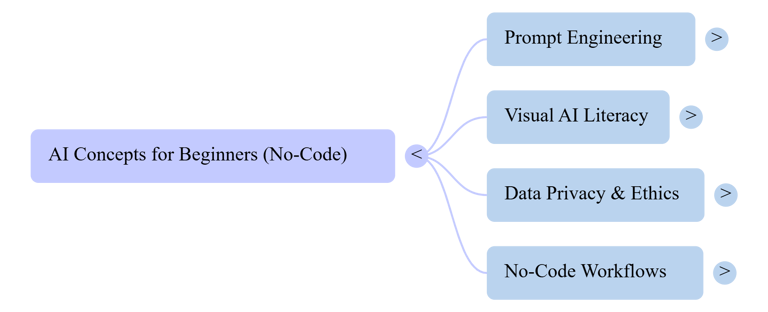
This mind map gives you a quick overview of the concepts covered below.
Why Day 6 Matters in Your AI Journey
Most learners quit AI because they think:
“I’m not technical enough”
“I don’t know programming”
“AI feels too complex”
Day 6 removes that fear completely.
This no coding AI learning Day 6 module teaches you:
How to talk to AI correctly
How AI understands images and visuals
How to protect your data while using public AI tools
By the end, you will understand AI concepts without programming (Day Six) and confidently use AI in real-world scenarios.
The Art of the “Ask” – Why How You Talk to AI Changes Everything


AI does not “think” like humans. It responds based on how you ask questions. This skill is called prompt engineering, and it is the foundation of modern AI usage.
What Is Prompt Engineering (In Simple Words)?
Prompt engineering is the ability to give clear, structured instructions to AI so it produces accurate, useful results.
Think of AI as a very fast assistant:
Vague instructions → vague answers
Clear instructions → powerful outcomes
This is why prompt engineering is the heart of generative AI no code Day Six prompts.
Bad Prompt vs Smart Prompt (Real Example)
Bad Prompt:
“Write about marketing.”
Smart Prompt:
“Write a beginner-friendly blog post (800 words) explaining AI concepts for marketers without coding, using real-world examples and simple language.”
Same AI. Completely different result.
This is exactly what you learn in sixth day AI mastery no coding required—how to guide AI like a pro.
The 5 Elements of a Powerful Prompt
To master AI concepts explained for beginners without coding, include these five elements:
Role – Who should the AI act as?
Task – What exactly should it do?
Context – Why is this content needed?
Format – Blog, list, table, steps, script?
Tone – Simple, professional, friendly, persuasive?
This framework is widely used in no code AI for business analysts Day 6, AI concepts for marketers without coding, and even no programming AI for HR professionals.
Prompt Engineering for Creators
Creators use prompts for:
Writing blogs and scripts
Creating captions and ads
Designing visuals
Building AI agents
Automating workflows
In advanced lessons like Day 6 AI agent building without programming, prompts become instructions for autonomous AI tools that work for you 24/7.
Visual Literacy – Understanding How AI “Sees” and Creates Images


Visual AI is one of the most exciting parts of AI for non-coders. Tools like DALL·E, Midjourney, Microsoft Lobe AI, and Google Teachable Machine have made image creation accessible to everyone.
How Visual AI Actually Works (Beginner Explanation)
AI does not “see” images like humans. Instead, it:
Breaks images into patterns
Learns shapes, colors, textures
Predicts what an image should look like
This concept is central to no code machine learning model deployment tools used today.
Text-to-Image AI Explained Simply
When you type:
“A futuristic city at sunset in cinematic style”
AI converts:
Words → visual concepts
Style → artistic patterns
Context → image composition
That’s why better prompts produce better images. This knowledge is part of Day 6 AI fundamentals no code certificate–level understanding.
Visual AI Tools You Can Use Without Coding
Here are popular tools taught globally:
Google Teachable Machine Day 6 tutorial – Train simple AI models visually
Microsoft Lobe AI Day Six training – Build image classification models
Bubble.io AI integration Day Six tutorial – Add AI features to apps
AutoML no code AI course Russia – Enterprise-level AI without code
These tools are widely used in AI literacy Day Six non technical Russia, Europe, Australia, and the US.
Visual AI for Creators & Marketers
Creators use visual AI for:
Thumbnails and posters
Social media creatives
Product mockups
Branding concepts
This is why AI concepts for marketers without coding has become a high-demand skill globally.
Privacy 101 – Keeping Your Data Safe While Using Public AI Tools


As AI becomes more accessible, data privacy becomes more important.
This section answers common concerns raised in Day 6 AI ethics no code compliance Europe and similar global discussions.
What Happens to Your Data When You Use AI?
When using public AI tools:
Prompts may be logged
Inputs can be analyzed for improvement
Sensitive data may be stored temporarily
That’s why awareness is essential in no code AI Australia Day 6 lesson and other regions with strict privacy laws.
Golden Rules for Safe AI Usage
Follow these rules:
Never share passwords or personal IDs
Avoid uploading confidential company data
Use anonymized examples
Read privacy policies
These practices are taught in Coursera AI for Everyone Day 6 answers and global compliance training.
AI Ethics for Non-Coders
Ethical AI usage means:
Transparency
Fairness
Accountability
Understanding ethics is now part of Day 6 AI fundamentals no code certificate programs worldwide.
No-Code AI Workflows & Real-World Applications
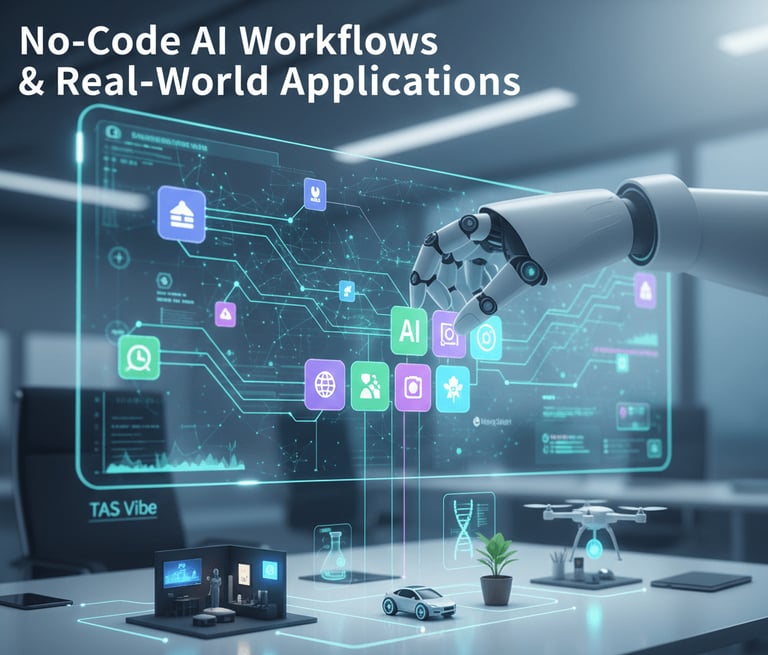
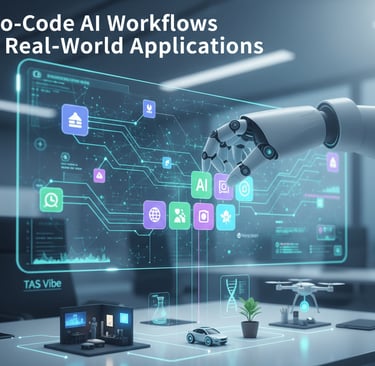
Modern AI is not just about chatting or images—it’s about automation.
No-Code AI Workflows Explained
Tools like n8n AI workflow Day 6 no coding allow users to:
Connect AI with apps
Automate reports
Trigger actions
This is powerful for business analysts, marketers, and HR teams.
AI Without Programming in Real Jobs
AI without coding is used in:
HR screening
Marketing analytics
Customer support
Content creation
This is why AI concepts without programming Day Six is career-critical knowledge.
How Day 6 Prepares You for the Future


By completing Day 6, you gain:
AI literacy
Prompt mastery
Visual AI understanding
Ethical awareness
This lesson connects directly to your next step.
👉 Internal Link:
Continue your journey with “Day 7: The Student & Career Blueprint”, where we convert AI knowledge into career paths, certifications, and income opportunities.
Frequently Asked Questions (FAQ)

Q1: Can I really master AI without coding?
Yes. Modern AI tools are built for non-technical users.
Q2: Is Day 6 suitable for beginners?
Absolutely. It’s designed for complete beginners aged 16–50.
Q3: Are no-code AI skills valuable for jobs?
Yes. Employers now seek AI-literate professionals, not just programmers.
Q4: Is AI safe to use for personal projects?
Yes, if you follow privacy best practices discussed above.
Disclaimer


This article is for educational purposes only. AI tools, features, and policies may change over time. Always verify platform guidelines and legal requirements in your country before applying AI solutions professionally.
Final Words & Call to Action
Author Bio
Elena Petrova – Creative Tech Lead
Elena empowers non-coders to become “Prompt Masters” in the digital age. She specializes in making complex AI concepts simple, ethical, and practical for creators, professionals, and lifelong learners worldwide.
Comments
Connect
Stay updated with us
Follow
Reach
+91 7044641537
Copyright: © 2026 The TAS Vibe. All rights reserved.