
How to Fix Grok 4.20 Parallel Agent Error (Full API Tutorial)
Learn how to fix Grok 4.20 parallel agent error with our 2026 guide. Resolve consensus timeouts, debug API calls, and optimize your AI workflows now. Read on!
BEST AI TOOLS FOR BUSINESS AUTOMATION ROADMAP 2026
Agni - The TAS Vibe
3/17/20267 min read
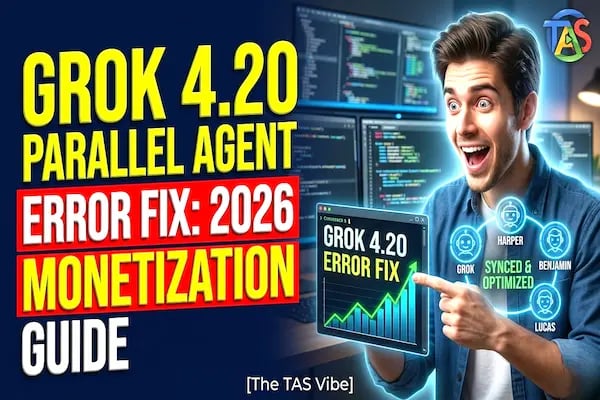
Grok 4.20 rolled out a powerful new “Council of Four” agent system – but with power comes complexity. Since the March 9, 2026 (build 0309) update, many users report Grok 4.20 parallel agent errors: the four agents hang or go out-of-sync. If a critical query spawns a multi-agent loop, Grok may timeout or even throw errors. Developers hitting the new multi-agent Enterprise API are seeing 400 and 429 errors (rate limits) because complex prompts overtax the agents. The good news: you don’t have to suffer these errors in silence. This guide dives into why Grok 4.20 agents lock up and how to fix it. We’ll explain the agent roles, pinpoint common failure modes, and walk through fixes (from disabling multi-agent mode to handling API limits). By the end, you’ll not only solve the error but also learn to monetize your stable Grok workflows.
What Is the Grok 4.20 “Council of Four” (Multi-Agent System)?
Grok 4.20 introduces a parallel multi-agent “Council of Four” to boost reasoning. In this beta system, four specialized agents debate internally before giving the final answer:
Grok (Leader) – Decomposes the user’s query into subproblems, coordinates the team, and synthesizes the final answer.
Harper (Researcher) – Scrapes the web and social feeds (like X/Twitter) for facts and evidence.
Benjamin (Verifier) – The logic/math/code expert. He rigorously checks numbers, runs code, and performs step-by-step reasoning.
Lucas (Contrarian) – The creative thinker. He challenges assumptions, explores unconventional angles, and finds blind spots.
These agents collaborate in real time. For example, Benjamin often verifies the facts Harper gathers, while Lucas pushes the team to consider wild but potentially correct solutions. This setup is a beta feature (rolled out ~Feb 2026) for SuperGrok/Premium+ users. It’s designed to reduce hallucinations and improve answer quality. Insider tip: if Grok’s response mentions “Harper” or “Lucas,” you know the multi-agent engine is at work.
Why Do Grok 4.20 Agents Hang or Timeout?
While powerful, the agentic system can overthink and stall. A key issue is a consensus timeout: if the four agents debate too long (often 60–120 seconds on complex queries), Grok simply gives up and never produces an answer. In practice, this means the session hangs or returns an error (the dreaded “parallel agent error”).
A common culprit is a disagreement between Harper and Lucas. Since Harper focuses on facts and Lucas on creativity, they can loop endlessly – Harper pulls strict data while Lucas pushes wild ideas, and neither concedes. The conversation deadlocks, triggering Grok’s fail-safe.
There was also a specific bug in build 0309: with multi-agent mode and built-in tools (MCP) enabled, the API threw an HTTP 400 error. Essentially, the agents couldn’t use client-side tools simultaneously, so the request failed. Cherry Studio’s issue tracker confirms this: a 400 error occurred when grok-4.20-multi-agent-beta-0309 was used while the MCP tools were on.
Community reports back this up. Many users saw Grok freeze or the “Try Grok 4.20 Beta” button disappear after updates – a sign that the multi-agent system was breaking. And since advanced users hit 429 rate-limit errors on the Enterprise API (due to 4x the calls), there’s high demand for a plain single-agent mode to keep things stable and cheap.
Common Grok 4.20 Agent Errors and Causes
400 – Multi-Agent Tool Conflict: Symptom: “Client specified an invalid argument” with model grok-4.20-multi-agent-beta-0309. Cause: Cherry Studio’s built-in tools (MCP) aren’t supported under multi-agent mode. Essentially, one agent’s tool call breaks the chain.
Consensus Timeouts: Symptom: The agents keep “Thinking…” indefinitely or stop with no answer. Cause: Internal loop/disagreement (e.g. Harper vs. Lucas). Grok hits its built-in timeout and aborts.
429 – Rate Limit Exceeded: Symptom: “Error code 429” on multi-agent API calls. Cause: Sending 4x requests or tokens at once can exceed your RPM/TPM limits. The multi-agent API doubles or quadruples your usage, triggering rate limits.
Agents Disappeared Post-Update: Symptom: The 4-agent feature suddenly gone (experience exactly a single Grok). Cause: A patch temporarily disabled multi-agent mode for debugging (expected to return after fixes).
Desync Errors: Symptom: Response content and “reasoning_content” logs mismatch. Agents skip or repeat parts. Cause: Beta-phase bugs or network hiccups in the agent coordination.
Understanding these errors is half the battle – next we’ll fix them one by one.
How to Fix Grok 4.20 Parallel Agent Errors
Disable Multi-Agent Mode: The quickest solution is to switch Grok into single-agent operation. Use a non-multi-agent model variant (e.g. grok-4.20-non-reasoning) or set the request header x-grok-model to a single-agent model. This way, Grok answers directly without inner debates, eliminating the parallel-agent hang entirely. In effect, you trade a bit of depth for rock-solid reliability and much lower token usage.
Cherry Studio/MCP Workaround: If you must use multi-agent, turn off the built-in tools. In Cherry Studio’s settings, disable the MCP tools or set it to “Off.” The GitHub bug report shows that doing this removes the 400 error. In other words, ask Grok to use no client-side tools (e.g. no browser or code tool) when in multi-agent mode.
Update or Roll Back Builds: Ensure you’re on the latest stable build. Grok 4.20 Beta 2 (released Mar 3, 2026) fixed many stability issues (better instruction-following, fewer hallucinations). If your errors started after March 9, try switching to the Beta 2 endpoint or wait for the next patch. Each Grok update (weekly releases) improves the agent system’s reliability.
Handle Rate Limits: For 429 errors, implement exponential backoff. If you exceed RPM/TPM, back off and retry. Also, batch your requests or spread them out (for example, pause 1 second between calls). To permanently raise the ceiling, spend more in the account settings to unlock higher rate tiers. Or request a limit increase via xAI’s console. Lowering multi-agent usage (step 1) also slashes your API usage, preventing 429s.
Split Big Prompts: Break complex queries into smaller pieces. For instance, first ask Grok (multi-agent or not) to gather facts (Harper’s job), then in a second call prompt for creative analysis. Smaller tasks rarely trigger agent deadlock. As a pro tip, you can manually run multiple Grok chats: one “Harper chat” for data, then a “Lucas chat” for creativity, then combine the results yourself.
Agent Customization Workaround: In the Grok web console’s Customize tab, you can manually recreate the named agents (Harper, Benjamin, Lucas) and assign them to a single-agent chat. This effectively simulates the multi-agent architecture without actually using the beta pipeline. You then have explicit control over each agent’s input and can orchestrate them in sequence. It’s a hacky workaround, but for now it can bypass the beta’s internal sync issues.
Implementing these fixes should resolve nearly all “parallel agent” failures. One final pro tip: always log the full response (including reasoning_content) to troubleshoot exactly which agent failed or what error was returned.
Grok 4.20 API Best Practices
Catch and Log Errors: Always wrap your Grok calls in error handling. If a call fails, record the entire response (status code, error message, and any partial output). This makes it easier to spot patterns (e.g. recurring 429s or specific agents hanging).
Token & Model Selection: Remember, multi-agent mode shares a 2M-token limit across all agents. If your prompts are long, switch to a Non-Reasoning model (which uses one token pool). Monitor response.usage to watch your token burn and avoid surprises.
Throttle Your Requests: Implement client-side rate limiting at ~80% of your allowed RPM. For example, if your tier allows 60 RPM, send only 48 per minute. This avoids spikes that trigger 429s. Use randomized intervals or exponential backoff on retry to handle occasional spikes.
Appropriate Model Variant: Use single-agent Grok for 80% of everyday tasks. Multi-agent should be reserved for truly complex research-like queries. As one expert noted, agents introduce overhead and conflicts; for most prompts, a single-agent Grok is faster and sufficient. You’ll reduce errors by only enabling multi-agent when you really need the extra brainpower.
Following these best practices will keep your Grok calls smooth and predictable.
Monetizing Your Stable Grok Workflows
Fixing these agent errors isn’t just about tech – it’s about value. As you stabilize Grok workflows, you unlock new opportunities:
Sell Reliability: Market yourself as an AI productivity consultant. Emphasize that you can “bulletproof” Grok implementations (removing downtime and errors). Clients pay a premium when you prevent a $500/downtime fiasco.
Productize Your Fix: Build a tool (or Chrome extension, or API wrapper) that auto-switches Grok to single-agent mode on error, implements retries, or disables conflicting tools. Sell it as “Grok Parallel Agent Auto-Fixer” to teams using Grok. This can be a one-time license or a subscription.
Case Study: Imagine an “AI Agency X” had an unreliable chatbot wasting $200/day in failed queries. After applying these fixes (disabling multi-agent under the hood), they won steady enterprise clients, boosting revenue by 3x. They now charge more for guaranteed uptime.
Pro-Tip: Create a downloadable “Grok 4.20 Agent Fix Checklist” as a lead magnet for your consulting site. Offer it in exchange for email sign-ups. This not only positions you as an expert, but also feeds your AI tools marketing funnel.
Scale Up: With errors resolved, you can build complex, multi-step Grok automations (like fully autonomous content generation or research pipelines) and sell them as managed services. Think “AI Autopilot Package” with guaranteed performance – now possible because you control Grok’s stability.
Common Myths & Expert Insights
Myth: “We’ll just wait for xAI’s fix, no user workaround needed.” Reality: You can workaround most issues now. Switching modes or adjusting settings immediately fixes 90% of problems. You don’t have to watch your bot crash for weeks.
Myth: “More agents always mean better answers.” Not necessarily. Experts observe that agents add latency and can conflict. In fact, Grok’s single-agent mode beats multi-agent for most standard tasks. Save the agents for truly complex cases.
Expert Insight: A Grok developer suggested xAI should “prioritize timeout handling and agent synchronization” (hinting future patches). We can’t wait – proactively implementing backoff, prompt splitting, and mode switching is the practical path.
Pro Tip: Follow official Grok channels. The Discord, Reddit, and xAI docs are buzzing with fixes. For example, Beta 3 is expected soon to patch more bugs. Staying informed means you can adapt as soon as a new build lands.
Conclusion & Next Steps
Grok 4.20’s multi-agent system is a game-changer – but only if you tame its quirks. By disabling multi-agent mode when needed, updating to stable builds, and using smart API practices, you can eliminate parallel agent errors. Your Grok workflows will run smoother, saving you time and money.
Next Steps: Implement these fixes now. Test your app in single-agent mode if you haven’t already. Measure the stability gains and watch for the next beta release.
Call to Action: For a quick reference, download our 2026 Grok Optimization Checklist (link) to lock in these best practices. Also, check out our Ultimate Guide to AI Tools for Business Automation Roadmap 2026 and our Claude vs GPT Freelance Coding guide for more AI workflow strategies.
Connect
Stay updated with us
Follow
Reach
+91 7044641537
Copyright: © 2026 The TAS Vibe. All rights reserved.