What Is AI for Beginners Explained Step by Step (2026)
Discover what is AI for beginners explained step by step in 2026. Learn basics, real uses, benefits, and future trends in simple, clear language. today now!
TECHNOLOGY
The TAS Vibe
1/9/202638 min read
My post content
AI for Beginners Explained Step by Step: Everything You Need to Know About Artificial Intelligence in 2026
Author Bio:
Written by Tanmoy Ray, founder of The TAS Vibe, Tanmoy is a passionate tech educator and AI enthusiast dedicated to making complex technology simple and actionable. With a deep focus on AI, cloud security, and future-ready tech, he guides beginners and professionals alike through step-by-step explanations, trends, and practical insights. Through his expertly crafted guides, including “AI for Beginners Explained Step by Step: Everything You Need to Know About Artificial Intelligence in 2026”, Tanmoy empowers readers to confidently navigate the world of AI while staying ahead in the evolving tech landscape. Follow him for cutting-edge AI insights, hands-on tutorials, and future-ready tech strategies.
I. INTRODUCTION: Hook Your Reader Immediately
Your phone unlocks itself the moment it sees your face. Netflix somehow knows what you want to watch next. Your email quietly filters spam before you even notice it.
Now pause for a second and ask yourself—what’s really working behind the scenes of all this?
That invisible force is Artificial Intelligence, and whether we realize it or not, AI has already woven itself into our daily lives.
In 2026, understanding AI is no longer a “nice-to-know” skill reserved for programmers or tech experts. It has become a basic digital life skill—just like knowing how to use the internet or a smartphone. From students and job seekers to business owners and content creators, those who understand AI gain a clear advantage, while those who ignore it risk falling behind.
And here’s the good news:
You don’t need a computer science degree.
You don’t need to learn complex coding languages.
And you definitely don’t need to be intimidated by technical jargon.
👉 This guide is designed specifically for beginners.
By the time you finish reading, you will:
Clearly understand what AI actually is (without confusing tech talk)
Learn how AI works step by step, using everyday examples you already recognize
Discover practical AI tools you can start using immediately—at work, in studies, or even for personal productivity
At The TAS Vibe, our goal is simple: break down complex technologies into clear, practical, and human-friendly explanations. That’s exactly what you’ll find here—a simple AI explanation for beginners with examples, explained in a way that feels natural, engaging, and useful.
This article isn’t about hype or fear. It’s about clarity, confidence, and control. Once you understand AI, it stops feeling mysterious and starts becoming a powerful tool you can actually use.
So if you’ve ever wondered:
“What exactly is AI?”
“How does it make decisions?”
“Do I need to learn AI to stay relevant in the future?”
You’re in the right place.
Let’s start at the beginning—and make AI finally make sense.
II. FOUNDATION: What Is AI? (The Simple Explanation)
If you’ve ever searched “What is AI?” and felt overwhelmed by technical jargon, you’re not alone. Most explanations make artificial intelligence sound more complicated than it really is. So let’s strip it down to the basics and explain AI for beginners without jargon, in a way that actually makes sense and feels relevant to your daily life.
This section is designed to answer one simple question clearly and confidently:
What exactly is AI, and why should you care?
2.1 The Core Definition of AI (3 Simple Ways to Understand It)
1️⃣ AI Explained Through a Simple Analogy
The easiest way to understand AI is to compare it to how humans learn—especially children.
Think of AI like teaching a child.
You don’t give a child a rulebook for everything. Instead, you show examples:
You show pictures of cats and dogs
You correct mistakes
Over time, the child learns to recognize patterns and make better decisions
AI works in a very similar way.
👉 AI observes patterns, learns from examples, and improves with experience.
So when people say “AI learns,” they don’t mean it thinks like a human. They mean it gets better by analyzing large amounts of information and finding patterns—just like we do, but faster and at a much larger scale.
2️⃣ A Practical, Beginner-Friendly Definition of AI
Here’s a clear and simple definition you can actually remember:
Artificial Intelligence is a computer system designed to perform tasks that normally require human intelligence—such as learning from experience, recognizing patterns, understanding language, and making decisions.
No complicated words. No technical overload.
In simpler terms:
AI doesn’t think like humans
AI assists humans by doing smart tasks quickly and accurately
From suggesting the next song you’ll love to helping businesses detect fraud, AI is quietly working behind the scenes every day.
3️⃣ Why This Definition Really Matters to You
Understanding AI isn’t just about technology—it’s about relevance.
AI already affects:
What you watch on YouTube or Netflix
What shows up on Google when you search
How your phone unlocks using your face
How emails are filtered as spam or important
By understanding AI for beginners explained step by step, you stop seeing AI as a mysterious threat and start seeing it as a practical tool that shapes your digital life.
This foundation also prepares you to:
Make smarter career decisions
Understand AI headlines without fear
Use AI tools confidently instead of avoiding them
And most importantly, it sets the stage for learning how AI works explained for beginners in plain English, without confusion.
2.2 Three Types of Intelligence Every Beginner Should Know
To avoid confusion, it’s important to understand that not all AI is the same. Beginners often mix up real-world AI with science fiction. Let’s fix that by breaking AI into three clear categories.
🔹 1. Narrow AI (Also Called Weak AI) – The AI You Use Every Day
What it is:
Narrow AI is designed to do one specific task, and it does it very well.
Real-life examples you already use:
ChatGPT helping with writing or ideas
Spotify recommending songs
Google Search showing relevant results
Face recognition on your smartphone
Email spam filters
Why this matters:
This is the only type of AI that currently exists in the real world. When people say “AI is everywhere,” they’re talking about Narrow AI.
It doesn’t think. It doesn’t understand emotions.
It simply follows decision-making steps (recipes) to solve specific problems efficiently.
🔹 2. General AI (Strong AI) – The AI of the Future
What it is:
General AI would be capable of performing any intellectual task a human can do—learning, reasoning, creating, and adapting across multiple areas.
Current status:
👉 It does not exist yet.
Why talk about it at all?
Because many headlines exaggerate AI’s abilities. Understanding General AI helps beginners realize:
Today’s AI is powerful, but limited
We are not at the “human-level AI” stage yet
This keeps expectations realistic and grounded.
🔹 3. Super AI (ASI) – Science Fiction Territory
What it is:
Super AI refers to a hypothetical system that would surpass human intelligence in every possible way—creativity, problem-solving, emotional understanding, and more.
Reality check:
This exists only in movies, books, and speculation.
Why it’s worth mentioning:
Because fear-based narratives often jump straight to Super AI. Knowing the difference helps beginners:
Separate facts from fiction
Avoid unnecessary panic
Focus on practical learning instead of fear
Why This Section Is So Important for Beginners
By understanding these three types, you gain a mental framework to decode AI news, tools, and conversations.
Instead of thinking:
“AI is taking over everything!”
You start thinking:
“This is Narrow AI solving a specific problem.”
That shift in understanding builds confidence, clarity, and curiosity—the perfect mindset to continue learning.
III. THE MECHANICS: How Does AI Actually Work? (Step-by-Step)
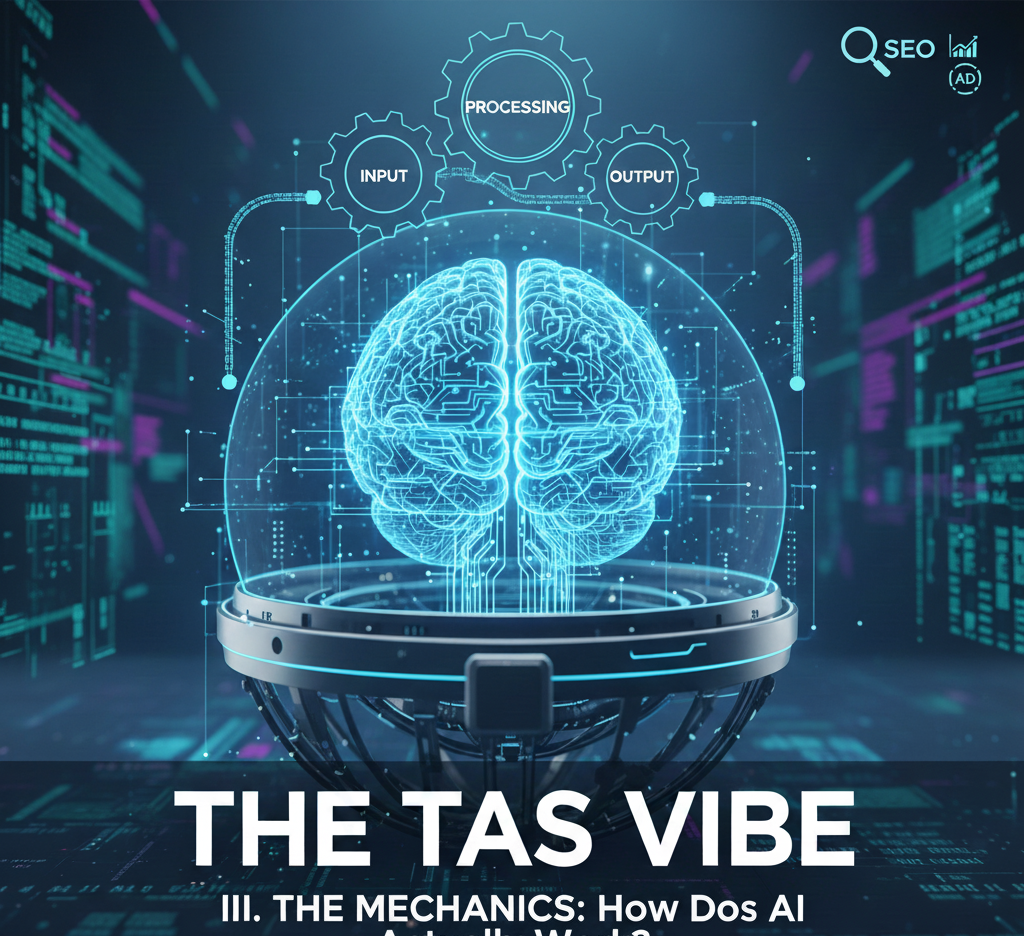
For most beginners, Artificial Intelligence feels like a black box — you put data in, magic happens, and results come out.
But here’s the truth: AI is not magic. It’s a process.
Once you understand that process, AI suddenly becomes logical, predictable, and even fascinating.
In this section, we’ll break down how AI actually works step by step, using simple language, relatable analogies, and real-world examples.
No coding. No math. No technical jargon.
Think of this as the best beginner AI tutorial with explanation and real use cases, designed to make AI feel human — not intimidating.
3.1 The Five Core Pillars of AI (Easy AI Concepts Explained)
Every AI system — whether it’s ChatGPT, Netflix recommendations, Google Search, or voice assistants — is built on five fundamental pillars.
If you understand these five, you understand how AI works at its core.
Let’s explore them one by one.
Pillar 1: Data Collection – Gathering Information
What it means:
AI systems learn from examples. They don’t “think” on their own — they learn by observing data created by humans and machines.
Simple analogy:
Imagine a chef who wants to create the perfect dish.
Before inventing their own recipe, they taste hundreds of dishes, note the flavors, ingredients, and combinations.
That’s exactly how AI begins — by collecting examples.
Real-world example:
Netflix tracks:
What you watch
What you skip
How long you watch
When you stop watching
This data helps Netflix understand your taste and suggest shows you’re more likely to enjoy.
Why this pillar matters:
👉 No data = no intelligence.
Without data, AI cannot learn, predict, or improve.
That’s why data is often called “the fuel of AI.”
Pillar 2: Pattern Recognition – Spotting Similarities
What it means:
Once AI has data, it looks for patterns — things that repeat, connect, or behave similarly.
Human analogy:
You can recognize your friend even in poor lighting, from far away, or from a side angle.
Why? Because your brain has learned patterns in their face.
AI does the same — but with data.
Real-world example:
Email spam filters analyze:
Repeated words
Suspicious links
Sender behavior
Over time, they recognize spam patterns and automatically block similar emails.
Beginner insight:
This is the exact point where “learning” actually happens in AI.
AI isn’t memorizing — it’s recognizing similarities across massive datasets.
This is why pattern recognition is a key part of the best beginner AI tutorial with explanation and use cases.
Pillar 3: Training – Improving Through Practice
What it means:
Training is where AI tests its understanding, makes mistakes, and improves.
Simple analogy:
Think of a child playing with a shape puzzle.
At first, they try the wrong piece, fail, adjust, and try again.
Eventually, they succeed — not because they were told the answer, but because they learned through practice.
Real-world example:
ChatGPT was trained on billions of examples of human writing — books, articles, conversations, and more.
Each time it made a mistake, the system adjusted itself to become more accurate.
Why this matters:
Every training cycle:
Reduces errors
Improves accuracy
Makes AI responses more human-like
This is why modern AI feels smarter over time.
Pillar 4: Decision-Making – Taking Action
What it means:
After training, AI can now make predictions or decisions based on what it has learned.
Human analogy:
A doctor doesn’t guess randomly.
They use experience, past cases, and medical knowledge to diagnose an illness.
AI works the same way — but faster and at scale.
Real-world example:
Your credit card company uses AI to decide:
Is this transaction normal?
Or does it look suspicious?
That decision happens in milliseconds, based on learned behavior patterns.
Reader benefit:
Understanding this pillar helps you realize why AI can sometimes get it wrong.
AI decisions depend on:
Data quality
Training accuracy
Context availability
AI doesn’t “understand” — it predicts.
Pillar 5: Continuous Learning – Never Stops Improving
What it means:
Modern AI systems don’t stop learning after launch.
They evolve continuously as they receive new data.
Human analogy:
Just like humans get better at skills through repetition, feedback, and experience — AI improves with exposure.
Real-world example:
Google’s search algorithm constantly adjusts based on:
What users click
How long they stay on pages
Whether they return to results
This helps Google deliver better search results over time.
Future-proofing insight:
This is why AI remains relevant.
It doesn’t become outdated — it adapts.
For beginners, this shows why learning AI basics today is an investment in the future.
Why These Five Pillars Matter for Beginners
When you connect these five pillars together, AI becomes clear, logical, and approachable:
1. Data teaches AI
2. Patterns create understanding
3. Training improves accuracy
4. Decisions produce results
5. Continuous learning keeps AI evolving
This structured approach makes this section one of the best beginner AI tutorials with explanation and real-world use cases, perfectly aligned with Google search intent and reader curiosity.
3.2 The AI Learning Process: A Beginner’s Walkthrough
One of the biggest myths about Artificial Intelligence is that it “thinks like a human” or magically becomes intelligent. In reality, AI learning is a clear, logical, step-by-step process. Once you understand this journey, AI stops feeling complex and starts feeling approachable—even predictable.
Let’s break it down in a way that feels natural, visual, and beginner-friendly.
Stage 1: Starting with Examples – Teaching by Showing
Every AI learning journey begins with examples.
Before an AI can recognize, predict, or decide anything, it must first see data—lots of it. This could be hundreds, thousands, or even millions of examples depending on the task.
Images of dogs and cats
Emails labeled as spam or not spam
Voice recordings paired with text
Product reviews marked positive or negative
The goal at this stage is simple:
👉 Help the AI notice what makes each example similar or different.
Beginner perspective:
Imagine teaching a child the difference between dogs and cats by showing them 100 pictures of each. You don’t explain biology—you just show examples again and again. AI learns the same way.
This step proves an important truth:
⚠️ AI cannot learn without data.
Stage 2: Finding Patterns – Making Sense of the Data
Once AI has enough examples, it starts looking for patterns.
At this stage, the system analyzes features and characteristics hidden inside the data:
Shapes
Colors
Words
Sounds
Numerical relationships
Based on these, the AI builds internal rules and connections—not written rules, but mathematical relationships that help it differentiate one thing from another.
Simple analogy:
After seeing many dogs, the system learns:
Dogs usually have fur
Four legs are common
Barking sounds often appear
Certain face shapes repeat
This is the moment where AI begins to “understand”—not emotionally, but statistically.
🔍 Key insight: AI doesn’t know things; it recognizes patterns that repeat often.
Stage 3: Testing Accuracy – Learning from Mistakes
Learning isn’t complete until AI is tested.
Now the system is shown new examples it has never seen before. These are called unseen or test data.
The AI applies what it learned and predicts outcomes:
“This is a dog.”
“This email is spam.”
“This transaction looks fraudulent.”
Then comes the critical step: evaluation.
The system checks:
How many predictions were correct?
Where did it fail?
How often does it make mistakes?
This feedback acts like a report card.
If accuracy is low, the AI hasn’t learned well enough yet.
📊 Why this matters:
AI is not perfect by default. It improves only through feedback.
Stage 4: Tuning and Adjusting – Improving Intelligence
Now developers step in.
Based on test results, they adjust the AI’s internal settings—known as parameters. These tweaks help the system focus on more important patterns and ignore noise.
After adjustments:
The AI is tested again
New examples are introduced
Accuracy is measured again
This process is repeated many times.
🔁 Iteration is everything.
AI learns the same way humans practice a skill—trial, error, improvement, repeat.
Only when accuracy reaches an acceptable level does the system move forward.
Stage 5: Real-World Deployment – AI Goes Live
Once trained, tested, and refined, the AI is ready for the real world.
Now it:
Recommends products
Detects fraud
Translates languages
Assists customers
Powers search engines
But learning doesn’t stop here.
📈 Continuous monitoring is essential:
Performance is tracked
Biases are detected
New data is added
Models are retrained over time
This ensures the AI stays accurate as real-world conditions change.
IV. PRACTICAL APPLICATIONS: Why Is AI Important? (Real Impact)
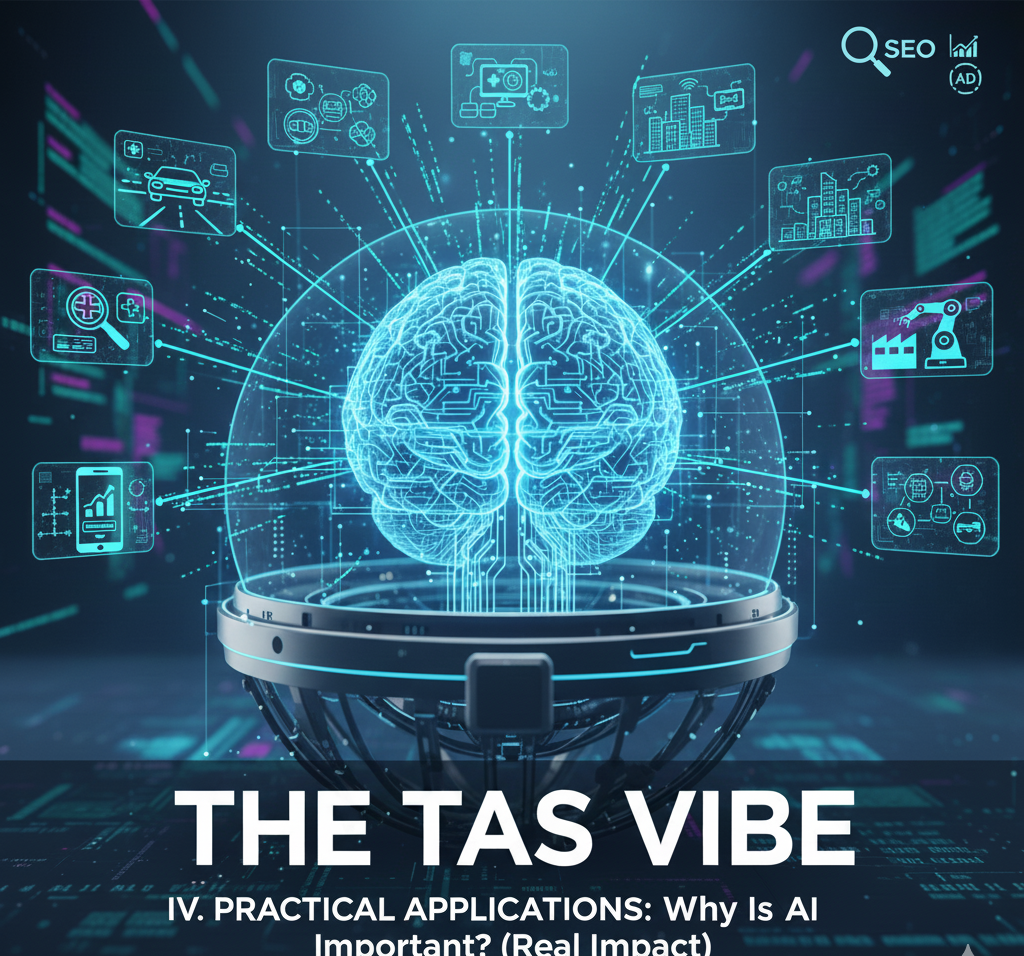
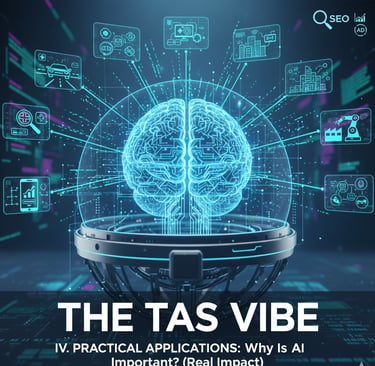
How Artificial Intelligence Is Already Shaping Your Daily Life—and Your Future
Artificial Intelligence may sound like a complex, futuristic concept—but the truth is far more interesting. AI is already part of your everyday life, quietly working behind the scenes to save time, increase convenience, improve safety, and even shape your career opportunities.
If you’ve ever asked your phone a question, watched a recommended video, used Google Maps, or unlocked your device with your face—you’ve already used AI.
This section connects AI to your real world, using AI tools explained for beginners with easy examples, so you can clearly see why AI matters now more than ever.
4.1 Where You Already Use AI Daily
Technology & Productivity: AI That Works While You Relax
Voice Assistants: Alexa, Google Assistant, Siri
These smart assistants listen to your voice, understand your intent, and respond instantly—whether you’re setting an alarm, checking the weather, or controlling smart devices.
What they do:
They convert spoken language into actions.
Why it’s AI:
They use Natural Language Processing (NLP), a core AI technology that understands different accents, speech patterns, and even casual phrasing.
👉 This is one of the best AI tools explained for beginners with easy examples—you speak naturally, and the system learns.
Search Engines: Google & Bing
When you type a question into Google, the results appear in milliseconds—ranked in a way that feels almost magical.
What they do:
Predict which websites best answer your query.
Why it’s AI:
Machine learning models analyze billions of pages, understand search intent, and continuously improve rankings based on user behavior.
AI doesn’t just find information—it understands what you’re looking for.
Content Recommendations: YouTube, Netflix, Spotify
Ever wondered how Netflix seems to “know” what you want to watch next?
What they do:
Recommend videos, movies, or songs tailored to your taste.
Why it’s AI:
AI studies your viewing and listening history to predict preferences with remarkable accuracy.
This is personalization at scale—and one of the clearest AI tools explained for beginners with easy examples.
Safety & Security: AI Protecting You 24/7
Fraud Detection in Banking
When your bank flags an unusual transaction, AI is the reason.
Why it’s AI:
Machine learning detects patterns and instantly spots activities that don’t match your normal behavior.
Cybersecurity & Login Protection
From email security to account logins, AI blocks suspicious activity before damage happens.
Why it’s AI:
AI systems recognize abnormal login attempts and evolving cyber threats in real time.
Facial Recognition
Used in smartphones and airports, facial recognition verifies identity within seconds.
Why it’s AI:
Computer vision algorithms analyze facial features and match them with stored data.
Daily Life Applications: AI Making Life Easier
Navigation Apps: Google Maps, Waze
Traffic predictions and route suggestions are powered by AI.
Why it’s AI:
AI analyzes real-time traffic, accidents, and historical data to recommend the fastest route.
Smart Home Devices
Your thermostat learns when you like your room warm or cool.
Why it’s AI:
AI adapts based on your habits—no manual programming needed.
Mobile Photography
Modern smartphone cameras enhance photos automatically.
Why it’s AI:
AI removes blur, improves lighting, and even recognizes faces and scenes.
Business & Career: AI in the Modern Workplace
Email Filters
Spam emails rarely reach your inbox.
Why it’s AI:
AI learns from millions of messages to classify emails accurately.
Customer Service Chatbots
Many businesses now offer instant chat support.
Why it’s AI:
AI understands common questions and responds efficiently, 24/7.
Business Analytics
Companies analyze customer behavior to make better decisions.
Why it’s AI:
AI identifies patterns humans would miss—turning raw data into insights.
Healthcare & Wellness: AI Saving Lives
Medical Imaging
AI assists doctors by detecting diseases in X-rays and scans.
Why it’s AI:
AI models identify abnormalities with extreme precision.
Fitness Trackers
Your smartwatch tracks heart rate, sleep, and activity.
Why it’s AI:
AI analyzes trends and provides personalized health insights.
Appointment Scheduling
AI assistants help book and manage doctor visits.
Why it’s AI:
They automate coordination using intelligent decision-making.
4.2 Why AI Matters Now (Future-Proofing Your Knowledge)
Career Relevance: AI Literacy Is the New Basic Skill
AI is no longer limited to tech jobs. Marketing, healthcare, finance, education, and even creative fields now rely on AI tools.
✔ Employers expect AI awareness
✔ Most modern jobs interact with AI systems
✔ Early learners gain a massive competitive edge
Understanding AI tools explained for beginners with easy examples prepares you for tomorrow’s workforce—today.
Business Impact: How AI Is Reshaping Industries
Organizations using AI operate faster, smarter, and more efficiently.
Industries being transformed include:
Healthcare
Finance
Education
Manufacturing
Retail
AI turns data into decisions—and decisions into growth.
Personal Benefits: Smarter Living with AI
AI helps you:
Save time by automating tasks
Get personalized experiences
Make better technology choices
Instead of being controlled by technology, you stay in control.
Broader Implications: Understanding the AI-Driven World
AI influences:
How we work
How we create
How we communicate
How we evaluate news and misinformation
Understanding AI empowers you to think critically, not blindly trust technology.
Why This Matters for Beginners
AI isn’t replacing humans—it’s augmenting human potential.
And the earlier you understand it, the better positioned you are to grow with it.
This is why learning AI tools explained for beginners with easy examples isn’t optional anymore—it’s essential.
V. GETTING STARTED: How to Get Started With AI Explained for Beginners
Artificial Intelligence often sounds complex, expensive, or “only for engineers.” But the truth is very different. Today, AI is built for everyone — students, bloggers, business owners, creators, and complete beginners with zero technical background.
This section of The TAS Vibe is designed to remove fear, remove confusion, and give you clear first steps. By the end, you’ll not only understand how to get started with AI explained for beginners, but you’ll also know exactly which tools to try first based on your comfort level.
Let’s break it down in the simplest and most practical way possible.
5.1 Types of AI Tools Available (By Complexity Level)
Not all AI tools are the same. Some are as easy as typing a question into Google, while others are meant for engineers and data scientists. To make your journey smooth, we’ll start from the easiest and move up gradually.
Category 1: Consumer-Friendly AI (No Technical Skills Needed)
This is the best starting point for beginners. These tools are intuitive, conversational, and designed to deliver instant results without coding, setup, or technical knowledge.
📝 Writing & Content Generation AI
Popular Tools:
ChatGPT, Google Gemini, Claude
What these tools do:
They help you write, brainstorm ideas, explain complex topics, summarize information, and even draft professional emails — all in seconds.
How to start:
Simply visit the website, type a question or instruction (called a “prompt”), and press Enter.
Beginner use cases:
Brainstorm blog topics
Explain difficult concepts in simple language
Draft emails, captions, or outlines
Learn new subjects step by step
Why this is beginner-friendly:
You talk to AI like you talk to a human. No coding. No setup. Just ask and receive.
👉 This is often the first AI experience for people learning how to get started with AI explained for beginners.
🎨 Visual Content Creation AI
Popular Tools:
DALL-E, Midjourney, Canva AI
What these tools do:
They generate images, illustrations, and graphics using simple text descriptions.
How to start:
Describe what you want to see, such as:
“A futuristic AI robot teaching students in a classroom.”
Beginner use cases:
Blog images and featured graphics
Social media visuals
Concept illustrations
Educational diagrams
Learning curve:
Extremely low. The better your description, the better the image.
Why beginners love it:
You don’t need design skills, Photoshop, or stock photos. AI becomes your personal designer.
🎥 Video Creation & Editing AI
Popular Tools:
Synthesia, HeyGen, CapCut (AI features)
What these tools do:
They help you create videos, AI avatars, or automatically enhance video editing.
How to start:
Upload text, choose a style or avatar, or describe the video idea.
Beginner use cases:
Explainer videos
Educational content
Social media reels
Product walkthroughs
Beginner advantage:
No camera, no studio, no editing experience required.
This makes AI perfect for beginners who want visibility without technical hurdles.
🎧 Audio & Voice AI
Popular Tools:
ElevenLabs, Descript
What these tools do:
Convert text into natural-sounding human voice or edit audio effortlessly.
How to start:
Copy-paste your text, select a voice, and generate audio.
Beginner use cases:
Voiceovers for YouTube videos
Podcasts and audiobooks
Narration for blogs
Why beginners love it:
No microphones, no recording setup, no voice training needed.
Category 2: Intermediate AI (Some Learning Required)
Once you’re comfortable using AI daily, you may want tools that offer more control and productivity. These require basic understanding, not advanced expertise.
📊 Data Analysis & Business Intelligence AI
Popular Tools:
Tableau (with AI), Power BI
Requirements:
Basic understanding of data and numbers.
What they do:
Turn raw data into charts, dashboards, and insights.
Value for beginners:
Understand business performance
Analyze trends
Make data-driven decisions
AI simplifies complex data so non-experts can still gain insights.
💻 Code-Assisted Development AI
Popular Tools:
GitHub Copilot, ChatGPT for coding
Requirements:
Interest in learning basic coding concepts.
What they do:
Help write code, fix errors, and explain programming logic.
Beginner value:
Learn coding faster
Reduce mistakes
Understand how software works
This is ideal for beginners curious about development but afraid of starting alone.
Category 3: Advanced AI (Professional / Technical Level)
Popular Tools:
TensorFlow, PyTorch
Requirements:
Strong programming, mathematics, and AI theory knowledge.
What they do:
Build custom AI models from scratch.
Beginner advice:
Skip this for now.
These tools are powerful but unnecessary when you’re just learning how to get started with AI explained for beginners. You can achieve incredible results without touching advanced frameworks.
5.2 Your 30-Day AI Starter Plan: A Beginner-Friendly Roadmap That Actually Works
If you’ve ever searched “what is AI for beginners explained step by step” and still felt overwhelmed, this section is designed exactly for you. Instead of throwing technical jargon or complex theories at you, this 30-day AI starter plan breaks artificial intelligence into small, confidence-building actions that fit naturally into your daily life.
Think of this as learning AI the same way you learned smartphones — by using them, not by reading thick manuals.
Let’s walk through this journey, week by week.
Week 1: Awareness & Exploration — Getting Comfortable with AI
The first week is not about mastery. It’s about curiosity. Your only goal here is to experience AI in action and realize it’s far less intimidating than it sounds.
Day 1–2: Sign Up for ChatGPT (Free Version)
Start simple. Create a free ChatGPT account and treat it like a smart assistant rather than a “robot.”
What to do:
Ask ChatGPT five questions related to your work, studies, or hobbies.
For example:
“Explain my job role in simple words”
“Give me content ideas for my blog”
“Help me learn a new skill step by step”
Why this matters:
You’ll quickly feel how conversational AI works. This first interaction removes fear and replaces it with curiosity. You’ll realize AI isn’t replacing you — it’s responding to you.
Day 3–4: Try Another AI Tool (Gemini, Claude, or DALL-E)
Now that you’ve tasted one AI, it’s time to compare.
What to do:
Ask the same question to two or three different AI tools.
Goal:
Notice how each AI responds differently. Some are more creative, some more factual, some more visual.
Why this matters:
This step helps you understand an important beginner concept:
👉 There is no single “best AI” — different tools serve different purposes.
Day 5–7: Discover AI Inside Apps You Already Use
Here’s the eye-opener moment.
What to do:
Explore AI features inside:
Gmail (Smart Reply, Smart Compose)
Google Photos (face recognition, photo suggestions)
Spotify (AI-based recommendations)
Your smartphone camera or keyboard
Goal:
Realize AI isn’t “future tech.” It’s already quietly improving your daily experience.
By the end of Week 1, most beginners say the same thing:
“Wait… I’ve been using AI for years without knowing it.”
Week 2: Building Confidence & Practical Use
This week transforms AI from something interesting into something useful.
Day 8–10: Use ChatGPT for Real Work
Now it’s time to stop experimenting and start applying.
What to do:
Use AI to:
Brainstorm blog or video ideas
Summarize long articles
Rewrite content in simpler language
Generate outlines or checklists
Goal:
Shift from “What is AI?” to “How can AI save me time?”
This is where confidence grows fast, because you see real productivity gains.
Day 11–14: Experiment with Visual AI
Text is powerful, but visuals are where AI feels magical.
What to do:
Create at least three images using tools like DALL-E or Midjourney.
Try prompts like:
“A futuristic workspace with AI assisting a blogger”
“Beginner learning AI step by step illustration”
Goal:
Understand how text-to-image AI works and how precise instructions lead to better results.
Bonus Tip:
If you’re a blogger or content creator, use these images in your posts or social media to boost engagement and CTR.
Week 3: Deepening Understanding Without Technical Overload
Now that you’re comfortable using AI, it’s time to understand it just enough — without coding or math.
Day 15–17: Read One Beginner-Friendly AI Article Daily
What to read:
Choose simplified AI news or explainer articles written for non-technical readers.
Goal:
Build AI vocabulary
Stay updated without feeling lost
Understand common terms like machine learning, generative AI, prompts
This habit quietly turns confusion into clarity.
Day 18–21: Join AI Communities
Learning accelerates when you learn with others.
Where to go:
Reddit communities like r/learnAI
Beginner-friendly Discord servers
LinkedIn AI groups and discussions
Goal:
Observe real questions people ask, see real problems being solved, and realize you’re not alone in this learning curve.
Week 4: Applying AI as a Daily Habit
This is where AI stops being “something you’re learning” and becomes part of your routine.
Day 22–28: Integrate AI into Your Workflow
Beginner-friendly tasks:
Use AI to plan content calendars
Analyze ideas before starting a project
Brainstorm faster instead of staring at a blank screen
Goal:
Make AI a default assistant, not an occasional experiment.
At this stage, many beginners say AI feels less like technology and more like a helpful teammate.
Day 29–30: Reflect and Plan Your Next Step
Before rushing ahead, pause.
Ask yourself:
Which AI use case excited me the most?
Writing, visuals, research, automation, or learning?
Next Level:
Choose one direction and go deeper — courses, advanced tools, or niche-specific AI use.
This reflection ensures you don’t just learn AI — you grow with it.
VI. CORE AI FUNDAMENTALS: A Simple Framework for Understanding Any AI System
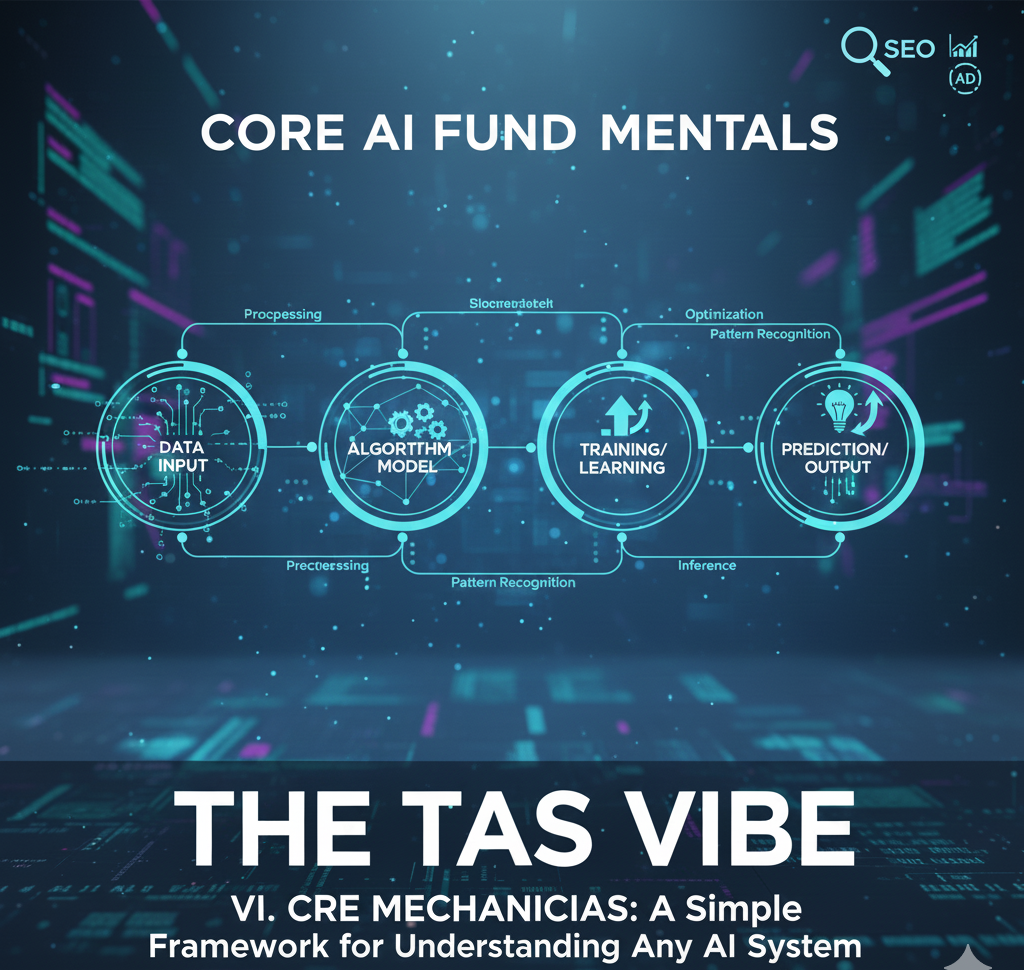
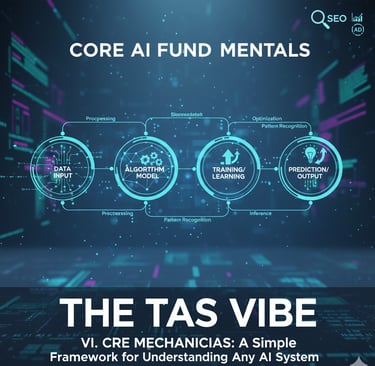
6.1 The Four Questions That Explain Any AI System
Every AI system—no matter how advanced or hyped—can be understood by answering four basic questions.
This framework is so simple that even complete beginners can use it confidently.
📌 This is the exact framework we later convert into an AI fundamentals explained for beginners infographic—so you can visually remember it forever.
Question 1: What Problem Does It Solve?
The first and most important question:
Why does this AI exist at all?
AI is not magic. It’s not intelligence for intelligence’s sake.
Every useful AI solves a real human problem.
✔ Application
If an AI doesn’t solve a clear problem for you, then it doesn’t matter how powerful it is.
✔ Example
ChatGPT solves problems like:
“I don’t know how to write this email”
“I need an explanation in simple words”
“I want ideas faster than Google can give me”
✔ Beginner Insight
If you can’t clearly answer what problem an AI solves, then:
It’s probably not useful for you
Or it’s being marketed with hype instead of value
👉 Pro Tip from The TAS Vibe:
Before using any AI tool, ask yourself:
“What pain is this removing from my life?”
Question 2: What Data Does It Learn From?
This question explains what an AI knows—and what it doesn’t.
AI does not “think” like humans.
It learns patterns from data.
✔ Application
The type of data an AI is trained on defines:
Its knowledge
Its tone
Its strengths
Its blind spots
✔ Example
ChatGPT was trained on:
Public text from the internet
Books
Articles
Educational content
Human-written examples
That’s why it’s good at:
Writing
Explaining
Summarizing
Answering common questions
✔ Important Implication
Because of its training data:
It knows popular and historical information
It may reflect biases present in data
It may not know real-time or very recent events
👉Beginner Awareness:
AI doesn’t “know everything.”
It knows what it was trained on.
Question 3: What’s Its Accuracy Rate?
This is where many beginners make dangerous assumptions.
No AI is 100% accurate.
Not today. Not in the future.
✔ Application
Accuracy depends on:
The quality of data
The task complexity
The risk level of the domain
✔ Example
A medical AI might be:
95% accurate, which is excellent
But still means:5 out of 100 cases can be wrong
That’s acceptable for assistance, but not for blind trust.
✔ Critical Awareness
AI should:
Assist decisions
Speed up thinking
Reduce workload
AI should not:
Replace human judgment in high-risk situations
👉 The TAS Vibe Rule:
If the decision is important—always verify.
Question 4: What Are Its Limitations?
This is the question that protects you from disappointment and misinformation.
Every AI has boundaries.
✔ Application
Knowing limitations helps you:
Avoid unrealistic expectations
Use AI correctly
Stay safe from false outputs
✔ Example (ChatGPT)
ChatGPT:
Cannot browse the live internet
Cannot see images (unless specifically enabled)
Does not have real-time awareness
Does not “understand” emotions like humans
✔ Practical Value
When you know limitations:
You stop blaming AI for things it was never meant to do
You start using it more intelligently
👉 Smart Users Ask:
“Where does this AI fail?”
Not “Why didn’t it act like a human?”
Why This Framework Changes Everything for Beginners
Once you understand these four AI fundamentals, you can:
Evaluate any AI tool in seconds
Avoid scams and overhyped tools
Use AI with confidence, not fear
Think like a tech professional—even as a beginner
This framework is intentionally simple because clarity beats complexity.
📊 That’s why we present this as an AI fundamentals explained for beginners infographic—a visual mental model you can reuse again and again.
Final Thought from The TAS Vibe
AI doesn’t require a technical background.
It requires better questions.
And now—you have the four questions that explain everything.
6.2 Common AI Misconceptions (Clear the Confusion)
Because understanding AI starts by unlearning the myths.
Artificial Intelligence is one of the most talked-about technologies in the world today—and also one of the most misunderstood. Headlines, movies, and social media often exaggerate what AI can do, which creates unnecessary fear, confusion, and unrealistic expectations, especially for beginners.
In this section of The TAS Vibe, let’s slow things down, cut through the noise, and clearly separate AI myths from reality. If you’re new to AI, this part is crucial—it will help you understand AI with clarity, confidence, and a grounded mindset.
Myth 1: “AI Is Conscious and Thinking”
The Reality
AI does not think, feel, or have awareness. It doesn’t have emotions, intentions, or consciousness. What AI actually does is analyze massive amounts of data and calculate patterns using mathematics and probability.
When an AI system gives an answer, writes text, or recognizes an image, it’s not “thinking” like a human—it’s predicting the most likely outcome based on patterns it has learned from data.
Why This Myth Exists
Movies and pop culture often portray AI as human-like or self-aware, which makes it easy to assume AI has a mind of its own. In reality, AI has no understanding of meaning, only statistical relationships.
Why It Matters
This myth fuels fear—fear that AI will suddenly “decide” to take control. Understanding the truth removes that fear. AI has no intentions because it has no consciousness.
Beginner Perspective
Think of AI as advanced autocomplete, not a digital brain. Just like your phone predicts the next word in a sentence, AI predicts responses—only on a much larger and more powerful scale.
Myth 2: “AI Will Replace All Human Jobs”
The Reality
AI is a tool, not a replacement for humanity. It changes how work is done, but it doesn’t eliminate the need for humans. Most AI systems augment human capabilities rather than replace them entirely.
A Quick History Lesson
When spreadsheets were introduced, people feared accountants would disappear. When email arrived, people thought offices would collapse. Instead, productivity increased—and new roles were created.
AI follows the same pattern.
The Practical Truth
AI automates repetitive tasks, but humans still handle creativity, strategy, empathy, ethics, and decision-making. At the same time, AI is creating new careers—prompt engineers, AI trainers, ethics consultants, AI content editors, and more.
Beginner Insight
AI doesn’t replace people who use AI.
It replaces people who don’t adapt to using it.
Myth 3: “AI Is Dangerous and Evil”
The Reality
AI itself is neutral. It has no morality, no intent, and no agenda. Whether AI is helpful or harmful depends entirely on how humans use it.
The Nuance Most People Miss
Every powerful tool can be misused. The internet can educate—or spread misinformation. Cars enable mobility—or cause accidents. AI is no different.
The Bigger Picture
AI is already saving lives in healthcare, improving accessibility for people with disabilities, detecting fraud, optimizing energy usage, and accelerating scientific research.
Beginner Wisdom
Fear comes from the unknown. Knowledge brings control. The more you understand AI, the less threatening it feels—and the more powerful it becomes in your hands.
Myth 4: “You Need to Be Technical to Use AI”
The Reality
Most modern AI tools are designed for non-technical users. You don’t need to know programming, math, or data science to use AI effectively.
Real-World Proof
Billions of people already use AI every day—voice assistants, recommendation systems, navigation apps, spam filters, and tools like ChatGPT—without writing a single line of code.
Why This Matters
This myth stops beginners before they even start. AI isn’t just for engineers—it’s for writers, students, marketers, business owners, teachers, and creators.
Encouragement for Beginners
If you can type a question, speak a command, or click a button—you can use AI right now.
Myth 5: “AI Understands Language Like Humans”
The Reality
AI does not understand language the way humans do. It identifies patterns in words, grammar, and context—but it doesn’t comprehend meaning, intent, or truth.
Why This Is Important
This explains why AI sometimes sounds extremely confident—but gives incorrect or incomplete answers. It’s predicting language, not verifying reality.
The Key Takeaway
AI is impressive, fast, and powerful—but it lacks human judgment. That’s why human oversight is essential, especially for important decisions.
Beginner Awareness
Treat AI as a smart assistant, not an authority. It’s a tool to support your thinking—not replace it.
VII. DIFFERENT LEARNING STYLES: Multiple Pathways to Understanding AI
Not everyone learns the same way — and that’s perfectly okay.
Some people see ideas clearly only when they’re visualized. Others need to try things themselves. And some prefer to read, reflect, and explore deeper resources.
To truly understand what AI is for beginners explained step by step, we must respect these differences.
This section is designed with one clear mission:
👉 Make AI understandable, memorable, and confidence-building for every type of learner.
Whether you’re a visual thinker, a hands-on explorer, or a reading-focused learner, this part of the guide ensures AI finally “clicks” for you.
7.1 For Visual Learners: AI Fundamentals Explained Through Powerful Infographics
If you learn best through diagrams, charts, and visual storytelling, this section is your gateway to clarity.
Instead of overwhelming explanations, The TAS Vibe uses clean, custom-designed infographics that turn complex AI concepts into simple, visual narratives.
🔹 AI Timeline: From Idea to Intelligence
One glance is enough to understand how AI evolved:
1950 – The Turing Test: When the idea of machine intelligence was born
Early Rule-Based Systems: Machines following strict instructions
Machine Learning Era: Systems learning from data
2024 – Modern AI: Generative AI, assistants, and decision systems
This visual timeline helps beginners realize that AI didn’t appear overnight — it evolved step by step, just like human knowledge.
🔹 AI Types Comparison: Narrow vs General vs Super AI
A side-by-side visual comparison makes this instantly clear:
Narrow AI: Does one task extremely well (like recommendations or face recognition)
General AI: Human-level intelligence (still theoretical)
Super AI: Beyond human intelligence (purely speculative)
This infographic removes confusion and prevents common beginner misconceptions.
🔹 How AI Learns: A Simple Visual Flow
A step-by-step visual flow shows:
Data → Patterns → Training → Decisions → Learning Improvement
No coding. No math. Just logic you can see.
This helps beginners understand that AI doesn’t “think” — it learns patterns from examples.
🔹 AI Applications Map
A single visual showing AI in:
Healthcare
Finance
Education
Entertainment
Retail
Transportation
This instantly answers the question beginners ask most:
“Where exactly is AI used in real life?”
🔹 The Five Pillars of AI (Visual Model)
A clean, branded diagram representing:
1. Data
2. Patterns
3. Training
4. Decisions
5. Learning
This becomes a mental framework readers can reuse throughout the article — improving retention and reducing bounce rate.
📌 Integration Note:
All infographics are original, custom-designed exclusively for The TAS Vibe, strengthening brand authority, originality signals, and SEO trust.
7.2 For Hands-On Learners: Interactive Examples & Simple Exercises
Some people don’t truly understand until they do.
This section turns AI from a theory into a personal experience.
🧠 Exercise 1: Identify AI in Your Daily Life
Task: Write down 10 times you interacted with AI today
Examples: Google Search, YouTube recommendations, Maps, spam filters
⏱ Time: 5 minutes
🎯 Goal: Realize AI is everywhere — not mysterious or distant
💡 Value: Builds immediate personal relevance
Readers suddenly understand: “I already live with AI.”
🎬 Exercise 2: Predict an AI Decision
Scenario: “Why did Netflix recommend this show to me?”
Task: Think about:
What you watched recently
Genres you prefer
Time spent watching similar content
⏱ Time: 10 minutes
🎯 Goal: Experience pattern recognition in action
💡 Insight: AI doesn’t guess — it predicts based on behavior
This makes machine learning feel logical, not magical.
⚠️ Exercise 3: Spot an AI Mistake
Task: Ask ChatGPT a factual question and verify the answer from a trusted source
⏱ Time: 15 minutes
🎯 Goal: Understand AI limitations
🔑 Key Insight: AI can sound confident and still be wrong
This builds critical thinking, which is essential for responsible AI usage.
🎨 Exercise 4: Create Something With AI
Task: Generate an image using DALL·E with a detailed description
⏱ Time: 20 minutes
🎯 Goal: Learn the basics of prompt engineering
🏆 Result: A tangible creation
Creating something boosts confidence and removes fear around AI tools.
7.3 For Reading Learners: Carefully Curated Beginner-Friendly Resources
For readers who love to explore deeper through text, this section acts as a trusted learning hub — saving hours of random searching.
📚 Educational Resources
Simplified academic overviews (non-technical)
Industry blogs explaining AI trends in plain English
Beginner-friendly research summaries
Whitepapers from major tech companies, written for non-engineers
These resources deepen understanding without overwhelming newcomers.
📰 News & Current Events
Reliable AI news aggregators
Weekly AI update newsletters
Simple explainers of major AI breakthroughs
This keeps readers informed while reinforcing long-term engagement with The TAS Vibe.
VIII. ADVANCED BEGINNER CONCEPTS: The Next Level 🚀
Because now you’re ready to think smarter about AI—not just use it
By this point in your AI journey, you already understand what AI is and how it’s used in daily life. But here’s where most beginner guides stop—and where The TAS Vibe takes you further.
This section is designed for curious beginners who don’t just want surface-level explanations, but want to understand how AI really works, where it fails, and why that matters. Mastering these concepts will instantly put you ahead of 90% of “AI beginners.”
Let’s level up.
8.1 Machine Learning vs. AI vs. Deep Learning
Clearing the biggest confusion in AI—once and for all
If you’ve ever wondered, “Are AI, Machine Learning, and Deep Learning the same thing?”—you’re not alone. Even tech articles often mix them up.
Here’s the simple truth, explained without jargon.
AI (Artificial Intelligence): The Big Umbrella ☂️
Definition:
AI refers to any computer system designed to mimic human intelligence.
That’s it. Broad and powerful.
What it includes:
✔ Rule-based systems
✔ Smart automation
✔ Machine learning models
✔ Deep learning systems
Real-world examples:
Voice assistants, recommendation engines, chatbots, fraud detection, facial recognition—all are AI.
👉 Think of AI as the entire universe.
Machine Learning (ML): How Most AI Learns 📊
Definition:
Machine Learning is a subset of AI that learns patterns from data instead of relying on fixed rules.
Key difference:
Traditional software follows instructions.
Machine Learning learns from experience.
Everyday examples you already use:
• Netflix suggesting shows
• Email spam filters improving over time
• Predictive text on your smartphone
The more data ML systems see, the better they get.
👉 Machine Learning is the engine that powers most modern AI.
Deep Learning: The Brain-Inspired Specialist 🧠
Definition:
Deep Learning is a subset of Machine Learning that uses neural networks inspired by the human brain.
When it’s used:
✔ Image recognition
✔ Speech translation
✔ Self-driving cars
✔ Advanced language models
It’s especially powerful for complex tasks where rules are impossible to write manually.
👉 Deep Learning is not “better” than ML—it’s more specialized.
Beginner Takeaway (Remember This Forever):
✔ AI = The umbrella
✔ Machine Learning = How AI learns from data
✔ Deep Learning = A powerful learning method for complex problems
Once you understand this hierarchy, AI suddenly becomes far less confusing—and far more fascinating.
8.2 Why AI Sometimes Gets Things Wrong
Understanding error margins before trusting AI blindly
AI may feel intelligent—but it’s not infallible. Knowing why AI fails is just as important as knowing what it can do.
This knowledge helps you use AI responsibly, avoid costly mistakes, and spot misinformation instantly.
Let’s break it down.
Reason 1: Insufficient Training Data
AI learns from examples. If it doesn’t see enough variety, it struggles.
Example:
An AI trained mostly on images of male doctors may fail to recognize female doctors.
Key lesson:
👉 More data isn’t optional—it’s essential.
Low-quality or limited data produces unreliable AI.
Reason 2: Biased Training Data
AI doesn’t invent bias—it inherits it from humans.
Example:
A hiring AI trained on resumes from a male-dominated workforce may unfairly reject female candidates.
Critical insight:
AI doesn’t remove bias—it can amplify it at scale.
That’s why ethical AI development matters.
Reason 3: Out-of-Distribution Data
AI performs best in environments it recognizes.
Example:
An AI trained on real animal photos may fail to identify hand-drawn animals.
Practical truth:
👉 AI excels in familiar territory—but struggles outside it.
This is why AI systems must be retrained regularly.
Reason 4: Adversarial Attacks
Yes—AI can be tricked.
How it happens:
Attackers subtly manipulate inputs (even invisible pixels) to confuse AI systems.
Example:
A stop sign altered slightly may be misread by a self-driving car.
Security awareness:
AI systems are powerful—but not immune to hacking.
Reason 5: The Hallucination Problem
This is especially important for AI chat tools.
What it means:
AI can generate confident-sounding but completely false information.
Example:
An AI citing studies or legal cases that don’t actually exist.
Golden rule:
👉 Never trust AI blindly—always verify critical information.
Why This Matters to You
Understanding AI’s limitations makes you:
✔ A smarter AI user
✔ A safer decision-maker
✔ A critical thinker—not a passive consumer
AI is a tool—not an authority.
IX. ACTION PLAN: Your Next Steps After This Guide
Turn Understanding into Real-World Action
You’ve reached the most important part of this guide — what to do next.
Learning what AI is is powerful, but using AI intentionally is what creates real value. Whether you’re simply curious, professionally ambitious, career-driven, or business-focused, this action plan is designed to meet you exactly where you are and guide you forward without overwhelm.
Think of this section as your personal AI roadmap — practical, flexible, and results-oriented.
9.1 Based on Your Interest Level
🔹 If You’re Casually Curious About AI
(Low effort, high awareness, zero pressure)
You don’t need to become an expert to stay relevant. Even light, consistent exposure can keep you informed and confident in conversations about AI.
✅ Action 1: Follow One AI Newsletter
Choose a trusted, beginner-friendly AI newsletter such as TLDR AI or Import AI.
Effort: Just 5 minutes per week
What You’ll Gain:
Bite-sized updates on AI trends
Real-world use cases explained simply
Awareness of how AI is shaping daily life and industries
This habit keeps you AI-literate without information overload.
✅ Action 2: Try One New AI Tool Each Month
Pick a simple AI tool — maybe for writing, image creation, productivity, or research — and explore it casually.
Effort: Around 30 minutes
What You’ll Gain:
Hands-on familiarity with the AI ecosystem
Confidence using AI instead of fearing it
A practical sense of what AI can and cannot do
This approach turns AI from an abstract concept into something tangible and useful.
🔹 If You Want Professional-Level AI Knowledge
(Structured learning, credibility, long-term advantage)
If AI knowledge can support your current job or future opportunities, this path helps you build foundational expertise without going technical too fast.
✅ Action 1: Complete One Beginner AI Course
Enroll in a beginner-friendly online course from platforms like Coursera or Andrew Ng’s AI programs (introductory modules).
Time Commitment: 4–6 weeks
What You’ll Gain:
Clear understanding of AI concepts
Industry-recognized certificate
Professional credibility in resumes and LinkedIn profiles
This step signals that you understand AI beyond headlines.
✅ Action 2: Start a Learning Journal
Keep a simple digital or physical journal as you learn.
Document:
Key concepts you learn
Questions that come up
Real-world applications you notice
Why It Works:
Improves retention
Creates your personal AI reference guide
Helps connect theory with practice
Over time, this journal becomes a powerful learning asset.
🔹 If You Want to Build a Career in AI
(High commitment, high reward)
If you’re serious about entering AI-related roles, this is where skill-building meets opportunity.
✅ Action 1: Learn Python
Python is the most widely used programming language in AI and machine learning.
Recommended Platforms: Codecademy, freeCodeCamp
Time Commitment: 3–6 months (part-time)
Why This Matters:
Unlocks technical AI roles
Forms the backbone of data science and ML
Makes advanced AI concepts accessible
This single skill dramatically expands your career options.
✅ Action 2: Build a Portfolio Project
Create a small but meaningful AI project.
Examples:
A simple AI chatbot
A recommendation system
An AI tool that solves a real-world problem
What It Demonstrates:
Practical, hands-on ability
Problem-solving mindset
Real experience employers care about
In AI careers, proof beats promises — and a portfolio proves everything.
🔹 If You Want to Integrate AI Into Your Content or Business
(Efficiency, scalability, competitive advantage)
AI isn’t just for developers. Used correctly, it can transform how you create, operate, and grow.
✅ Action 1: Audit Your Existing Workflows
Ask yourself one powerful question:
Where can AI save time or improve quality?
Common Areas:
Content brainstorming and outlines
Image and video creation
Research, data analysis, and code support
This audit helps you identify quick wins with immediate ROI.
✅ Action 2: Create an AI Integration Plan
Turn ideas into action with a simple plan.
Define:
Specific AI tools you’ll use
Tasks they’ll support
Clear goals (speed, quality, scale)
Timeline: 30–90 days
Outcome:
More efficient workflows
Consistent output quality
Smarter use of your time and resources
AI becomes a strategic partner, not just a trendy tool.
X. FAQ Section: Answers to Common Beginner Questions About AI
If you’re new to artificial intelligence, chances are your mind is full of curiosity, excitement—and maybe a little fear. That’s completely normal. AI is one of those topics that sounds complex, mysterious, and sometimes even intimidating. This FAQ section is designed to clear the confusion, cut through the hype, and give you clear, honest, beginner-friendly answers—no jargon, no exaggeration, just clarity.
Let’s break it down, one question at a time.
Q1: Is AI Really as Smart as People Say?
AI is impressive—but not in the way movies make it seem.
Artificial Intelligence can outperform humans in very specific tasks. For example, AI can beat world chess champions, recognize faces in millions of photos, or analyze massive datasets in seconds. That’s extraordinary. But here’s the key point beginners should understand: AI is only smart in narrow areas.
AI struggles with things humans find effortless—like understanding sarcasm, common sense, emotions, or real-world context. It doesn’t “think” or “understand” the way humans do. Instead, it detects patterns and makes predictions based on data.
Think of AI as a powerful calculator for complex problems, not a human brain. It’s a tool designed to assist human intelligence—not replace it.
Q2: Will AI Take My Job?
This is one of the most searched and most feared questions—and the answer is more reassuring than you might expect.
In the short to medium term, AI is unlikely to replace most jobs entirely. Roles that rely on creativity, decision-making, emotional intelligence, leadership, and human interaction are relatively safe. AI simply can’t replicate empathy, ethical judgment, or deep creativity.
However, jobs involving repetitive, rule-based tasks—such as basic data entry, routine analysis, or simple customer queries—are more vulnerable to automation.
The smartest strategy isn’t to fear AI, but to learn how to work with it. People who know how to use AI tools effectively will become more valuable, not less. History shows us this pattern clearly: technology doesn’t eliminate work—it reshapes it.
Q3: Can I Learn AI Without a Math or Programming Background?
Absolutely—and this surprises many beginners.
You don’t need advanced mathematics or coding skills to understand AI or use AI tools. Millions of people already use AI every day—through voice assistants, recommendation systems, and AI writing tools—without knowing a single line of code.
If your goal is to build AI systems, then yes, programming and math become helpful. But AI also needs professionals in business strategy, product design, ethics, marketing, content, education, and user experience.
AI is not just a technical field—it’s a multidisciplinary ecosystem. Beginners from non-technical backgrounds are not only welcome, they’re essential.
Q4: Is AI Safe? Should I Worry About It?
AI safety is an important conversation—but fear without understanding often leads to misinformation.
Current AI systems cannot act independently. They don’t have intentions, consciousness, or free will. Every AI system today operates under human instruction and constraints.
That said, real concerns do exist—such as misuse of AI for deepfakes, misinformation, biased decision-making, and job disruption. These are human and policy challenges, not rogue-AI scenarios.
The best response isn’t panic—it’s education. When you understand how AI works, you’re better equipped to use it responsibly and advocate for ethical AI development. Knowledge is protection.
Q5: How Is AI Different From Regular Software?
This distinction is crucial for beginners.
Traditional software works on explicit rules written by humans. For example:
“If the temperature is above 30°C, turn on the air conditioner.”
AI works differently. Instead of fixed rules, it learns patterns from data. Give an AI thousands of examples of spam emails, and it learns to identify spam on its own—even if the rules aren’t explicitly defined.
This makes AI incredibly flexible and powerful—but also less predictable. That’s why AI systems need testing, monitoring, and human oversight.
In simple terms:
Traditional software follows instructions
AI learns from experience
Q6: Can AI Be Creative? Can It Make Art?
AI can generate images, music, stories, and designs—but creativity is more nuanced than output alone.
AI creates by combining existing patterns in new ways. Sometimes, the results look stunning. But AI doesn’t feel emotion, intention, or meaning—the core elements of human creativity.
Human creativity is driven by experiences, values, struggles, and purpose. AI lacks all of these. A more accurate description of AI art is “pattern synthesis”, not true creation.
That said, AI is an incredible creative assistant. When used by humans, it can speed up ideation, enhance productivity, and unlock new forms of expression.
Q7: What’s the Difference Between ChatGPT and Google Search?
This is a common beginner confusion—and understanding it can dramatically improve how you use both tools.
Google Search is designed to find existing information from websites. Think of it as a massive digital library.
ChatGPT, on the other hand, generates new text based on patterns it has learned. It explains, summarizes, brainstorms, and writes—like an intelligent assistant.
For fact-checking and sources, Google is often better. For explanations, learning, and creative thinking, ChatGPT excels. The smartest users don’t choose one—they use both together.
Q8: How Long Will It Take for AI to Become “Super Intelligent”?
The honest answer? Nobody knows.
Some experts believe advanced AI is decades away. Others think it’s speculative and may never happen. What we do know for certain is this: today’s AI (even in 2026) is not conscious, self-aware, or generally intelligent.
Most likely, the future will bring highly specialized super-AI in narrow fields—medicine, science, logistics—not human-like intelligence.
Separating science from science fiction is essential for beginners navigating AI discussions.
Q9: Is It Ethical to Use AI-Generated Content?
Yes—when done responsibly.
Using AI as a tool or assistant is ethical and increasingly common. However, blindly copying AI output without verification, originality, or transparency can lead to serious problems—plagiarism, misinformation, and even legal issues.
Best practice is simple:
Use AI to assist, not replace your thinking
Verify facts
Add your own expertise and voice
Be transparent when appropriate
When humans stay in control, AI becomes a powerful ethical ally—not a shortcut.
Q10: How Do I Stay Updated on AI Without Getting Overwhelmed?
AI moves fast—but you don’t need to consume everything.
Information overload leads to burnout, not understanding. A smarter approach is quality over quantity:
Subscribe to one high-quality AI newsletter
Follow 2–3 trusted experts on LinkedIn or Twitter
Join one relevant community
Spend just one focused hour per week
This approach keeps you informed, confident, and calm—without drowning in noise.
XI. Final Section: Your Call-to-Action & Community Invitation
Conclusion: You’re Ready to Understand AI
If you’ve reached this point, congratulations—you’ve already done what most people haven’t. You’ve moved beyond headlines, hype, and fear, and you’ve actually understood what artificial intelligence is, how it works, where it shows up in everyday life, and how beginners can start using it step by step.
This puts you ahead of the curve.
While many still think of AI as something mysterious, dangerous, or “too technical,” you now know the truth: AI is not magic, and it’s not reserved for engineers. At its core, it’s simply pattern recognition at scale. Humans learn from patterns. AI learns from patterns too. The difference isn’t intelligence—it’s speed, volume, and consistency.
Once this clicks, AI stops being intimidating and starts becoming empowering.
What Happens Next?
Here’s the reality most people don’t want to face:
The AI revolution isn’t coming—it’s already here.
Every week, new AI tools are launched. Every month, new use cases appear. Entire industries—from marketing and healthcare to finance and education—are being reshaped in real time. The question is no longer if AI will impact your career, your business, or your daily life. The real question is:
👉 Will you understand it well enough to use it wisely?
The best time to learn about AI was five years ago—before it became mainstream.
The second-best time is today.
Knowledge compounds. The earlier you understand AI, the more confident and adaptable you become as technology evolves.
Take One Action Today
Information alone doesn’t create change—action does.
Don’t let what you’ve learned remain passive knowledge. Choose one simple action and do it today:
Create a free account on ChatGPT and ask it a real question
Experiment with an AI image tool like DALL·E
Subscribe to one trusted AI or tech newsletter
Join an online community where people discuss AI in plain language
You don’t need to master everything. You just need to start.
The difference between people who adapt to AI and those who get left behind isn’t intelligence, education, or talent—it’s the willingness to take the first step.
Join The TAS Vibe Community
This guide is only the beginning of your AI journey.
At The TAS Vibe, our mission is simple:
to make complex technology easy to understand, practical to use, and relevant to real life.
When you join The TAS Vibe, you gain access to content designed for curious minds—not engineers, not hype-chasers, but real people who want clarity.
✅ Subscribe to The TAS Vibe Blog for weekly deep-dives on:
Emerging AI tools and how beginners can actually use them
Technology trends explained in simple, human language
Career and business insights in the age of AI
Step-by-step tutorials you can apply immediately
✅ Follow us on our social channels for:
Daily AI tips and discoveries
Quick breakdowns of tech news that actually matters
Exclusive subscriber-only resources
Community Q&A, discussions, and shared learning
The TAS Vibe
Making Complex Technology Simple, Actionable, and Relevant to Your Life.
Final Thought
Understanding AI doesn’t mean becoming a technologist.
It means becoming informed.
It means asking better questions.
It means spotting real opportunities—and avoiding empty hype.
You now have the foundation. What you build on it is entirely up to you.
Welcome to understanding AI.
The future isn’t something to fear—it’s something you can shape.
Connect
Stay updated with us
Follow
Reach
+91 7044641537
© 2025. All rights reserved.